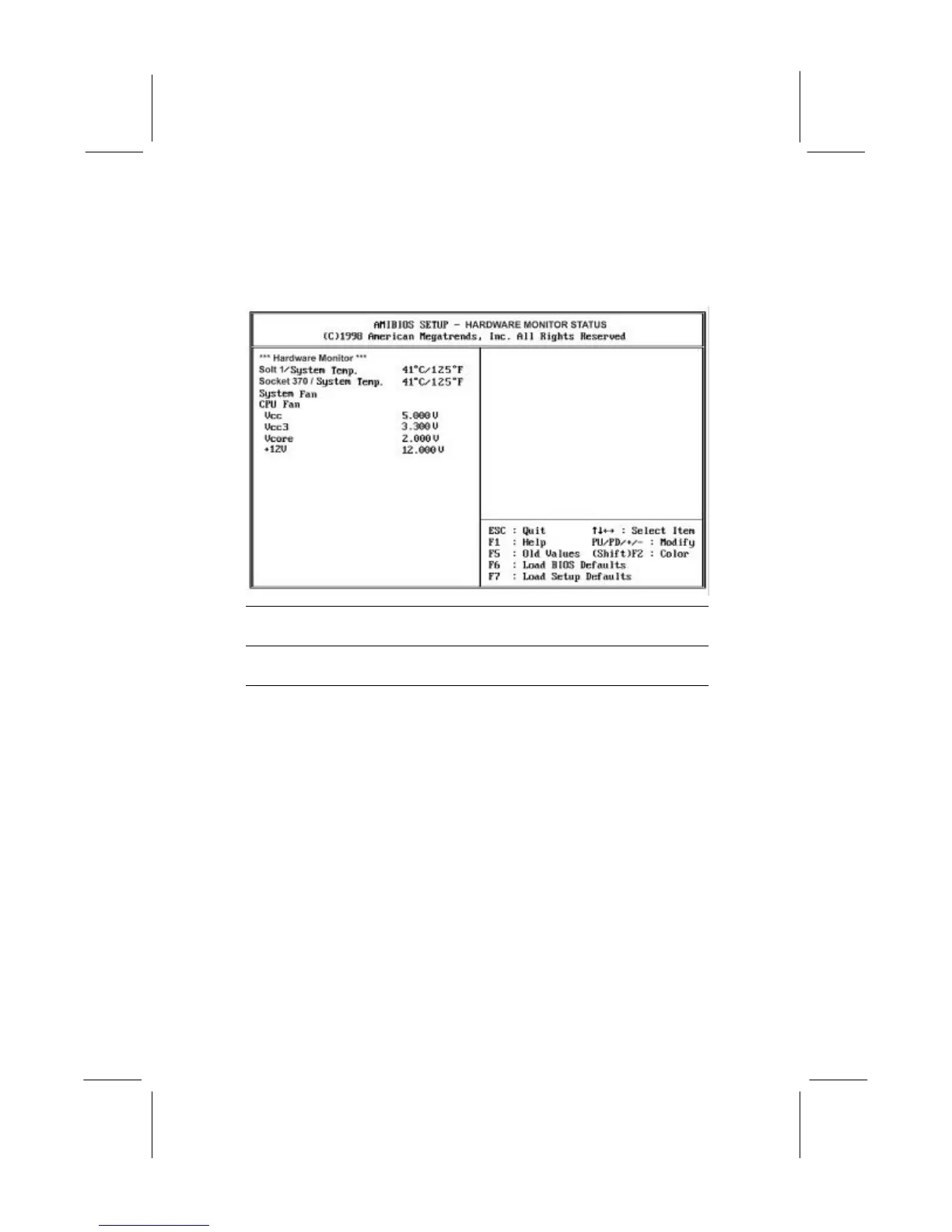
Hardware Monitor Status Page
This page displays the parameters for hardware monitoring.
Slot 1 / Socket 370
/ System Temp.
Use these items to monitor the threshold
temperature for the CPU and the system.
FANs & voltages
Use these items to monitor the parameters for
the fan speeds and the mainboard voltages.
Change Supervisor Password
If you highlight this item and press Enter, a dialog box appears
which lets you enter a Supervisor password. You can enter no more
than six letters or numbers. Press Enter after you have typed in the
password. A second dialog box asks you to retype the password for
confirmation. Press Enter after you have retyped it correctly. The
password is required at boot time, or when the user enters the setup
utility.
Change or Remove the Password
Highlight this item and type in the current password. At the next
dialog box, type in the new password, or just press Enter to disable
password protection.


 To Next Page