EasyManua.ls Logo

Pentair FLECK NXT2 - Service Manual

Pentair FLECK NXT2
11 pages
Print Icon
To Next Page IconTo Next Page
Loading...
pentair.com
FLECK® NXT2 TIMER
SERVICE MANUAL
FLECK
Question and Answer IconNeed help?

Do you have a question about the Pentair FLECK NXT2 and is the answer not in the manual?

Summary

Operating Parameters

Timer Display Overview

Display Screen Elements

Explains the information shown on the display screen, including volume and time.

Display Icons

Details the meaning of various icons used on the display for status identification.

Timer Operation Modes

Setting the Time of Day

Guide to setting the current time and date on the timer for system synchronization.

Manual Regeneration Initiation

Steps to manually start the regeneration process on the timer.

Operation During Regeneration

Explains the display and timer behavior during active regeneration cycles.

Operation During Programming

How the timer behaves and monitors water usage while in programming mode.

Power Failure Handling

How program settings are stored and restored after a power loss event.

Flow Meter Operation

How the timer operates and initiates regeneration based on water usage with a flow meter.

Timer Features and Functions

Remote Operation Features

Covers Remote Lock, Remote Regeneration, and Lock Settings for external control.

Regeneration Control Features

Details Regeneration Day Override, Regeneration Types, and Lock Window settings.

System Indicators & Backup

Explains LED Status Indicator lights and Power Loss Backup functionality.

Advanced Operational Features

Covers Continuous Flow Detect, Push Settings, and Auxiliary Relays.

Reset and Settings Review

Describes Reset to Factory Defaults and Settings Review options.

Master Programming Mode

System Type and Configuration

Selection of system type, number of tanks, and valve configuration.

Regeneration Parameter Settings

Configuration of regeneration flow, capacity, hardness, and reserve settings.

Remote and Time-Driven Settings

Setup for remote regeneration, duration, and time-driven overrides.

Assistance and Language Settings

Entry of assistance contact details and selection of display language.

Lock Window and Flow Settings

Configuration of regeneration lockout windows and continuous flow detection.

User and Diagnostic Modes

User Programming Mode

Allows users to adjust specific settings like Day Override and Push Settings.

Diagnostic Mode Data

Access to error logs, average usage, flow rates, and system status.

Time of Day Programming

Setting Current Time

Procedure to set the current time of day on the NXT2 timer.

Setting Current Date

Procedure to set the current year, month, and calendar day.

Timer Assembly and Conversion

NXT2 Timer Assembly (Standard Valves)

Exploded view and part numbers for NXT2 timer assembly on specific valve models.

NXT2 Timer Assembly (2815 Valve)

Exploded view and part numbers for NXT2 timer assembly on the 2815 valve.

Wiring and Connections

NXT to NXT2 Conversion Kits

Details on conversion kits for upgrading NXT timers to NXT2.

NXT2 Wiring Diagram

Schematic showing electrical connections for the NXT2 timer and components.

Power and Network Setup

Power Supply Connections

Instructions for connecting the 24VDC power supply to the NXT2 timer.

Network Communication Cables

Guidelines for connecting network/communication cables between units.

Error Codes and Troubleshooting

Detected Errors and System Response

Describes error conditions, their effects on system operation, and correction methods.

Summary

Operating Parameters

Timer Display Overview

Display Screen Elements

Explains the information shown on the display screen, including volume and time.

Display Icons

Details the meaning of various icons used on the display for status identification.

Timer Operation Modes

Setting the Time of Day

Guide to setting the current time and date on the timer for system synchronization.

Manual Regeneration Initiation

Steps to manually start the regeneration process on the timer.

Operation During Regeneration

Explains the display and timer behavior during active regeneration cycles.

Operation During Programming

How the timer behaves and monitors water usage while in programming mode.

Power Failure Handling

How program settings are stored and restored after a power loss event.

Flow Meter Operation

How the timer operates and initiates regeneration based on water usage with a flow meter.

Timer Features and Functions

Remote Operation Features

Covers Remote Lock, Remote Regeneration, and Lock Settings for external control.

Regeneration Control Features

Details Regeneration Day Override, Regeneration Types, and Lock Window settings.

System Indicators & Backup

Explains LED Status Indicator lights and Power Loss Backup functionality.

Advanced Operational Features

Covers Continuous Flow Detect, Push Settings, and Auxiliary Relays.

Reset and Settings Review

Describes Reset to Factory Defaults and Settings Review options.

Master Programming Mode

System Type and Configuration

Selection of system type, number of tanks, and valve configuration.

Regeneration Parameter Settings

Configuration of regeneration flow, capacity, hardness, and reserve settings.

Remote and Time-Driven Settings

Setup for remote regeneration, duration, and time-driven overrides.

Assistance and Language Settings

Entry of assistance contact details and selection of display language.

Lock Window and Flow Settings

Configuration of regeneration lockout windows and continuous flow detection.

User and Diagnostic Modes

User Programming Mode

Allows users to adjust specific settings like Day Override and Push Settings.

Diagnostic Mode Data

Access to error logs, average usage, flow rates, and system status.

Time of Day Programming

Setting Current Time

Procedure to set the current time of day on the NXT2 timer.

Setting Current Date

Procedure to set the current year, month, and calendar day.

Timer Assembly and Conversion

NXT2 Timer Assembly (Standard Valves)

Exploded view and part numbers for NXT2 timer assembly on specific valve models.

NXT2 Timer Assembly (2815 Valve)

Exploded view and part numbers for NXT2 timer assembly on the 2815 valve.

Wiring and Connections

NXT to NXT2 Conversion Kits

Details on conversion kits for upgrading NXT timers to NXT2.

NXT2 Wiring Diagram

Schematic showing electrical connections for the NXT2 timer and components.

Power and Network Setup

Power Supply Connections

Instructions for connecting the 24VDC power supply to the NXT2 timer.

Network Communication Cables

Guidelines for connecting network/communication cables between units.

Error Codes and Troubleshooting

Detected Errors and System Response

Describes error conditions, their effects on system operation, and correction methods.
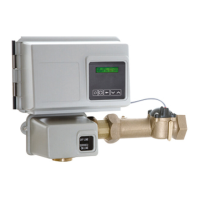
Pentair FLECK NXT2 Specifications

General IconGeneral
BrandPentair
ModelFLECK NXT2
CategoryTimer
LanguageEnglish

Related product manuals