MASTER PROGRAMMING MODE
FLOW CHART continued...
Example:
On: View settings without the ability to alter settings.
Off: User has ability to alter settings.
OFF
ON
SETTINGS REVIEW
Example:
English, Francais, Duetsch, Italiano,
Espanol, Nederlandse, Portugues
ENGLISH
FRANCAIS
PORTUGUES
LANGUAGE
Example:
12 characters maximum.
ASSISTANCE NAME 1
Example:
12 characters maximum.
ASSISTANCE NAME 2
Example:
14 characters maximum.
ASSISTANCE PHONE
Example:
4, 5, 6, 7, 8, 9, 14
SYSTEM 5
SYSTEM 6
SYSTEM 4
SYSTEM
Example:
2510, 2750, 2815, 2900, 3150, 3900
2850
2900
2815
VALVE
Example:
Upflow
Downflow
Filter
DOWNFLOW
FILTER
UPFLOW
REGEN. FLOW
Example:
Softener Meter Delayed
Softener Meter Immediate
Time Clock
Day of the Week.
SOFTENER METER IMM
TIME CLOCK
SOFTENER METER DEL
REGEN. TYPE
Example:
Metric
US
US
METRIC
UNITS
Example:
Range: 0-9,999,999 grains
0023828
CAPACITY - GRAINS
Example:
Range: 0-199 GPG
Example:
Fixed Volume
Weekly Reserve
Variable Reserve
Fixed %
WEEKLY RESERVE
VARIABLE RESERVE
FIXED VOLUME
RESERVE
Example:
Off, Immediate, Delayed
OFF
IMMEDIATE
DELAYED
REMOTE REGENERATION
Example:
Range:
1-9999 seconds
1 S
REMOTE SIGNAL DURATION
Example:
Range: Off - 99 Days
10 D
DAY OVERRIDE/TIME-DRIVEN
Example:
Range: 0 - 23 Hours 59 Minutes.
Example:
Start Lock Window
End Lock Window
02:OOHR
REGEN. TIME
OFF
ON
LOCK WINDOW #1
Example:
Range: 0 - 240 M
10 M
BACKWASH
Example:
Range: 0 - 240 M
60 M
DRAW
Example:
Range: 0 - 240 M
10 M
RAPID RINSE
Example:
Range: 0 - 240 M
12 M
TANK REFILL
Example:
Range: 0 - 240 M
Example:
Range: 0.1 to 999.9 gpm/Lpm
0 M
PAUSE
Example:
Paddle (0.75”, 1”, 1.5”, 2”, 3”)
Turbine (0.75”, 1.25”, 1.5”)
Generic
1.00” PADDLE
1.00” TURBINE
0.75” TURBINE
METER TYPE
OFF
ON
CONTINUOUS FLOW DETECT
Example:
Off, Alarm Based, Cycle Based, Time Based,
Volume Based, Standby
OFF
ALARM BASED
STANDBY
AUXILIARY 1
Example:
Off, Alarm Based, Cycle Based, Time Based,
Volume Based, Standby
OFF
ALARM BASED
STANDBY
AUXILIARY 2
OFF
ON
SAVE AS NON-FACTORY
Example:
Off, Delayed, Enter Code, Time Based
OFF
DELAYED
TIME BASED
LOCK SETTINGS
025
HARDNESS - GPG
Example:
2, 3, 4, 5, 6, 7, 8
2
8
3
NUMBER OF TANKS
Example:
Trip Points only available/visible when
System Type 14 is selected.
0001
TRIP POINT #1 - GPM
1 S
TRIP POINT #1 - SERVICE DURATION
60 S
TRIP POINT #1 - STANDBY DURATION
Example:
Range: 1-90 seconds
Example:
Range: 60-300 seconds
ON
OFF
PUSH SETTINGS
END
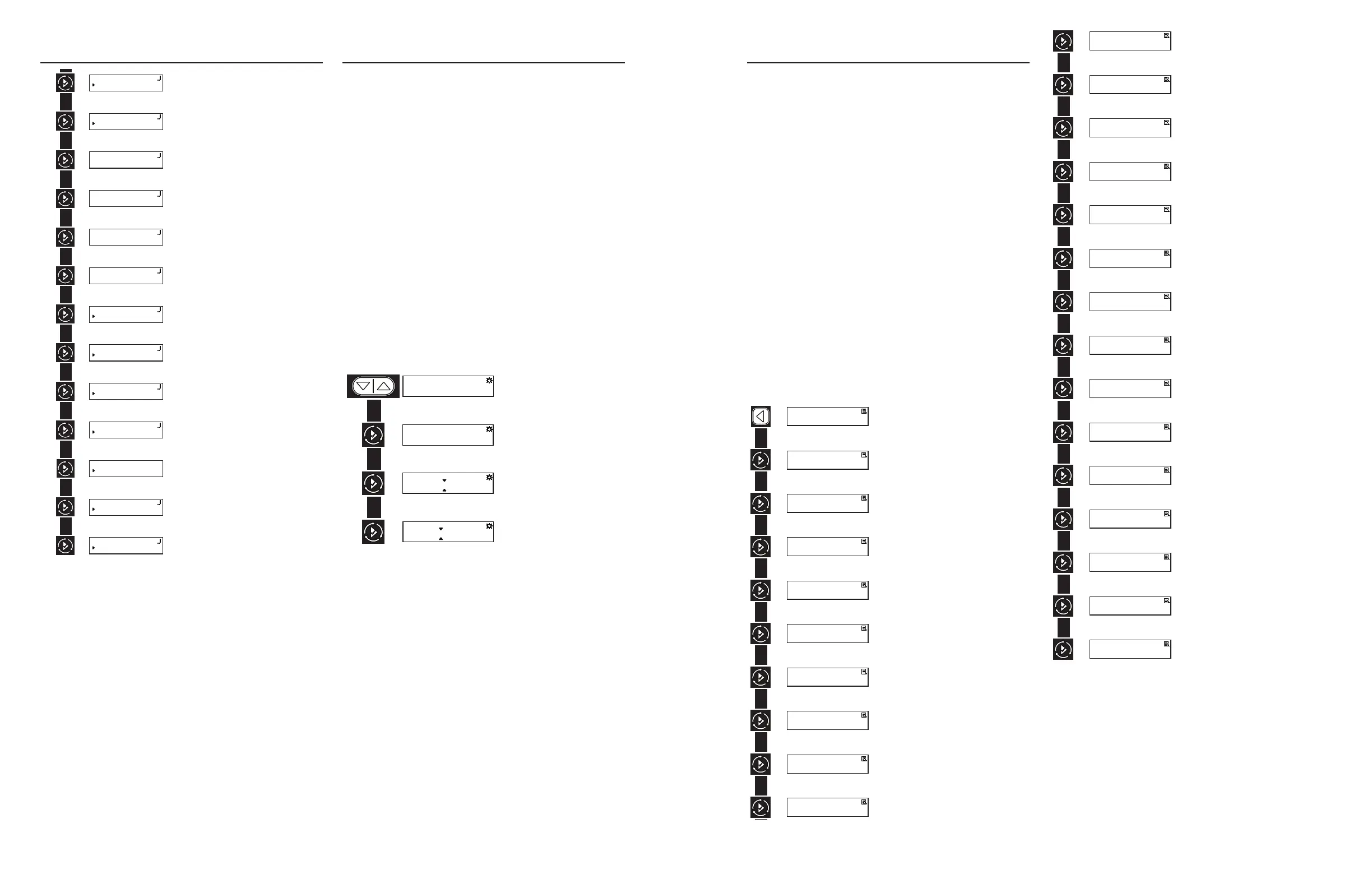
USER PROGRAMMING MODE
FLOW CHART
User Programming Mode
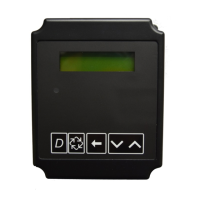
1. Press and hold the Down and Up buttons simultaneously for
3 seconds to enter the User Programming mode.
2. To navigate the menu, press the Extra Cycle button to
advance to the next value. Press the Left button to retreat to
the previous value.
3. Where applicable, use the Up and Down buttons to adjust a
value as desired.
4. After progressing through all available values, the timer
will return to Normal operation.
5. To exit diagnostic mode, progress through all cycles, or
press & hold Left button at any time, or simply wait 5
minutes and timer will automatically return to normal
operation.
6. Depending on the current controller settings, certain values
may not be able to be viewed or set.
7. The timer will display local information, not system
information.
8. In the event of a regeneration occurring while displaying
user programming, the regeneration step and time
remaining will be displayed. When regeneration has been
completed, the display will return to the main screen.
END
Example:
Range: Off - 99 Days
10 D
DAY OVERRIDE/TIME-DRIVEN
Example:
Range: 0 - 23 Hours 59 Minutes.
02:OOHR
REGEN. TIME
Example:
Range: 1 - 999 grains per gallon
025
HARDNESS - GPG
Example:
Range: 1 - 99999 gallons
09999
VOLUME REMAINING - G
DIAGNOSTIC PROGRAMMING MODE
FLOW CHART
Diagnostic Programming Mode
1. Press and hold the Left button to enter Diagnostic
Programming mode.
2. To navigate, press the Extra Cycle button to advance to the
next value. Press the Left button to retreat to the previous
value.
3. Where applicable, use the Up and Down buttons to adjust a
value as desired.
4. To reset/clear a value (such as Totalizer or Error Log),
while on the value, press and hold the Up and Down buttons
simultaneously.
5. After progressing through all available values, the timer
will return to normal operation.
6. To exit diagnostic mode, press and hold the Left button at
anytime or after 5 minutes of inactivity the timer will return
to normal operation automatically.
7. Depending on the current controller programming, certain
values may not be able to be viewed or modified.
8. The timer will display local information, not system
information.
9. In the event of a regeneration occurring while displaying
diagnostics, the regeneration step and time remaining will
be displayed. When regeneration has been completed, the
display will return to the main screen.
Example:
Real-time flow rate reading.
FLOW RATE
29.7 GPM
Example:
Peak flow since last regeneration.
PEAK FLOW
30.1 GPM
Example:
Gallons at the outlet since installation.
TOTALIZER
482474 G
Example:
Reserve Capacity setting.
RESERVE
1588 G
Example:
Gallons at the outlet since last regeneration.
USE SINCE REGEN
7331 G
Example:
Time since last regeneration.
LAST REGEN.
4 H
Example:
Installed software version.
SOFTWARE VERSION
13026
Example:
Total number of regenerations since installation.
NO. OF REGENS
32
Example:
Duration between regenerations.
REGEN INTERVAL
3 D 21 H
Example:
Last time programming settings were changed.
LAST SETTINGS CHANGE
14 H 0 M
Example:
Record of error events chronologically.
ERROR LOG
ERROR LOG EMPTY
SUN-DAILY USAGE
2017-10-10 0 G
2017-01-02 0 G
2017-12-26 0 G
Example:
Average usage from past Sunday.
SUN-AVERAGE USAGE
29.7 G
Example:
Average usage from past 3 Sundays.
MON-DAILY USAGE
2016-10-10 0 G
2017-01-02 0 G
2016-12-26 0 G
Example:
Average usage from past Monday.
MON-AVERAGE USAGE
29.7 G
Example:
Average usage from past 3 Mondays.
TUE-DAILY USAGE
2016-10-10 0 G
2017-01-02 0 G
2016-12-26 0 G
Example:
Average usage from last Tuesday.
TUE-AVERAGE USAGE
29.7 G
Example:
Average usage from past 3 Tuesdays.
WED-DAILY USAGE
2016-10-10 0 G
2017-01-02 0 G
2016-12-26 0 G
Example:
Average usage from last Wednesday.
WED-AVERAGE USAGE
29.7 G
Example:
Average usage from past 3 Wednesdays.
THU-DAILY USAGE
2016-10-10 0 G
2017-01-02 0 G
2016-12-26 0 G
Example:
Average usage from last Thursday.
THU-AVERAGE USAGE
29.7 G
Example:
Average usage from past 3 Thursdays.
FRI-DAILY USAGE
2016-10-10 0 G
2017-01-02 0 G
2016-12-26 0 G
Example:
Average usage from last Friday.
FRI-AVERAGE USAGE
29.7 G
Example:
Average usage from past 3 Fridays.
SAT-DAILY USAGE
2016-10-10 0 G
2017-01-02 0 G
2016-12-26 0 G
Example:
Average usage from last Saturdays
SAT-AVERAGE USAGE
29.7 G
Example:
Average usage from past 3 Saturdays.
END
Example:
Real-time flow rate reading.
FLOW RATE
29.7 GPM
Example:
Peak flow since last regeneration.
PEAK FLOW
30.1 GPM
Example:
Gallons at the outlet since installation.
TOTALIZER
482474 G
Example:
Reserve Capacity setting.
RESERVE
1588 G
Example:
Gallons at the outlet since last regeneration.
USE SINCE REGEN
7331 G
Example:
Time since last regeneration.
LAST REGEN.
4 H
Example:
Installed software version.
SOFTWARE VERSION
13026
Example:
Total number of regenerations since installation.
NO. OF REGENS
32
Example:
Duration between regenerations.
REGEN INTERVAL
3 D 21 H
Example:
Last time programming settings were changed.
LAST SETTINGS CHANGE
14 H 0 M
Example:
Record of error events chronologically.
ERROR LOG
ERROR LOG EMPTY
SUN-DAILY USAGE
2017-10-10 0 G
2017-01-02 0 G
2017-12-26 0 G
Example:
Average usage from past Sunday.
SUN-AVERAGE USAGE
29.7 G
Example:
Average usage from past 3 Sundays.
MON-DAILY USAGE
2016-10-10 0 G
2017-01-02 0 G
2016-12-26 0 G
Example:
Average usage from past Monday.
MON-AVERAGE USAGE
29.7 G
Example:
Average usage from past 3 Mondays.
TUE-DAILY USAGE
2016-10-10 0 G
2017-01-02 0 G
2016-12-26 0 G
Example:
Average usage from last Tuesday.
TUE-AVERAGE USAGE
29.7 G
Example:
Average usage from past 3 Tuesdays.
WED-DAILY USAGE
2016-10-10 0 G
2017-01-02 0 G
2016-12-26 0 G
Example:
Average usage from last Wednesday.
WED-AVERAGE USAGE
29.7 G
Example:
Average usage from past 3 Wednesdays.
THU-DAILY USAGE
2016-10-10 0 G
2017-01-02 0 G
2016-12-26 0 G
Example:
Average usage from last Thursday.
THU-AVERAGE USAGE
29.7 G
Example:
Average usage from past 3 Thursdays.
FRI-DAILY USAGE
2016-10-10 0 G
2017-01-02 0 G
2016-12-26 0 G
Example:
Average usage from last Friday.
FRI-AVERAGE USAGE
29.7 G
Example:
Average usage from past 3 Fridays.
SAT-DAILY USAGE
2016-10-10 0 G
2017-01-02 0 G
2016-12-26 0 G
Example:
Average usage from last Saturdays
SAT-AVERAGE USAGE
29.7 G
Example:
Average usage from past 3 Saturdays.
END
10 • Pentair Fleck NXT2 Timer Pentair Fleck NXT2 Timer • 11



 To Next Page
 Loading...