BASIC OPERATION [PREPARATION]
25
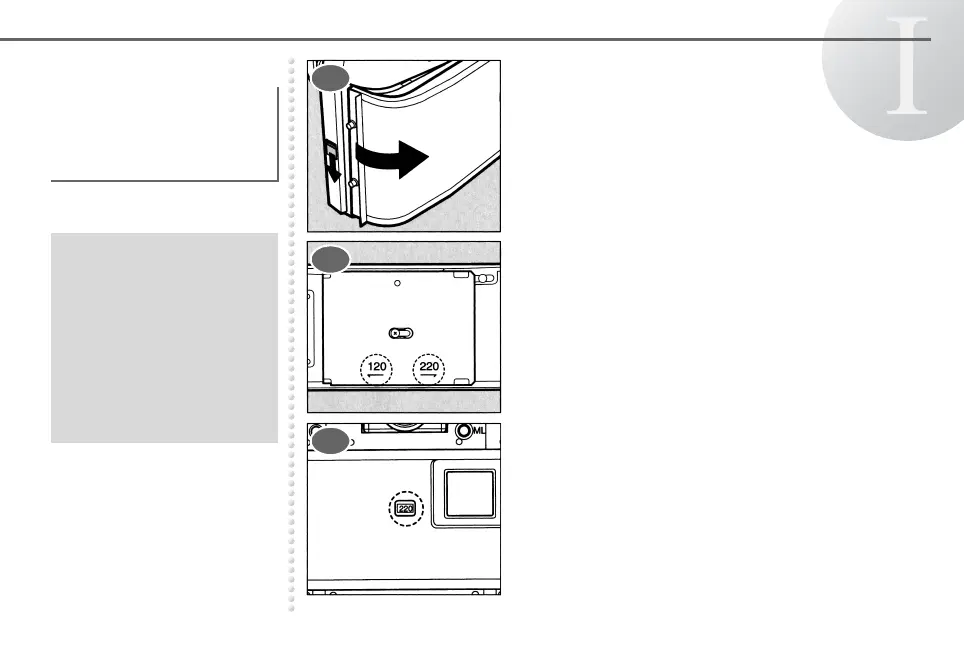
Loading the Film Open the back cover by sliding the back cover
release lever.
Depress and shift the pressure plate
according to the film type (120 or 220) you
use.
The pressure plate you set will be indicated in
the film type indicator.
Be sure to set the proper
film speed before the film is
loaded. See page 24 for
setting the film speed.
● Film drag will occur or the
end of the film cannot be
detected when the 220
pressure plate is set for a
120 film. Imprecise focusing
will occur or the number of
pictures that can be taken
decreases when the 120
pressure plate is set for a
220 film.
1
2
3



 To Next Page