ADVANCED OPERATION
55
Switching the
Metering Mode
Using the Center-Weighted Metering Mode
The Center-Weighted Metering Mode is an orthodox metering system.
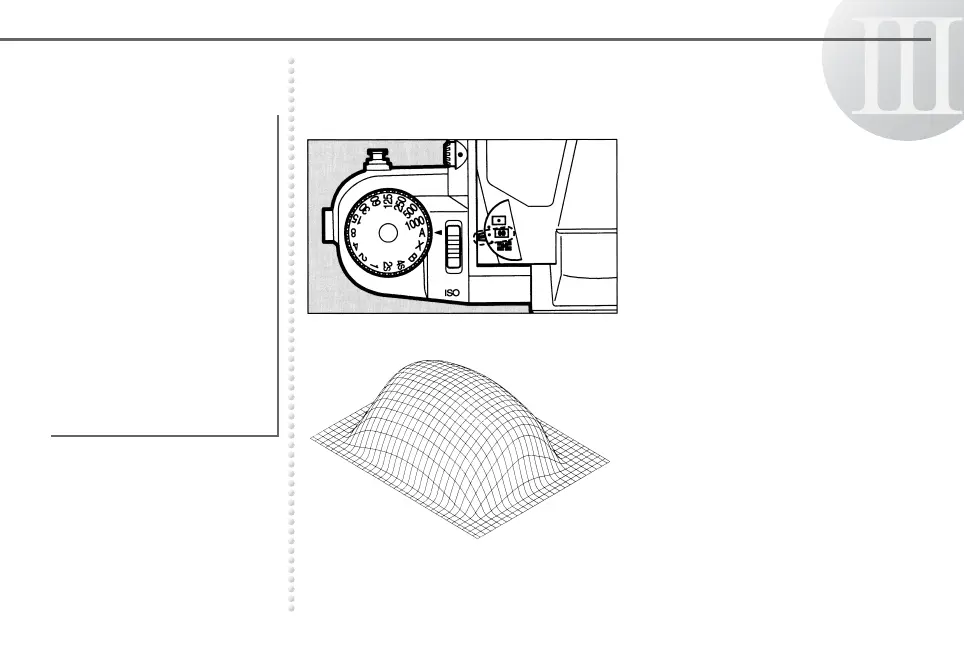
Set the metering mode selector
to the J position. J is
displayed in the viewfinder.
The metering pattern in the
illustration on the left shows that
the upper part of the pattern (in
the center of the viewfinder) has
more sensitivity to light than the
lower part.
The Spot Metering Mode or
Center-Weighted Metering
Mode can also be selected
in this camera.
Select the desired metering
mode with the metering
mode selector.
● These metering systems
do not automatically
compensate for back
lighted or spotlighted
scenes like the Multi (6)-
Segment Metering Mode.
Creative exposure control
is determined by the user.



 To Next Page