30
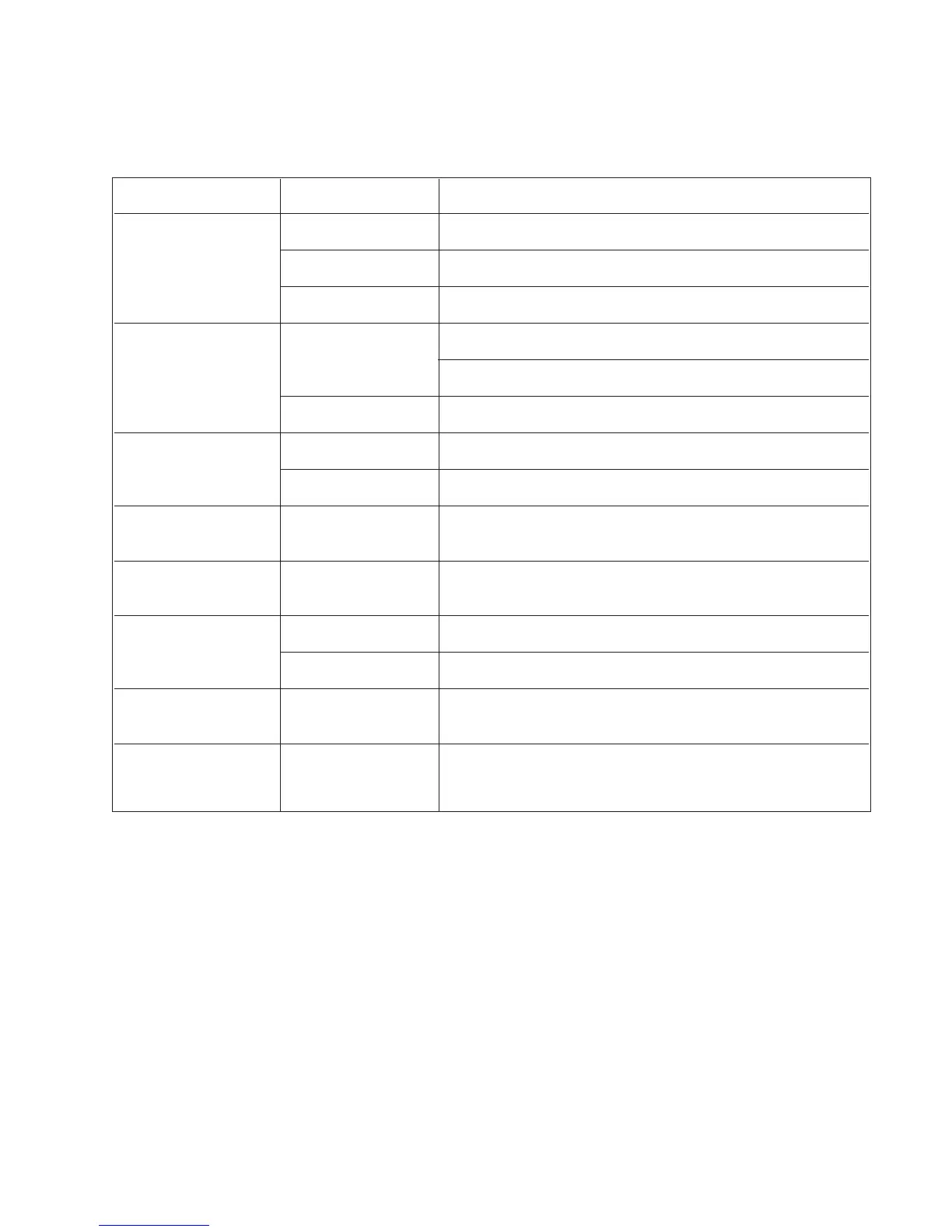
CONDITION CHECK ACTION
Power does not Power cord Ensure proper connection at unit and wall outlet.
come ON
Breaker Ensure the red button is not protruding out.
Power outlet Move the power cord to a power socket that is known to work.
No display on monitor Monitor/ other Ensure power is ON for all devices.
peripheral devices
Ensure proper video input is selected for all devices.
Cable connections Ensure all video cables are connected properly.
Text cannot be Monitor display Ensure cursor is visible, press Enter to evoke cursor.
typed to screen
Keyboard Ensure keyboard is properly connected to the processor.
Numbers cannot be
Keyboard Ensure Num Lock is ON and use numeric keys.
typed to screen
Lamp will not ignite Lamp life meter Ensure less than 200 hours lamp life. If more, contact your local Pentax
service center to replace the lamp.
No image on main screen Endoscope Ensure the endoscope is connected properly.
Lamp Ensure lamp is ignited.
Image on screen
Lamp Ensure lamp is ignited.
is black and white
Unusual characters
on screen and no response
Turn OFF the processor and contact your Pentax service center.
to any key on the keyboard
7. TROUBLE-SHOOTING GUIDE


 To Next Page