HART Multiplexer System KFD*-HM*-16
Operation
2018-04
69
7.2.3 Device Diagnosis
Selecting a Diagnosis
1. Use the mouse to double-click the multiplexer master KFD2-HMM-16 in
the project window.
2. In the editing window, open the Related tasks > Diagnosis menu.
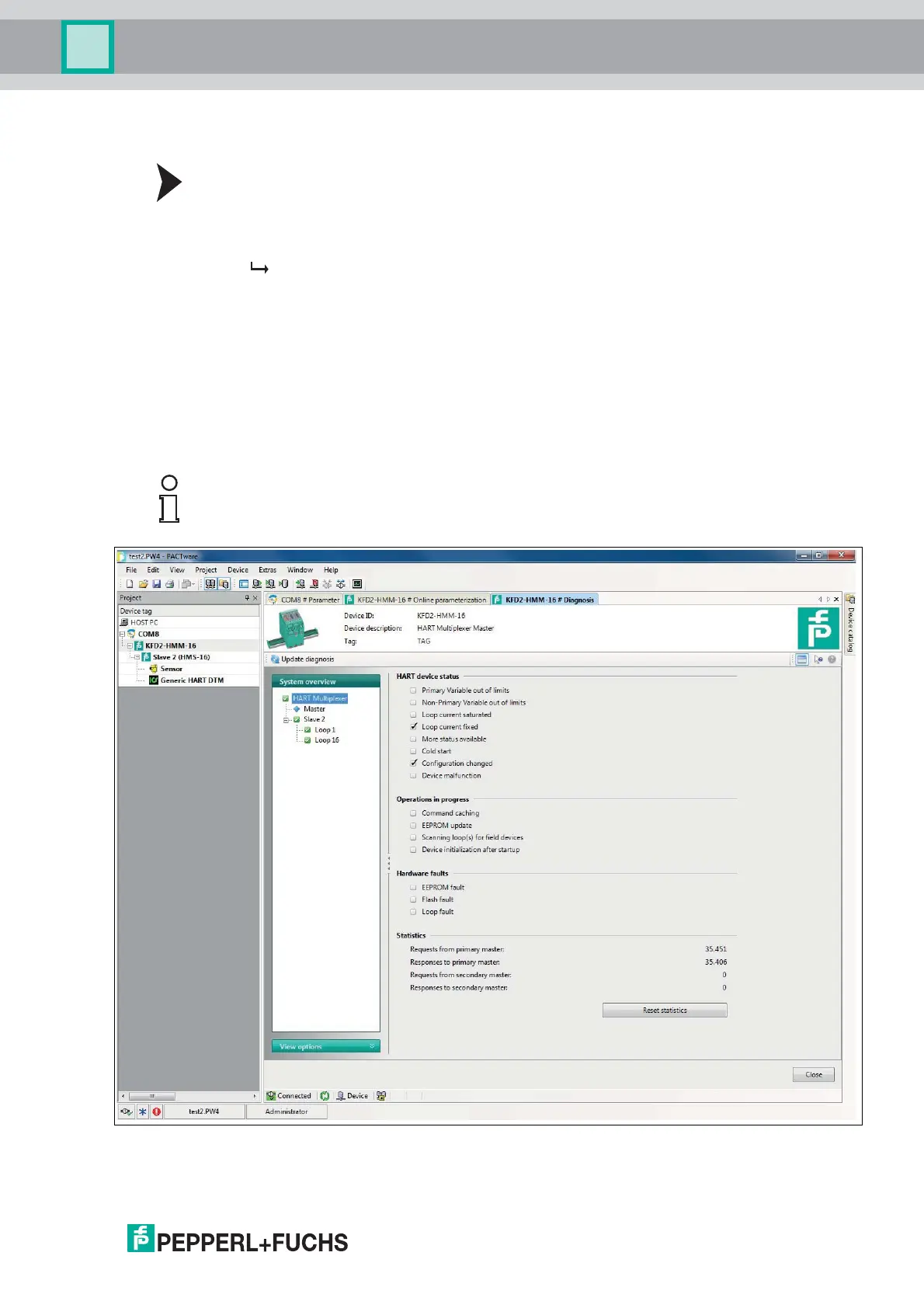
The Diagnosis window is displayed.
In the Diagnosis window, detailed diagnostic information regarding the multiplexer master
and the field devices connected to it can be retrieved.
In the System overview section, the device tree is displayed on the left-hand side with
the connected devices. Click on a device to select it.
The right-hand section displays device-specific, detailed diagnostic information.
Select the Update diagnosis button above the System overview section to update
the diagnostic information.
Figure 7.3 Diagnosis window
Note!
For a precise explanation of the diagnostic information, see chapter 7.3.



 To Next Page