Operating Instructions
Page 12
RevA
6. AI Displays
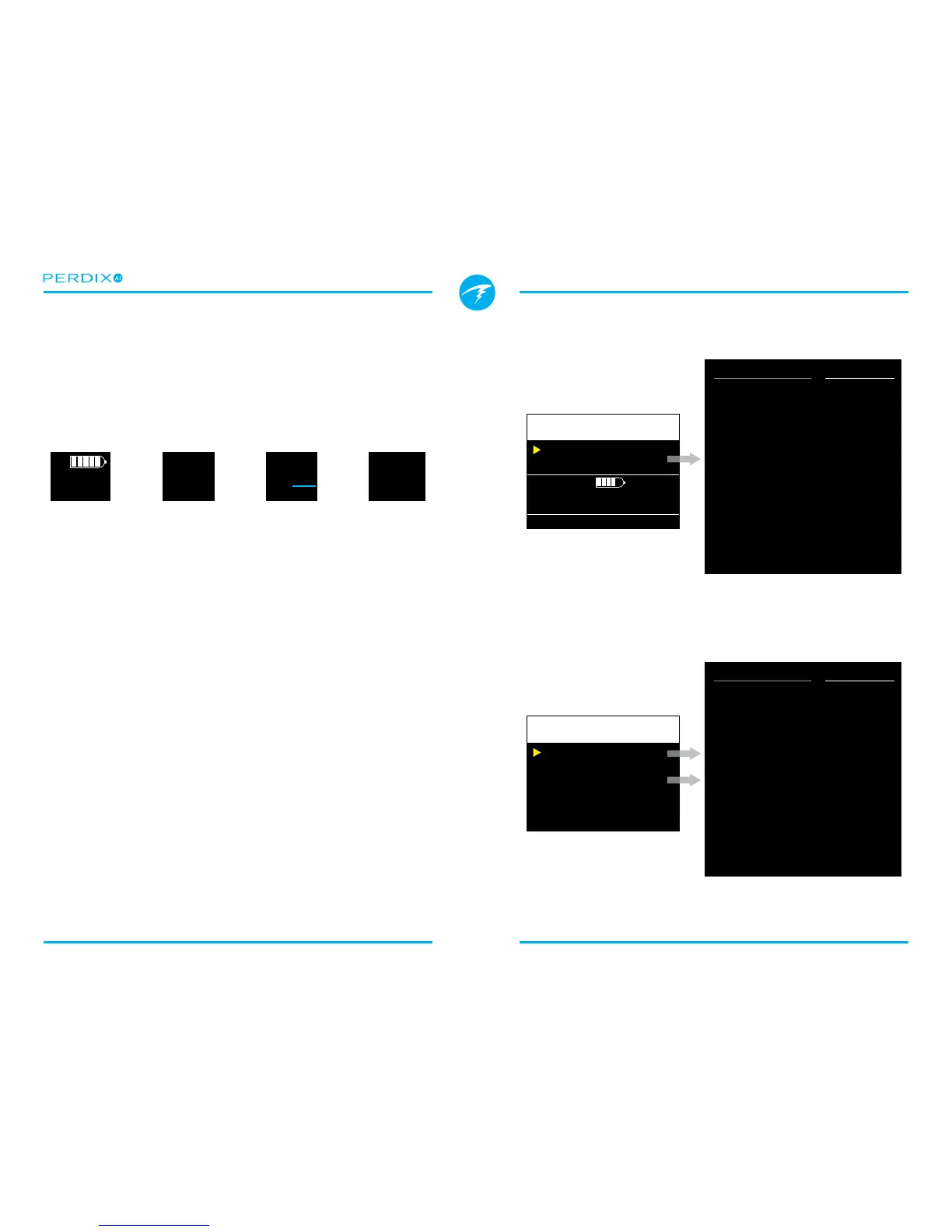
There are four display elds (FIGURE 16) that are used to
display AI information:
1) T1/T2 Pressure
2) GTR
3) SAC
4) Mini combination display
FIGURE 16 There are four AI displays
I
GTR 45
SAC 16
T1/T2
Pressure
Gas Time
Remaining
Surface Air
Consumption
Mini-
Combination
These displays can be viewed in two ways:
1) Added to a congurable location on the main screen.
2) Viewed on a bottom row info line by pressing the right
button a few times�
6.1. Adding to a configurable location
To display AI information permanently on the main screen, a
congurable location must be setup with an AI display.
In OC Rec mode, the congurable locations are on the
bottom row (FIGURE 17)�
In OC Tec mode or CC/BO mode, the congurable locations
are on the center row (FIGURE 18)�
Gauge mode does not have any congurable locations, so the
AI information must be viewed on the bottom info line�
Center
Right
AI T1
AI GTR
Change Save
GTR T1
21
I
T1
2250
P
S
Non-AI Options
None
TTS
CNS
PPO2
MOD
TEMP
CLOCK
Max Depth
TEMP & CLOCK
PPO2 & CNS
MAX. & AVG
Timer
Compass
AI Options
AI T1
AI T2
AI GTR
AI SAC
AI Mini
FIGURE 17 In OC Rec mode, AI displays may be added to the
bottom row
FIGURE 18 In OC Tec or CC/BO mode, AI displays may be added
to the center row
Left
AI T1
Center Gas PPO2
Right AI GTR
Change Save


 To Next Page