EasyManua.ls Logo

PERDIX SHEARWATER - 6.2. Viewing on the bottom info line

PERDIX SHEARWATER
20 pages
Print Icon
To Next Page IconTo Next Page
To Previous Page IconTo Previous Page
Loading...
Operating Instructions
Page 13
RevA
6.2. Viewing on the bottom info line
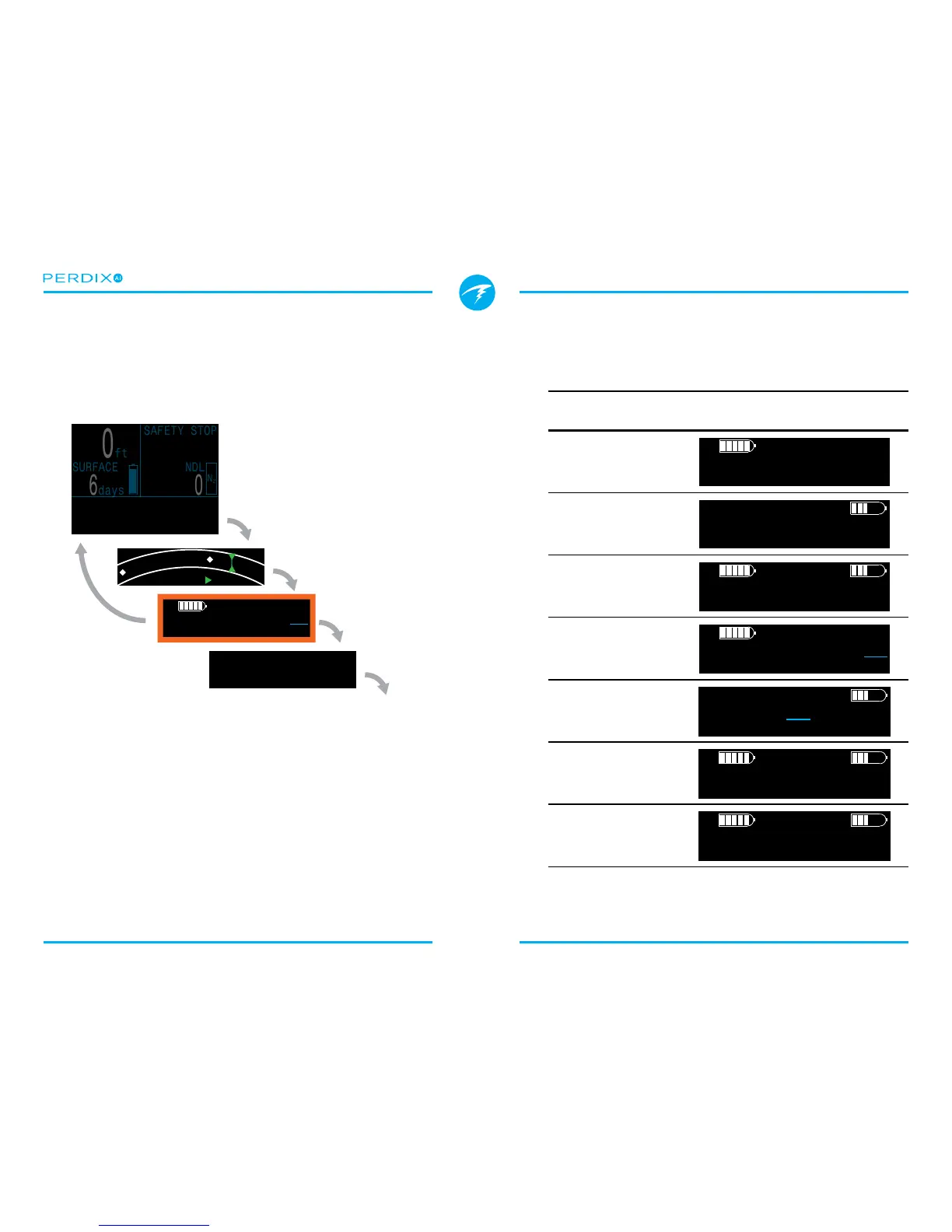
If it is not desired to use a congurable main screen location
for AI, the AI information can be viewed on the bottom info line
(FIGURE 19) by pressing the right button twice�
The AI info line does not timeout back to the main screen�
Most other info lines do timeout back to the main screen after
10 seconds, with the exception of the compass and tissues
bar graph which also do not timeout�
The contents of the AI info line will automatically adapt to the
current setup�
AI
Setting
GTR
Setting
AI Info Line Display
T1 O󰀨
T1
I
3042
P
S
T2 O󰀨
I
P
S
T1&T2 O󰀨
I
P
S
I
P
S
T1 T1
I
P
S
PSI
min
T2 T2
T2
I
1648
P
S
GTR T2
23
SAC T2
17
PSI
min
T1&T2 T1
T1 GTR
T1
SAC16.2
I
3042
45
P
S
T2
I
1648
P
S
T1&T2 T2
T1 GTR
T2
SAC17.4
I
3042
23
P
S
T2
I
1648
P
S
Right button
steps to next
info line
SAFETY STOP
Air
SURFACE
days
NDL
0
6
°F 75
am 9:58
0
ft
N
2
GTR T1T1
45
SAC T1
I
3042
P
S
16
MAX
ft ft
MOD
0
PPO2
130
.21
PSI
min
12°
N
NE
16°
. . .
Left button
returns to
main screen
More
Info
Lines
AI Info Line
FIGURE 19 Access the AI info line with two right
button presses