Operating Instructions
Page 8
RevA
4.5. Pair the Transmitter
Each transmitter has a unique serial number etched on its
body� All communications are coded with this number so that
the source of each pressure reading can be identied.
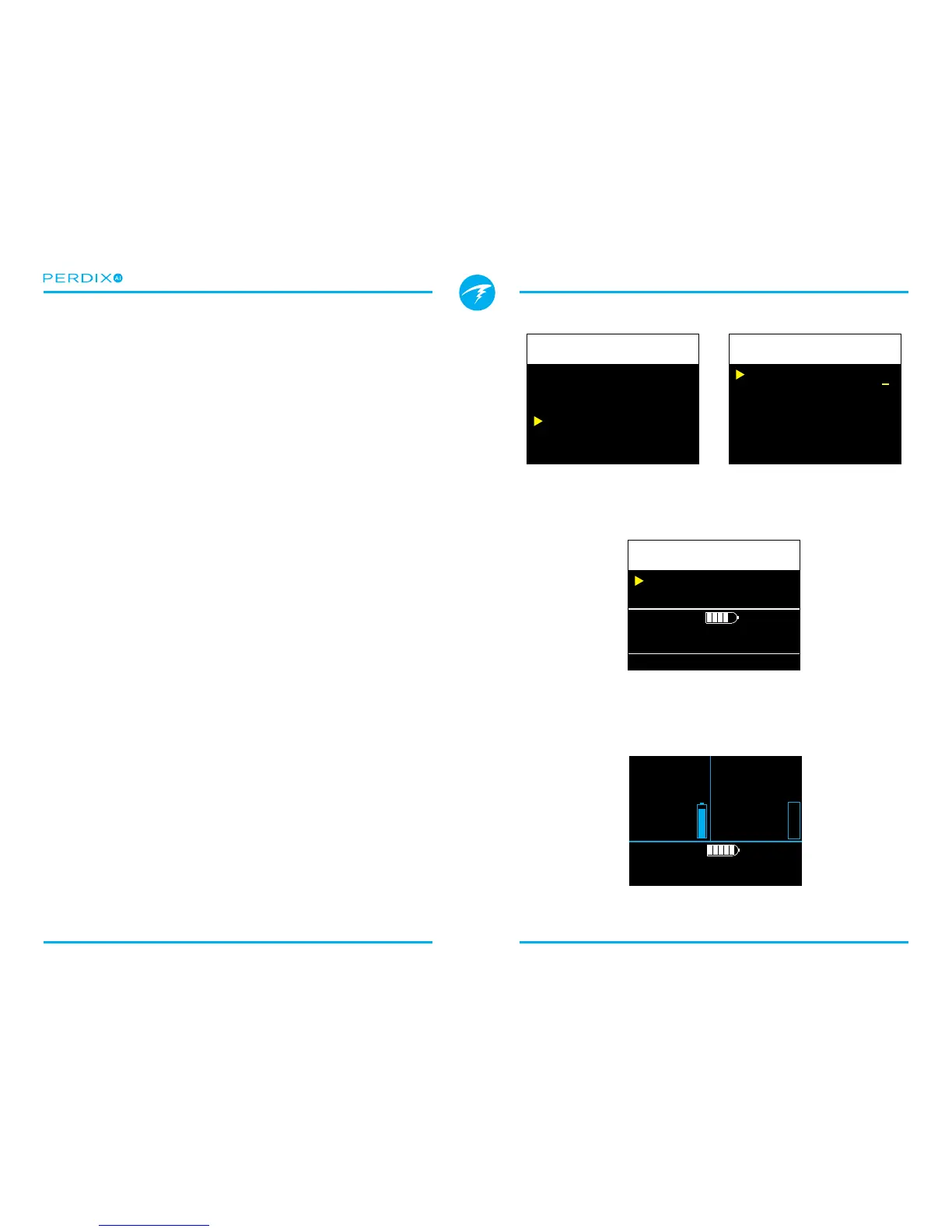
Pairing the transmitter is done by going to the T1 Setup menu
option, then selecting Edit� Enter the 6-digit serial number into
the T1 Serial # setting (FIGURE 7)� You only need to set this
once, as it will be permanently saved in the settings memory�
More information about settings in the T1/2 Setup menu can
be found in Section 5.2. T1/T2 Setup�
4.6. Add an AI display to the main
screen
The main screen will not show AI information until manually
added�
In OC Rec mode, use the System SetupBottom Row
menu (FIGURE 8)� In OC Tec or CC/BO modes, use the
System SetupCenter Row menu�
Alternatively, you can leave AI information o the main screen.
Pressing the right button twice will change the bottom row of
the screen to show AI information� This display does not time-
out back to the main screen�
4.7. Ready to Dive
AI is now setup and ready to dive (FIGURE 9)�
However, please continue to read the manual to fully
understand the displays, warnings and operation of the AI
feature�
FIGURE 7 Pair the transmitter serial number
Each transmitter has a unique serial number printed on its body.
FIGURE 8 Add an AI display to the main screen (optional)
If you choose not to put AI on the main screen you can access the
AI information with two presses of the right button.
FIGURE 9 The main screen (OC Rec mode) on the surface
T1 Serial#
Rated
Reserve
Unpair
123456
3000
0700
PSI
PSI


 To Next Page