Operating Instructions
Page 6
RevA
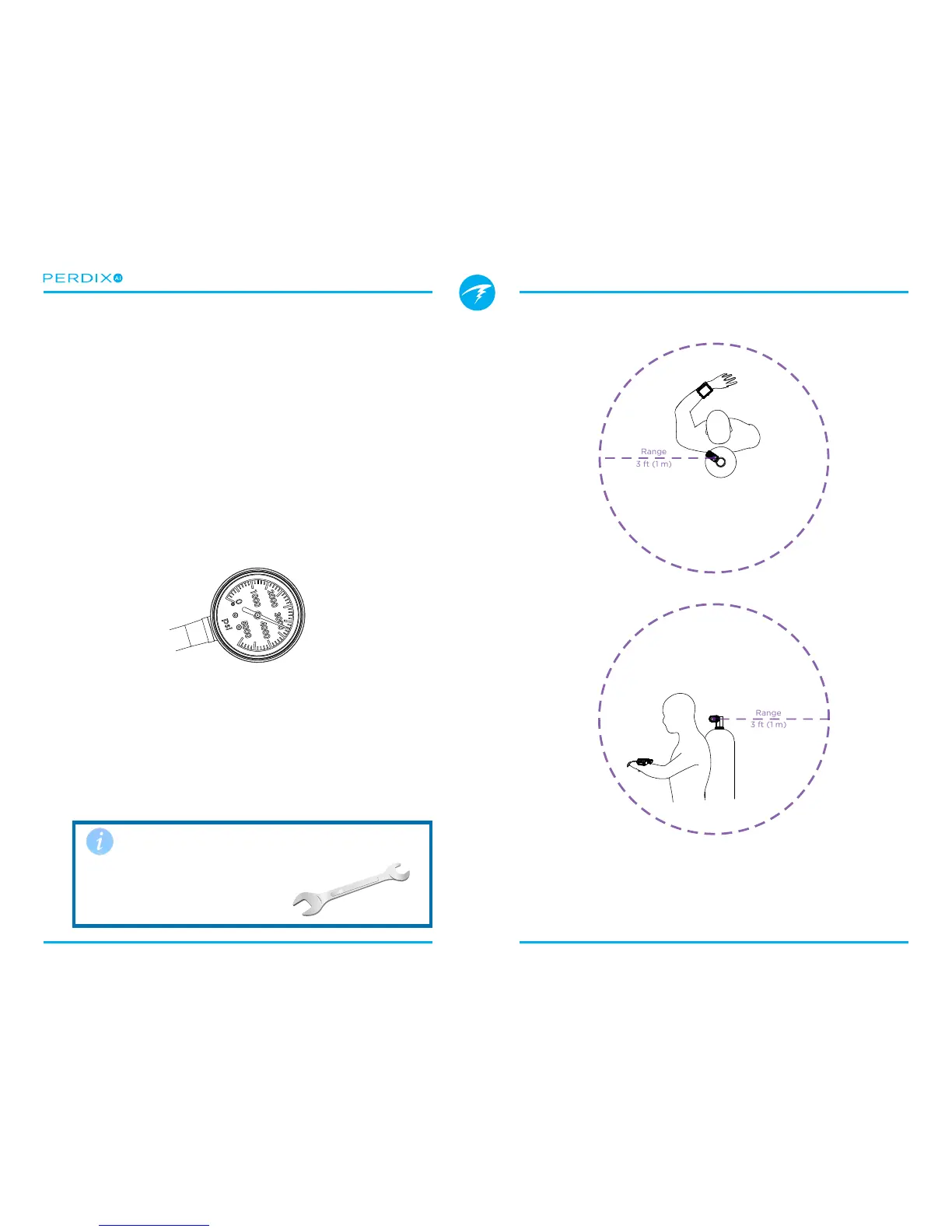
FIGURE 5 Install transmitter on 1st stage HP port
Install transmitter on the same side of your body as the
handset. Range is approximately 3 feet (1 m).
FIGURE 4 A backup SPG is recommended
4. Getting Started / Basic Setup
This section will get you started with the basics of AI on the
Perdix� Advanced setup and detailed descriptions will be
covered in later sections�
4.1. Install the Transmitter
Before using the AI system, you will need to install one or
more transmitters on a scuba tank rst stage regulator.
The transmitter must be installed on a rst stage port labeled
“HP” (high pressure). Use a rst stage regulator with at least
two HP ports, so that a backup analog submersible pressure
gauge (SPG (FIGURE 4)) can be used�
Position the transmitter such that it is on the same side of your
body as you wear your Perdix AI handset (FIGURE 5)� Range is
limited to approximately 3 ft (1 m)�
A high-pressure hose may be used to relocate the transmitter
for better reception or convenience� Use hoses rated for a
working pressure of 4500 PSI (300 Bar) or higher�
Use a wrench (5/8”) to tighten or
loosen the transmitter
Avoid hand tightening or loosening,
as this can stress the body of the
transmitter�


 To Next Page