28 KENR9126
Troubleshooting Section
i03434106
ECM Harness Connector
Terminals
The Electron
ic Control Module (ECM) uses
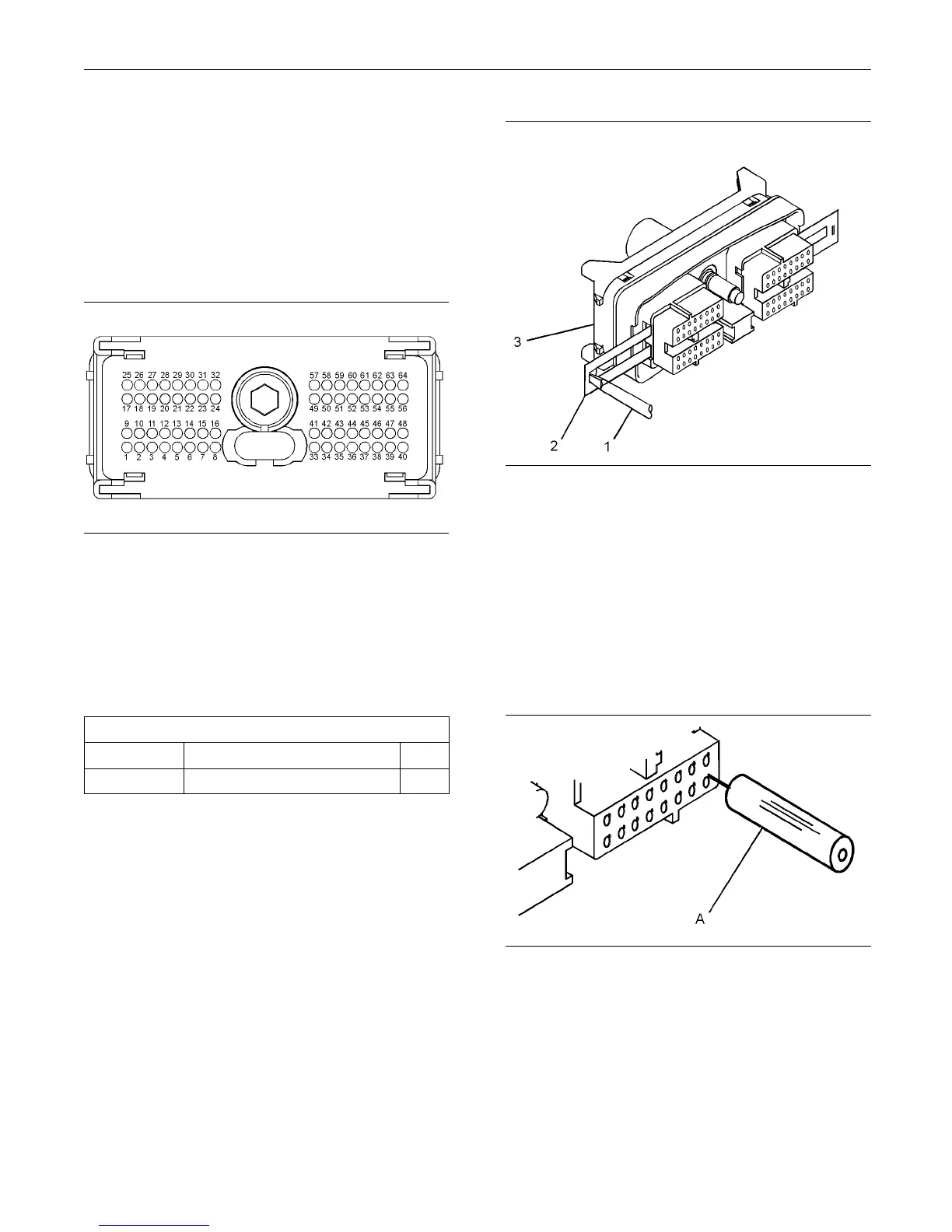
connectors that have 64 terminals to interface to the
wiring harness.
g01784773
Illustration 11
Layout of the Connector Pins (view from the rear)
Removal and Installation of the
Harness Connector Terminals
Terminal Removal
Table 7
Required Tools
Part Number Part Description Qty
27610285 Removal Tool 1
g01784793
Illustration 12
Removal of Terminal P osition Assurance C om ponents
1. Remove the connector from the ECM. Refer to
Disassembly and Assembly, “Electronic Control
Module - Remove and Install”.
2. Use a screwdriver that has a flat blade (1) to
remove the two terminal position assurance
components (2) from the connector (3).
Note: Do not use the removal tool to remove the
terminal position assurance components.
g01784822
Illustration 13
Removal Tool
3. Insert the removal tool into the hole that is
adjacent to the terminal in order to release the
locking device.
Note: Make sure that the tool stays perpendicular to
the face of the connector.
4. Hold the tool in position and gently pull the wire in
order to remove the terminal from the rear of the
connector (3).



 To Next Page