14
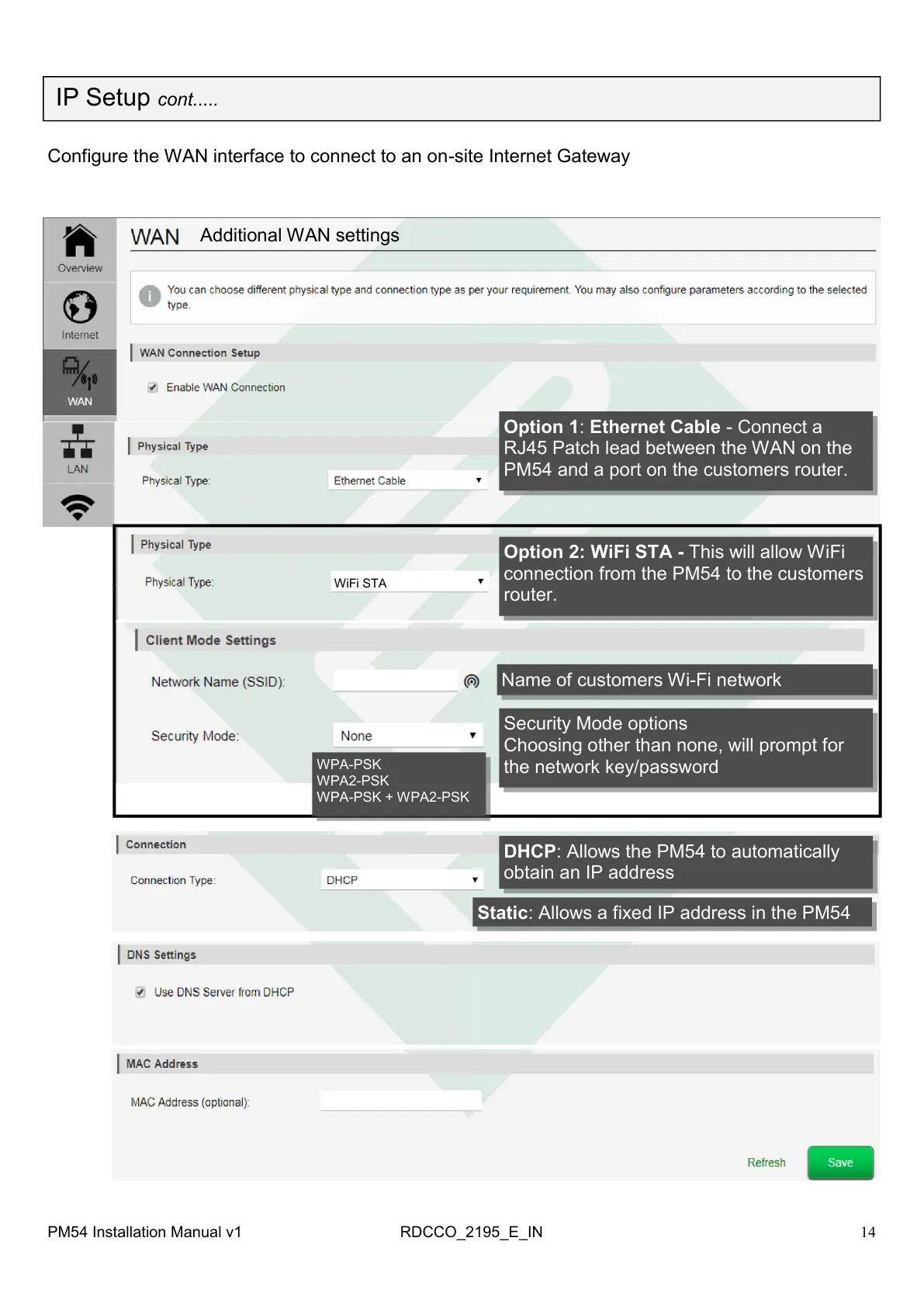
Additional WAN settings
Option 1: Ethernet Cable - Connect a
RJ45 Patch lead between the WAN on the
PM54 and a port on the customers router.
WiFi STA
Configure the WAN interface to connect to an on-site Internet Gateway
Option 2: WiFi STA - This will allow WiFi
connection from the PM54 to the customers
router.
PM54 Installation Manual v1 RDCCO_2195_E_IN
IP Setup cont.....
Name of customers Wi-Fi network
Security Mode options
Choosing other than none, will prompt for
the network key/password
WPA-PSK
WPA2-PSK
WPA-PSK + WPA2-PSK
DHCP: Allows the PM54 to automatically
obtain an IP address
Static: Allows a fixed IP address in the PM54



 To Next Page