EasyManua.ls Logo

Pfaff creative 7560 - Page 96

Pfaff creative 7560
155 pages
Print Icon
To Next Page IconTo Next Page
To Previous Page IconTo Previous Page
Loading...
III
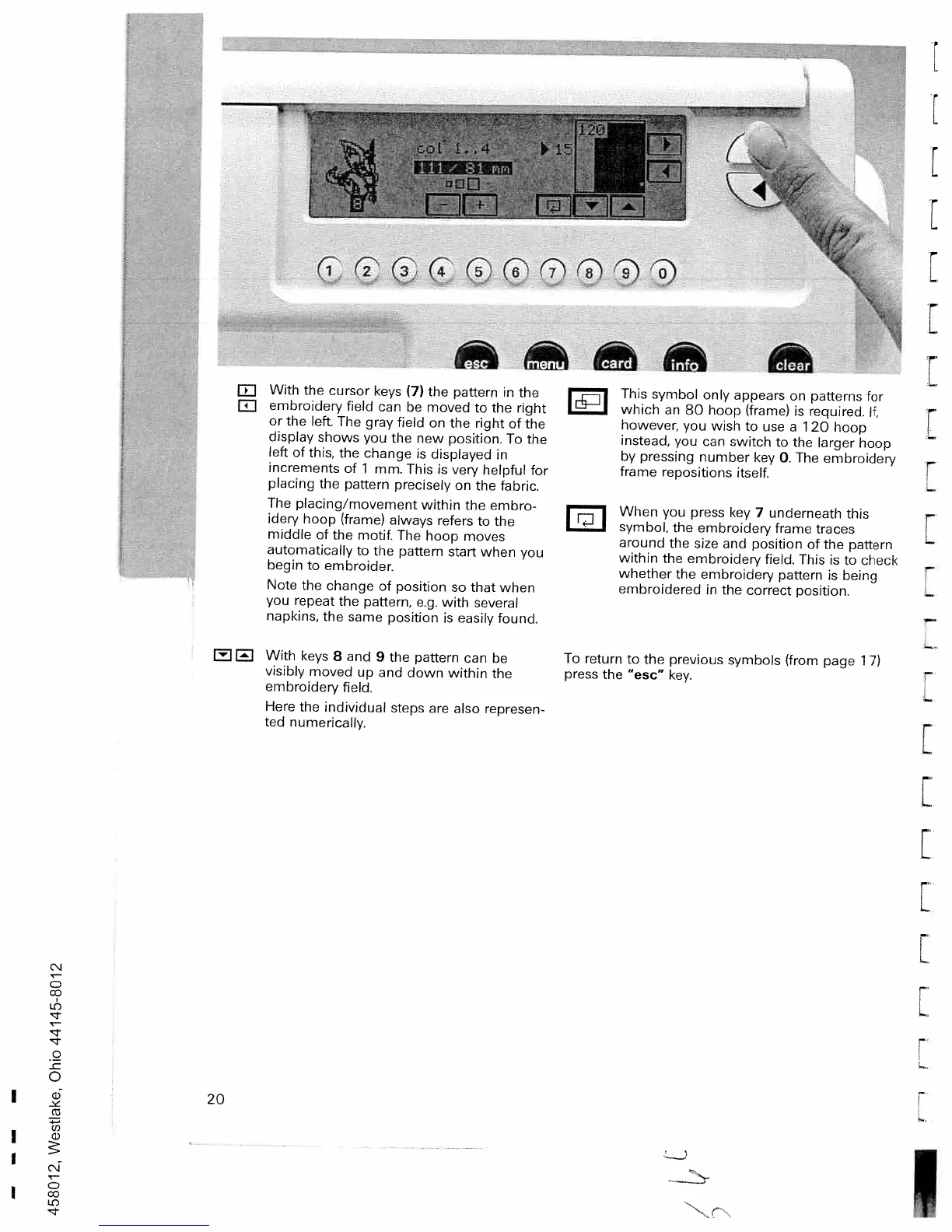
With
the
cursor
keys
(7)
the
pattern
in
the
E1
embroidery
field
can
be
moved
to
the
right
or
the
left.
The
gray
field
on
the
right
of
the
display
shows
you
the
new
position.
To
the
left
of
this,
the
change
is
displayed
in
increments
of
1
mm.
This
is
very
helpful
tor
placing
the
pattern
precisely
on
the
fabric.
The
placing/movement
within
the
embro
idery
hoop
(frame)
always
refers
to
the
middle
of
the
motif.
The
hoop
moves
automatically
to
the
pattern
start
when
you
begin
to
embroider.
Note
the
change
of
position
so
that
when
you
repeat
the
pattern,
e.g.
with
several
napkins,
the
same
position
is
easily
found.
With
keys
8
and
9
the
pattern
can
be
visibly
moved
up
and
down
within
the
embroidery
field.
Here
the
individual
steps
are
also
represen
ted
numerically.
i
This
symbol
only
appears
on
patterns
for
which
an
80
hoop
(frame)
is
required.
It,
however,
you
wish
to
use
a
1
20
hoop
instead,
you
can
switch
to
the
larger
hoop
by
pressing
number
key
0.
The
embroidery
frame
repositions
itself.
I
-
i
When
you
press
key
7
underneath
this
symbol,
the
embroidery
frame
traces
around
the
size
and
position
of
the
pattern
within
the
embroidery
field.
This
is
to
check
whether
the
embroidery
pattern
is
being
embroidered
in
the
correct
position.
To
return
to
the
previous
symbols
(from
page
1
7)
press
the
“esc”
key.
[
r
L
r
L
[
F
L
r
F
(N
C
IC)
C
0
I-.
r
F
L
F
L
[
L
L.
I
20

Table of Contents

Related product manuals