87
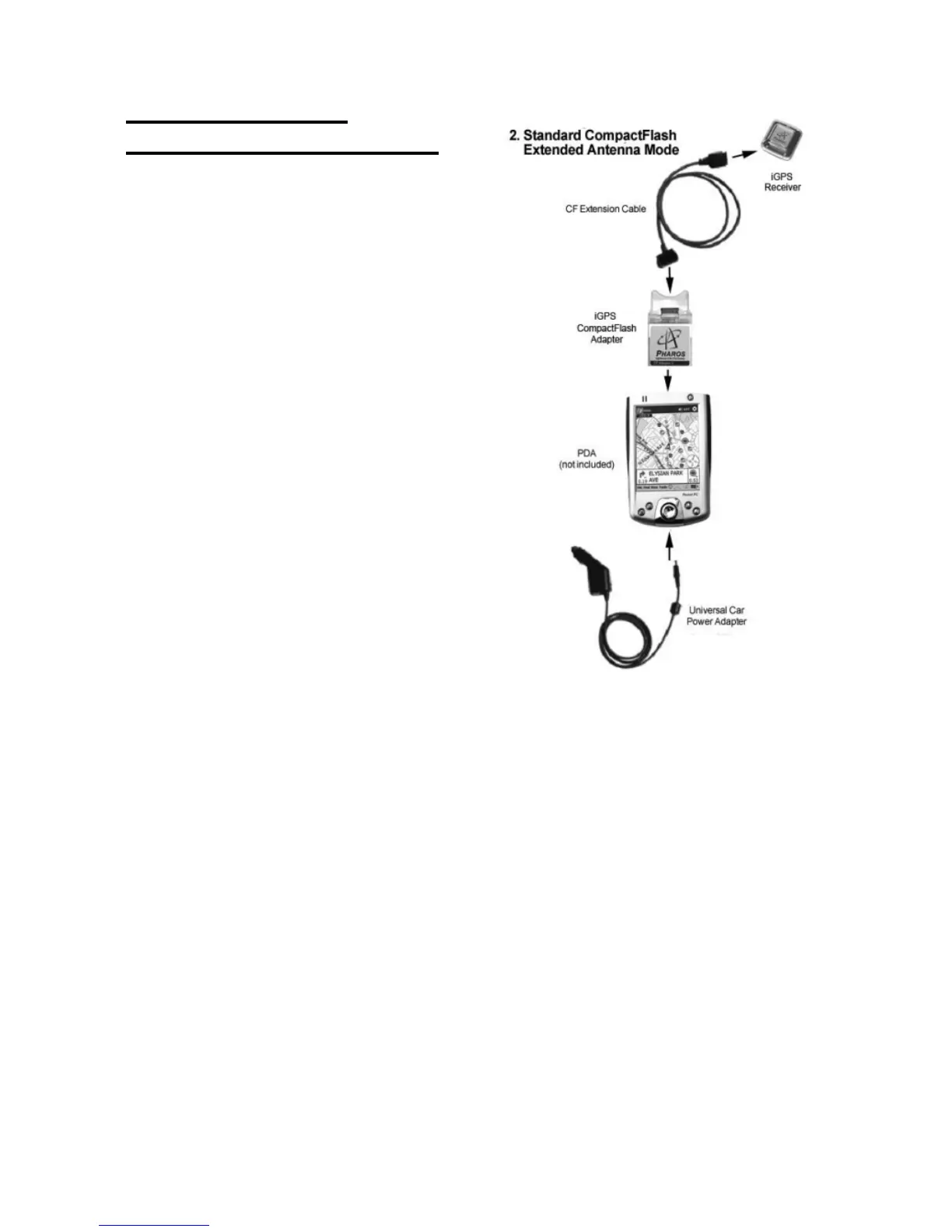
2) Compact Flash
Extended Antenna Mode
2a. Detach the iGPS-360 or
iGPS-500 receiver from the
Compact Flash Adapter base.
2b. Attach the CF extension
cable between the iGPS-360
or iGPS-500 and the base.
2c. Insert the iGPS-360 or
iGPS-500 Compact Flash
Adapter base into the
Compact Flash slot of the
Pocket PC.
2d. The Universal Car Power
Adapter can also be used,
while in a vehicle, to supply
power to the Pocket PC and
GPS simultaneously.



 To Next Page