ON-LINE RACK PH 9360 - PH 9301 .
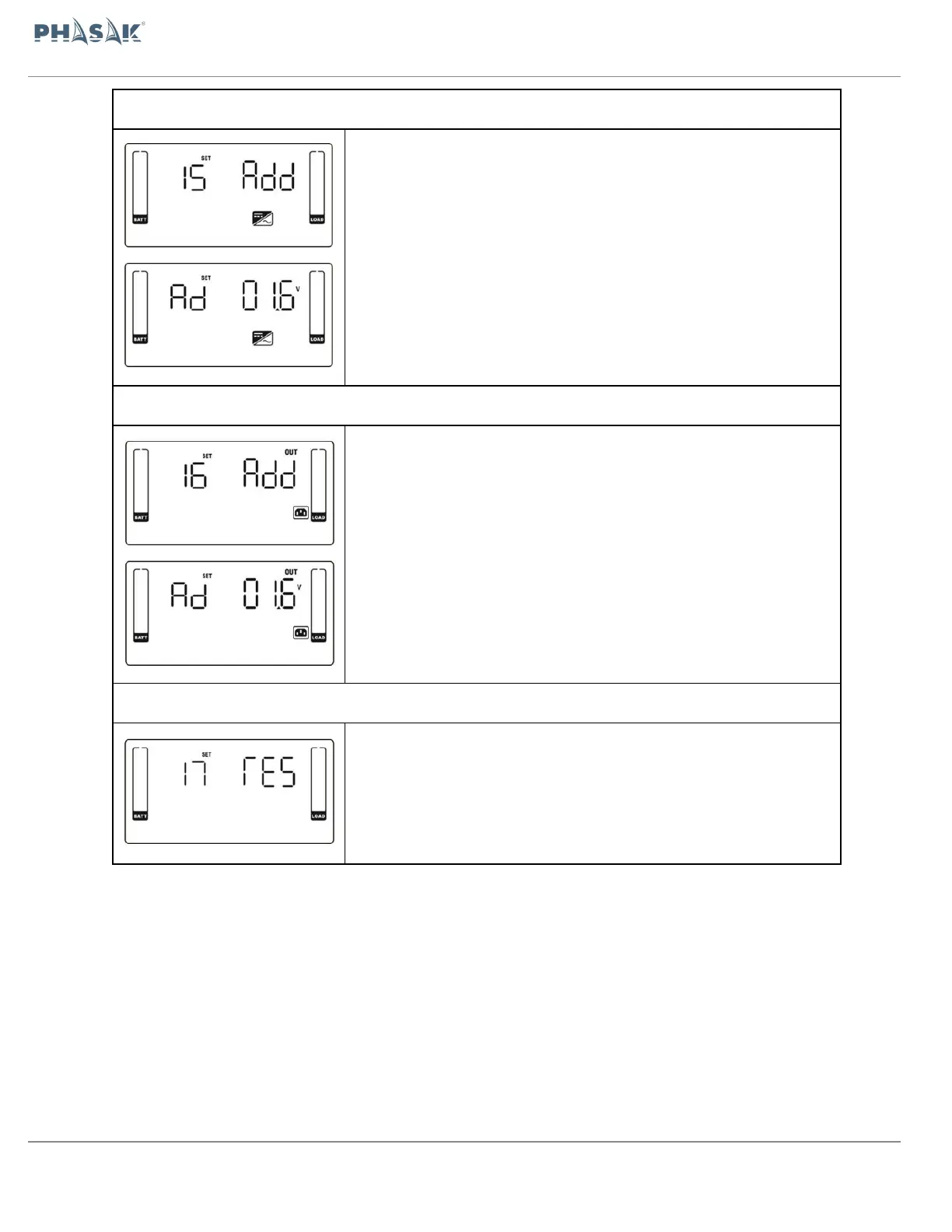
15: Adjust inverter voltage A
After it shows “15” in parameter 1, please press “Enter” key first. Then, you
may choose Ad or SU to adjust inverter voltage in
parameter 1 by pressing “Up” or “Down” key. After pressing
“Enter” key to confirm your selection, it will jump to parameter 2 to set up
the value.
Parameter 2: the voltage range is from 0V to 6.4V, the default value is 0V.
16: Adjust inverter voltage B
After it shows “16” in parameter 1, please press “Enter” key first. Then, you
may choose Ad or SU to adjust output voltage in parameter 1 by pressing
“Up” or “Down” key. After pressing “Enter” key to confirm your selection, it
will jump to parameter 2 to set up the value.
Parameter 2: the voltage range is from 0V to 6.4V, the default value is 0V.
17: Adjust inverter voltage C
Function reserved for future options


 To Next Page