3
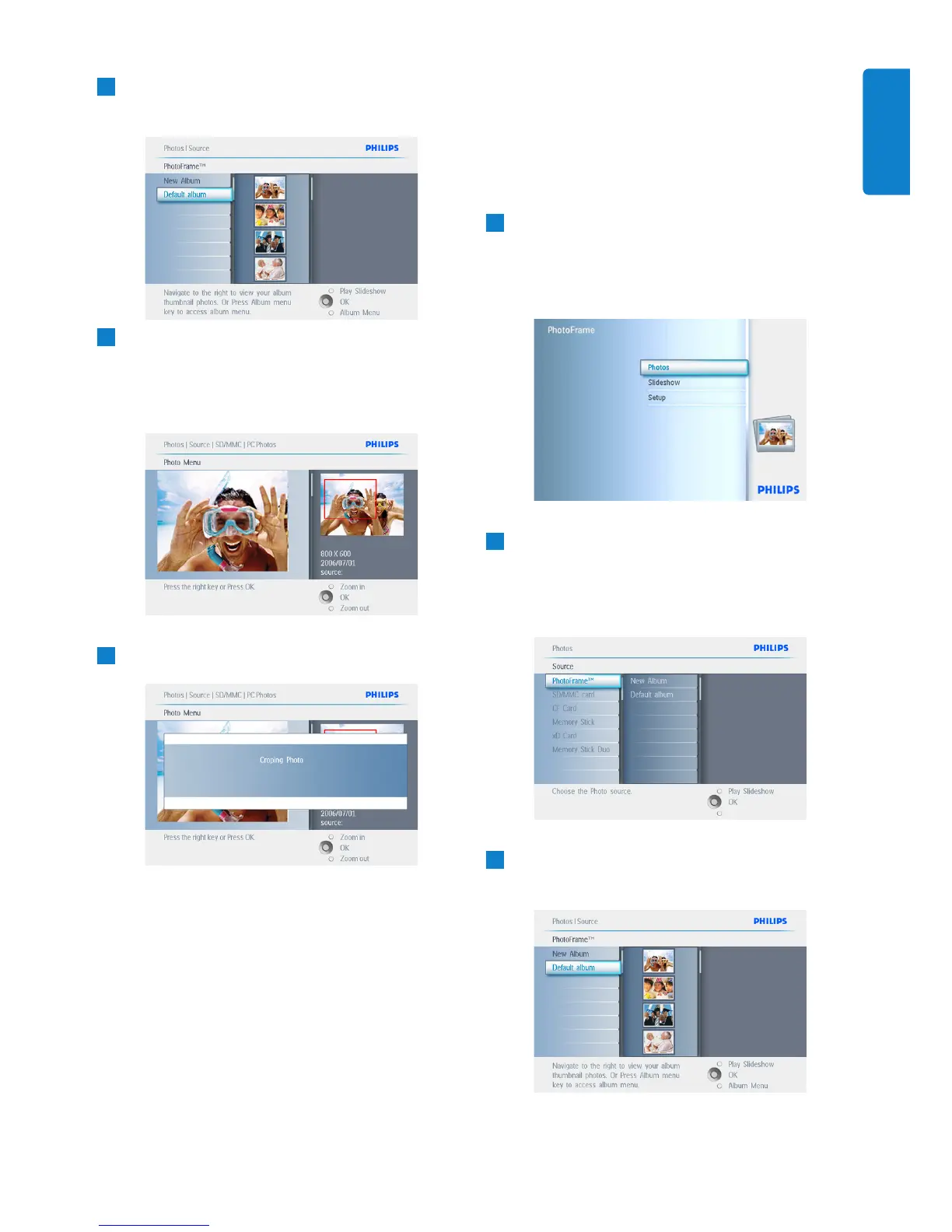
Navigate right to view the photos in the
chosen album.
4
• Use the zoom + button decrease the
crop frame.
• Use the Navigation button to move the
frame around the image.
5
Press OK to confirm crop.
Press Play Slideshow to leave this menu and
play the slideshow.
5.2.2 Move Photos
Photos can only be moved between albums
created by PhotoFrame on internal memory or
external memory card.
1
• Press the menu button to access the
Main Menu.
• Navigate right or press the OK button to
access the Photo menu.
2
• Navigate down to select the media to
browse.
• Navigate right to enter the required
album.
3
Navigate right to view the photos in the
chosen album.
21
Using more of your PhotoFrame
ENGLISH



 To Next Page