4
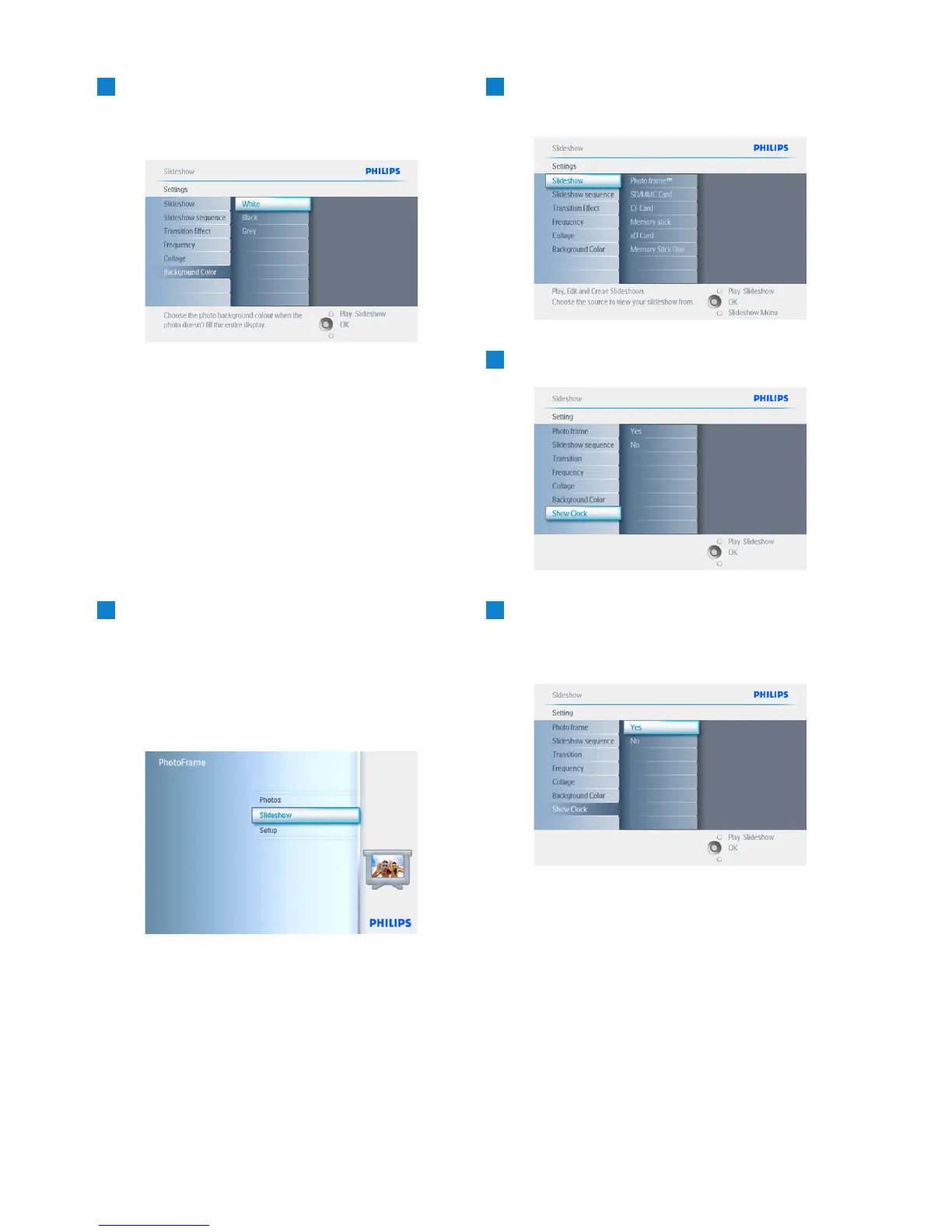
Navigate up and down to select the color
(select between Black or White) and press
OK to confirm selection.
Press Play Slideshow to leave this menu and
play the slideshow.
5.4.11 Show Clock
You can have a clock displayed on the screen
on the top of your pictures in Slideshow and
browse mode.
1
• Press the menu button to access the
Main Menu.
• Navigate down to highlight the Slideshow
icon.
• Navigate right or press the OK button to
access the slideshow menu.
2
Navigate down to access the show clock
menu.
3
Navigate right to access Yes/No
4
Navigate up and down to select the color
(select between Black or White) and press
OK to confirm selection.
Press Play Slideshow to leave this menu and
play the slideshow.
36
Using more of your PhotoFrame


 To Next Page