4
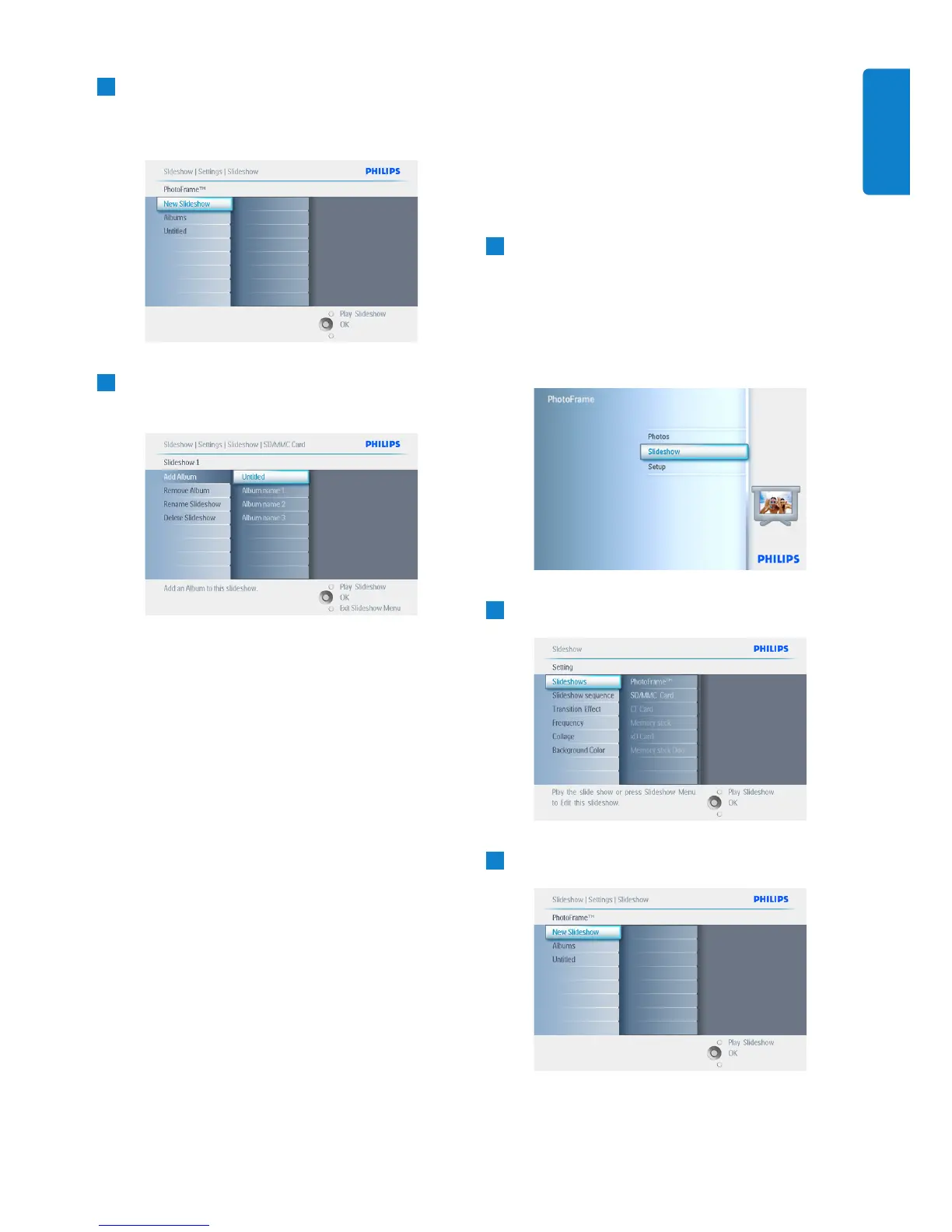
• Navigate down to go to the slideshow
where the album is to be added to.
• Press the menu button.
5
Navigate right to pick the album to be
added and press OK to add.
Press Play Slideshow to leave this menu and
play the slideshow.
5.4.3 Remove Album from slideshow
This function removes the selected album from
the slideshow. It does not delete the album. To
delete the album permanently see the Delete
Album section.
1
• Press the menu button to access the
Main Menu.
• Navigate down to highlight the Slideshow
icon.
• Navigate right or press the OK button to
access the slideshow menu.
2
Navigate right to access the storage menu.
3
Navigate right to access the slideshow list.
29
Using more of your PhotoFrame
ENGLISH


 To Next Page