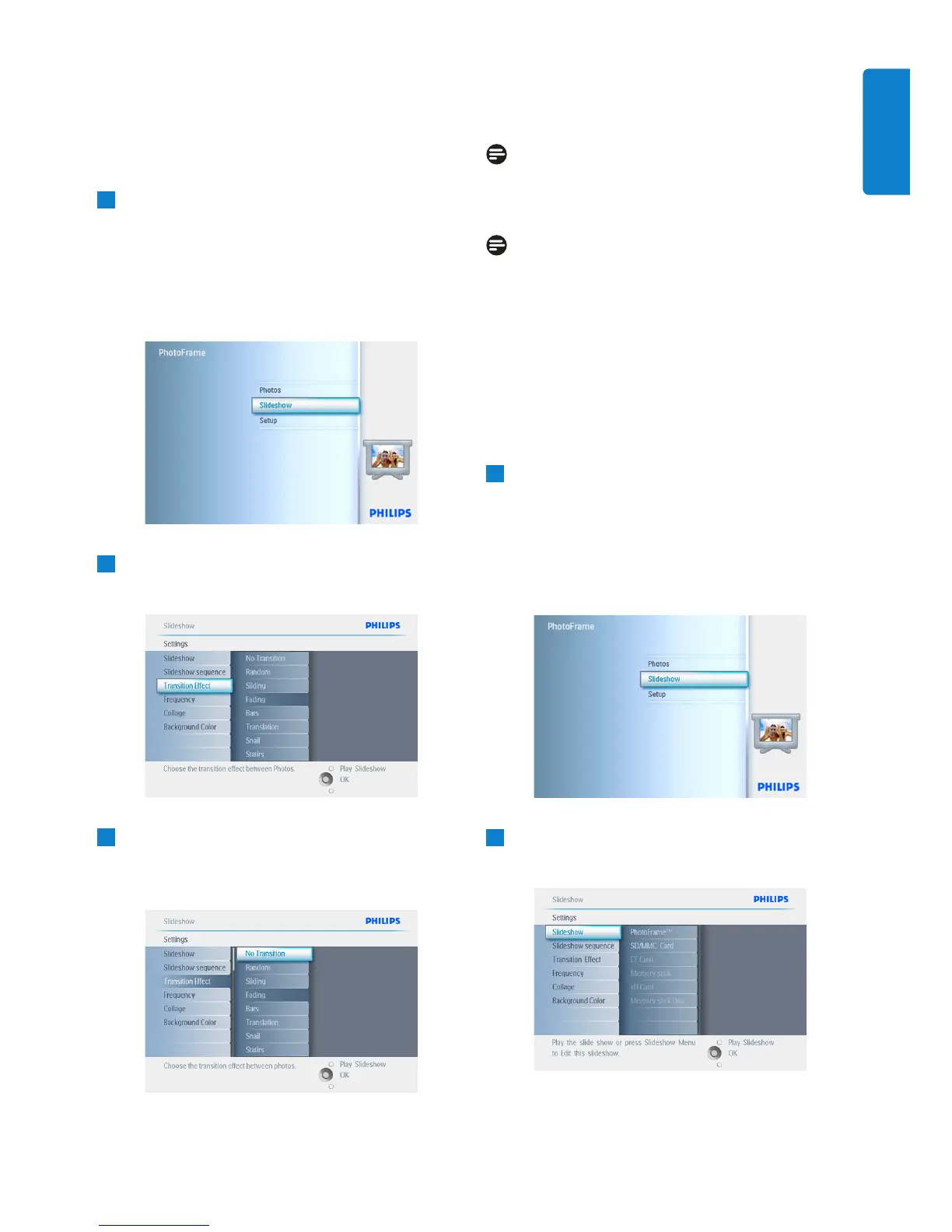
5.4.7 Transition Effects
The photos can appear on the screen in one of
3 ways Fade, Slide or Scroll.
1
• Press the menu button to access the
Main Menu.
• Navigate down to highlight the Slideshow
icon.
• Navigate right or press the OK button to
access the slideshow menu.
2
• Navigate down to go to Transition Effect.
• Navigate right to highlight the effect.
3
• Navigate down to select between
Random, Fade, Slide and Scroll.
• Press OK to confirm.
Press Play Slideshow to leave this menu and
play the slideshow.
Note 1:
This function applies to all the slideshows stored
on all media.
Note 2:
Random plays different effects out of sequence
during the slideshow transition.
5.4.8 Frequency
Use this function to select how long each photo
is displayed during the slide show.
1
• Press the menu button to access the
Main Menu.
• Navigate down to highlight the Slideshow
icon.
• Navigate right or press the OK button to
access the slideshow menu.
2
Navigate down to access the frequency
menu.
33
Using more of your PhotoFrame
ENGLISH



 To Next Page