Step 2
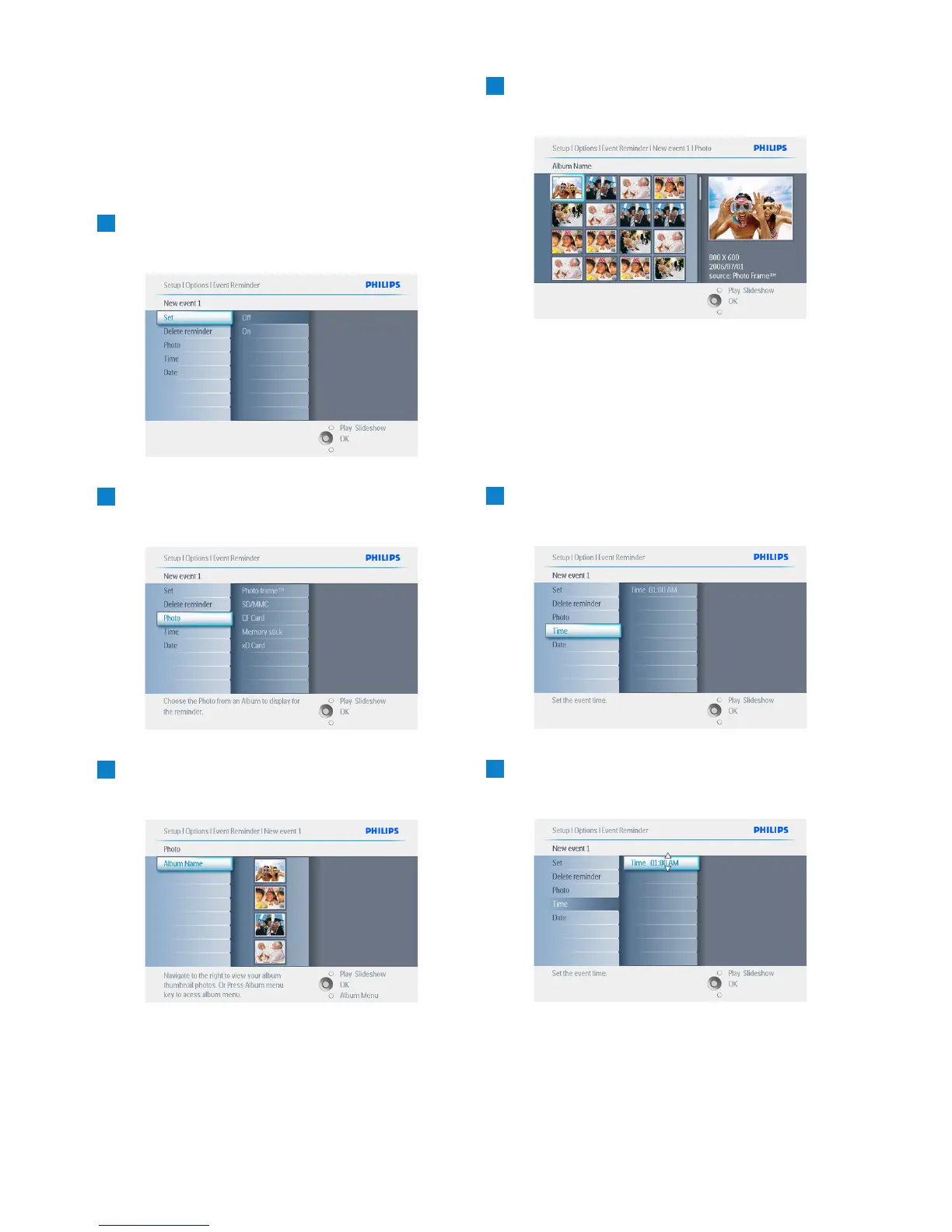
Event Reminder Photo
Select the Photo that will be displayed when the
reminder starts.
1
• Navigate right and down to go to Photo.
• Press the OK button to confirm selection.
2
• Navigate down to select photo.
• Navigate right to go to the album list.
3
• Navigate down to select album.
• Navigate right to go to the thumbnail.
4
• Navigate to select photo.
• Press OK to confirm.
Step 3
Event Reminder Time
Define the time of the day when the reminder
will start.
1
• Navigate right and down to go to Time.
• Press the OK button to confirm selection.
2
Navigate Up and down to move between
hours, minutes and AM/PM.
38
Using more of your PhotoFrame


 To Next Page