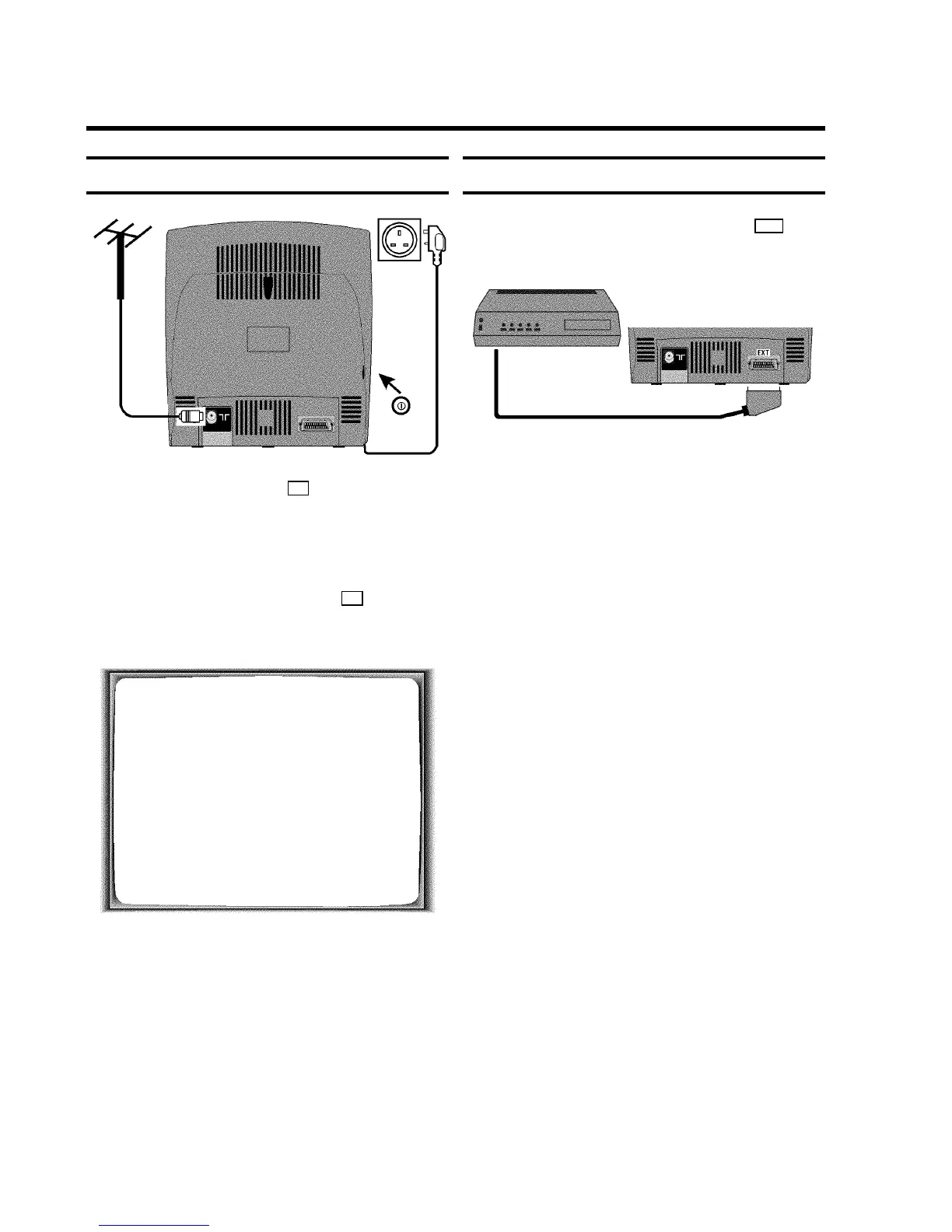
Connecting the cables
a Insert the aerial plug into the 2 socket.
b Insert the plug of the mains cable into the wall socket.
c If the little red standby light (STANDBY 5) at the front panel
of the set is not lit, please switch on the set using the
main power switch. The power switch 8 is located on
the left side panel of the set.
This text will appear on the TV screen.
IF YOU HAVE CONNECTED
THE AERIAL -
PRESS OK
d Then, read the section ’Initial installation’ in the chapter
’INSTALLING YOUR VIDEO RECORDER’.
Connecting a decoder or other equipment
You can also connect additional equipment to the EXT
socket; for instance, a decoder, satellite receiver or
camcorder.
DThe respective scart socket is usually marked ’AV’
or ’VCR’ on the decoder or satellite receiver.
5











 To Next Page