Meridian 1
8
3.3 OSD Menu
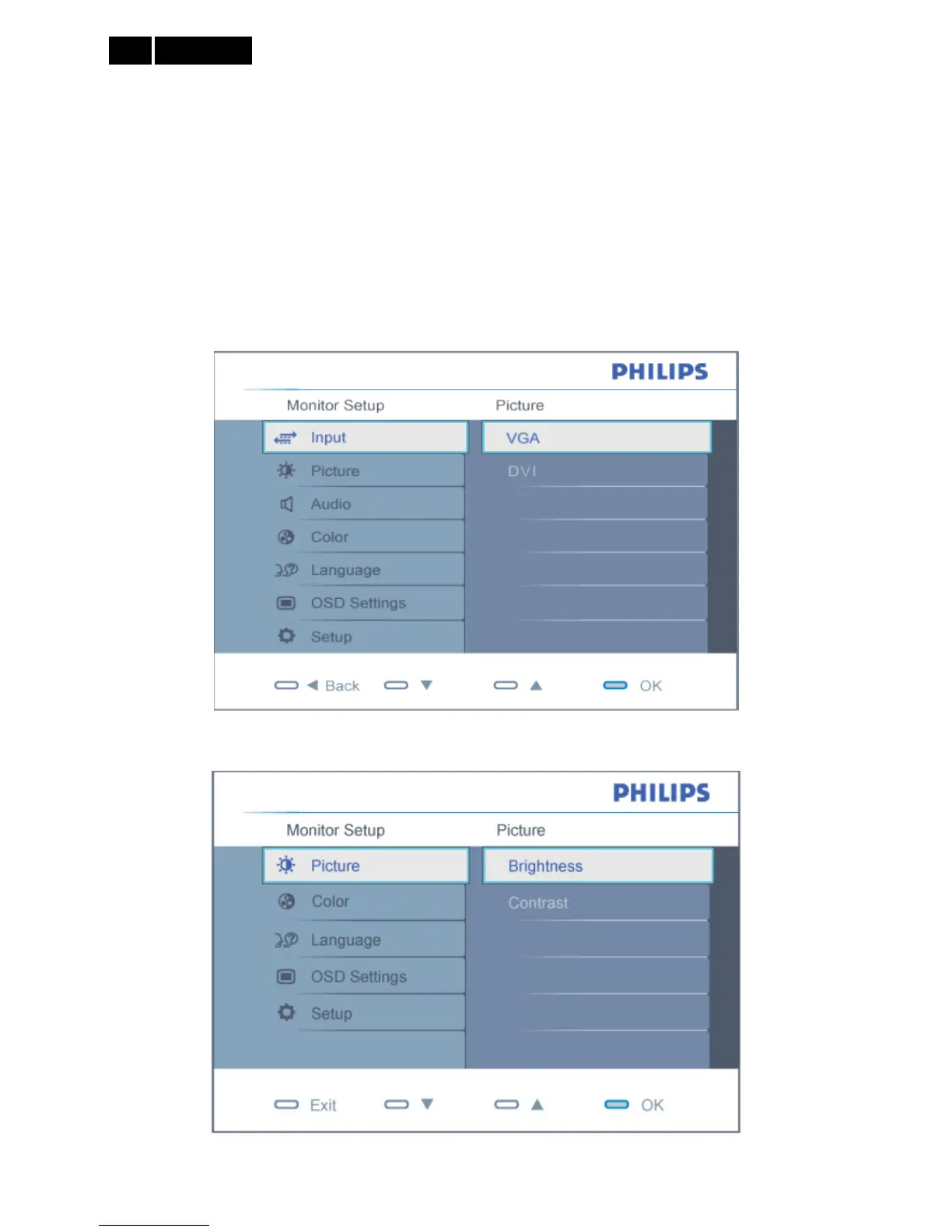
Description of the On Screen Display
This is a feature in all Philips LCD monitors. It allows an end user to adjust screen performance of the monitors
directly through an on-screen instruction window. The user interface provides user-friendliness and ease-of-use
when operating the monitor.
Basic and simple instruction on the control keys
When you press the MENU/OK button on the front control of your monitor, the On-Screen-Display (OSD) main
controls window will pop up and you can then start making adjustments to your monitor’s various features. Use the
▲▼ keys to make your adjustments.
Dual Model (only for 220E1SB/69)
Analog Model


 To Next Page