32BDL4050D
16
3.4. Connecting Multiple Displays in a Daisy-chain Configuration
Youcaninterconnectmultipledisplaystocreateadaisy-chaincongurationforapplicationssuchasavideowall.
NOTE: Maximum25displays(5x5)canbeusedinaDVIdaisy-chainconguration.ForVGAdaisy-chain,Maximum9displayscanbeused.
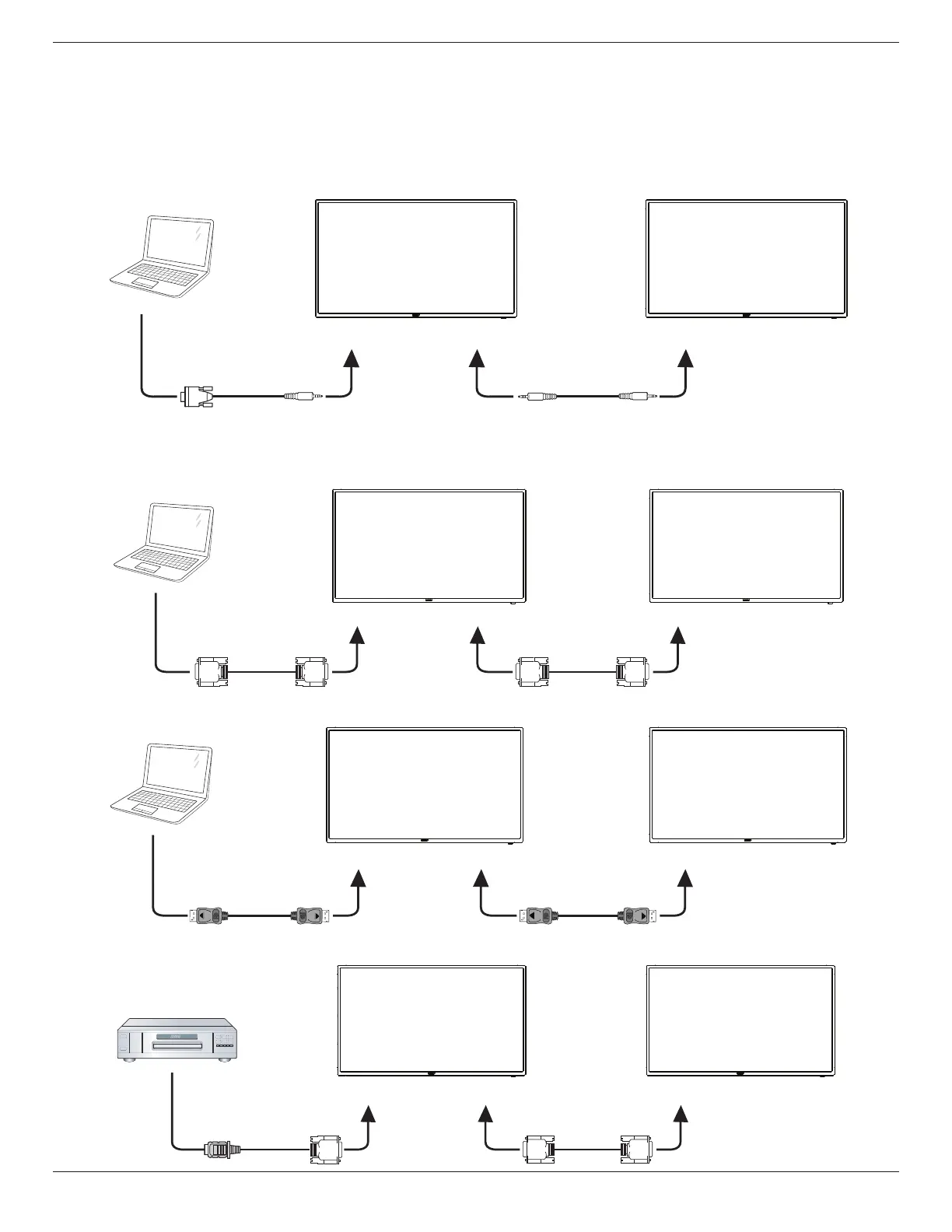
3.4.1. Display control connection
Connectthe[RS232OUT]connectorofDISPLAY1tothe[RS232IN]connectorofDISPLAY2.
DISPLAY 1 DISPLAY 2
PC
[RS-232C IN]
[RS-232C]
[RS-232C OUT] [RS-232C IN]
3.4.2. Digital video connection
Connectthe[DVIOUT/DVI-IOUT]connectorofDISPLAY1tothe[DVIIN]connectorofDISPLAY2.
PC
[DVI IN]
[DVI]
[DVI/DVI-I OUT] [DVI IN]
DISPLAY 1 DISPLAY 2
Connectthe[DPOUT]connectorofDISPLAY1tothe[DPIN]connectorofDISPLAY2.
PC
[DP IN]
[DP]
[DP OUT] [DP IN]
DISPLAY 1 DISPLAY 2
Connectthe[DVIOUT]connectorofDISPLAY1tothe[DVIIN]connectorofDISPLAY2.
[DVI IN]
[HDMI]
[DVI OUT] [DVI IN]
DVD / VCR / VCD
DISPLAY 1 DISPLAY 2








 To Next Page