32BDL4050D
28
5. signage display
5.1. Setting
Settingmainitems:
(1)Wi-Fi
(2)Ethernet
(3)SignageDisplay
(4)SystemTools
(5)Storage
(6)Apps
(7)Date&time
(8)Developeroptions
(9)About
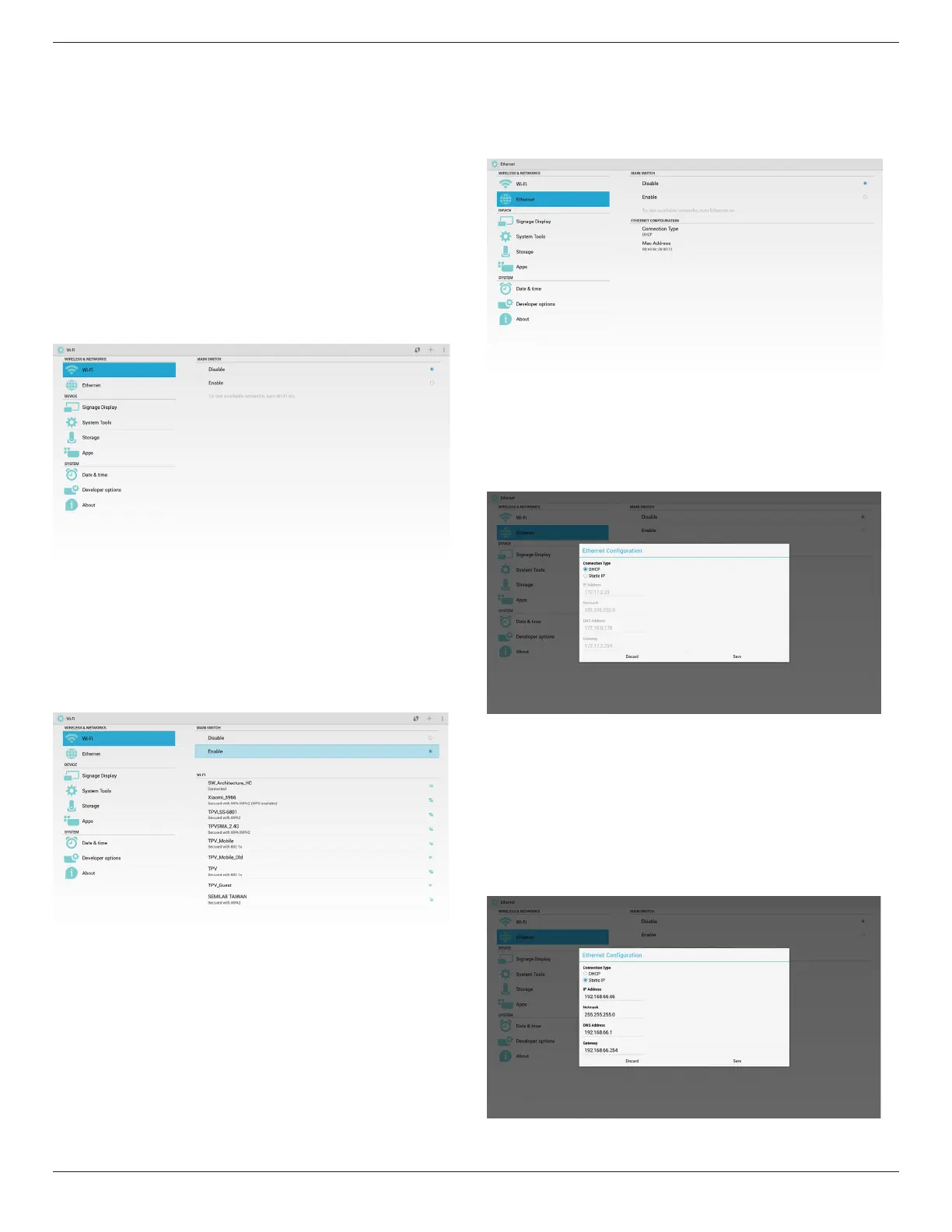
5.2. Wi-Fi
ViaEnable/DisabletocontrolWi-FiOn/OFF.AfterEnable,thescreenwill
listallavailableWiFiAP.
Note:
EthernetwillbedisableautomaticallyifWiturnonandconnectto
network
.
5.3. Ethernet
ViaEnable/DisabletocontrolEthernetOn/Off.AfterenableEthernet,itwill
display:
(1)ConnectType(availabletypeisDHCP/StaticIP)
A.DHCP
B.StaticIP
C.IPAddress
D.Netmask
E.DNSAddress
F.GatewayAddress
(2)MacAddress
Note:
WiFiwillbedisableautomaticallyifEthernetturnonandconnectto
network.
5.3.1. DHCP
DHCPmode:
(1)CannotmodifyIPAddress,Netmask,DNSAddressandGateway..
(2)(Ifconnectsuccessfully,itwilldisplaycurrentnetworkconguration.
5.3.2. Static IP
UnderStaticIP,UsercanmanuallyinputIPAddress,Netmask,DNSAddress
andGateway.
Note:
IPaddress,netmask,DNSaddressandgatewayaddressinputlimitation
(1)Format:
I. number0-9
II. decimalpoint“.”








 To Next Page