32BDL4050D
44
Playlist:selectplaylistindexforMediaplayer,Browser,PDFplayer.
0:noplaylist.SameasswitchsourcefromOSD.
1~7:playlistnumber.
WOL
ChoosetoturnonoroffthewakeonLANfunction.
Choosefrom:{Off}/{On}
DDC/CI
ChoosetoturnonorofftheDDC/CIcommunicationfunction.
Select{On}fornormaluse.
Light sensor(require Philips accessory CRD41 External Sensor
Box)
Choosetoturnonoroffbacklightadjustmentaccordingtoenvironment
brightness.
Choosefrom:{Off}/{On}
Human sensor(require Philips accessory CRD41 External
Sensor Box)
TheHumansensorcandetectifpeopleapproachthedisplayornot.
Thedisplaywillturnoffbacklightifdetectnothinginsettingtime.
Thedisplaywillbacktobacklightonwhenpeopleapproachit.
Theoptionsare:
•{Off}(Default),{10Min.},{20Min.},{30Min.},{40Min.},{50Min.},{60
Min.}
Power LED light
ChoosetosetpowerindicateLEDonoroff.
Choose{On}fornormaluse.
Conguration1 reset
ResetallsettingsinConguration1menutothefactorypresetvalues.
Factory reset
ResetallsettingsintheOSDmenusof{Picture},{Screen},{Audio},{PIP},
{Conguration1},{Conguration2},and{Advanced option}tothefactory
presetvalues.
Androidsettingswillalsoresetwhenfactoryreset.
Press[ ]
or[ ]buttontoselect{Reset},andpress[OK]buttontodo
thereset.
Factory reset
Cancel
Reset
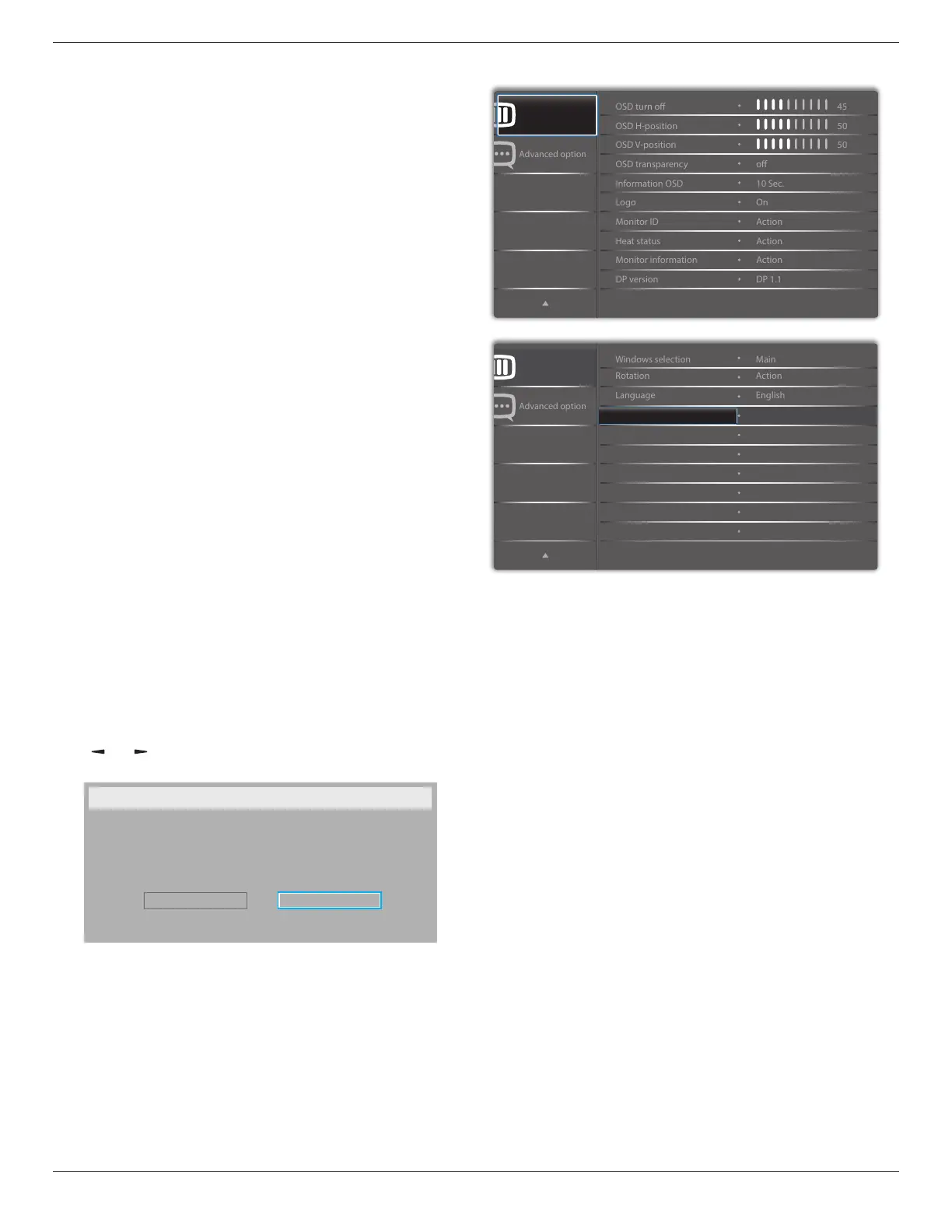
6.2.6. Configuration2 menu
Conguration 2
Conguration 2
Action
Conguration2 reset
OSD turn off
SettheperiodoftimetheOSD(on-screendisplay)menustaysonthe
screen.
Theoptionsare:{0 ~ 120}seconds.
*{0}doesnotdisappearautomatically.
OSD H-position
AdjustthehorizontalpositionoftheOSDmenu.
OSD V-position
AdjusttheverticalpositionoftheOSDmenu.
OSD Transparency
AdjustOSDtransparency.
• {Off}-Transparencyoff.
• {1-100}-Transparencylevel1-100.
Information OSD
SettheperiodoftimetheinformationOSDisdisplayedontheupper
rightcornerofthescreen.TheinformationOSDwilldisplaywheninput
signalischanged.
TheinformationOSDwillremainonthescreenwith{Off}selection.
Theoptionsare:{1 ~ 60}seconds.
Logo
ChoosetoenableordisablethepictureofLogowhenturnonyourdisplay.
Theoptionsare:
• {Off}(Default)
• {On}*
• {User}**








 To Next Page