19
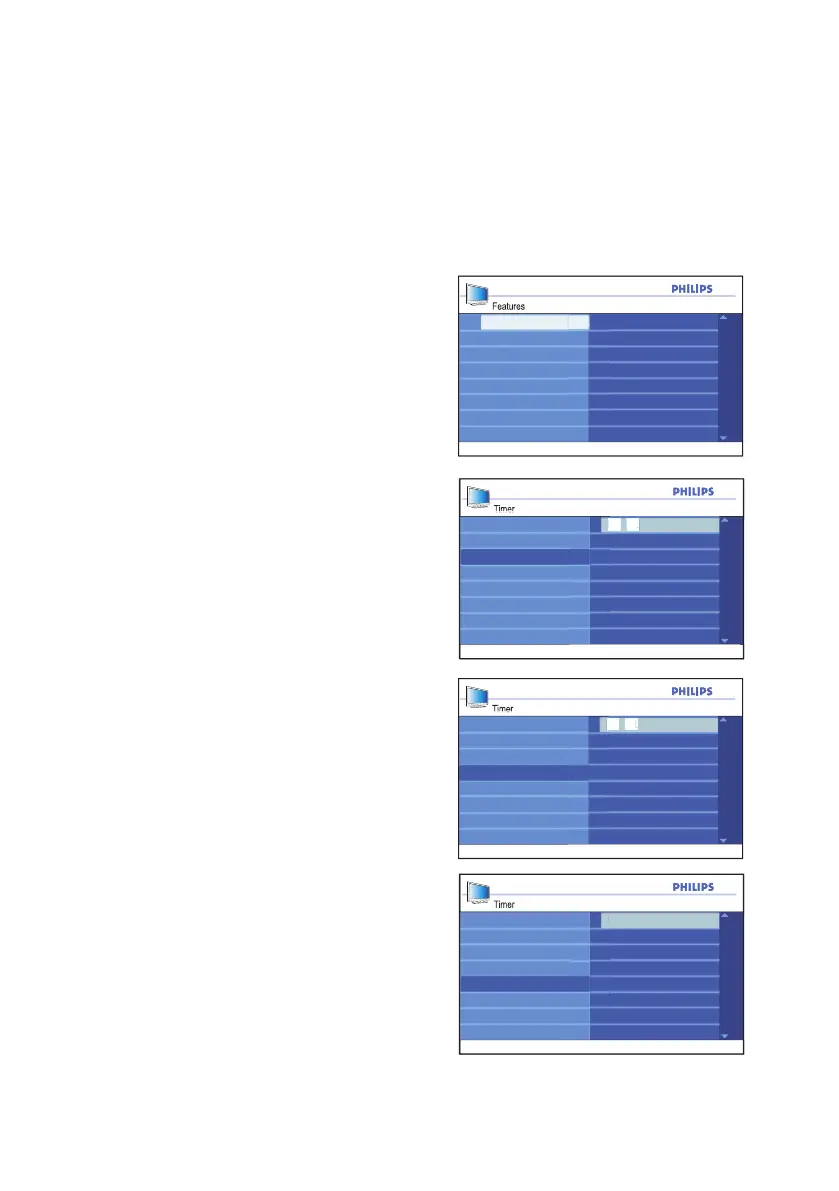
Using the timer
Timer
Channel
Activate
Stop Time
Sleep
Display
2 0 : 0 0
Time
Start Time
Timer
Channel
Activate
Sleep
Display
2 1 : 4 0
Time
Start Time
Stop Time
Timer
Activate
Sleep
Display
2
Time
Start Time
Stop Time
Channel
Features
Sleep
Time
Closed Caption
Active Control
Timer
Parental Lock
Child Lock
Start Time
Stop Time
Channel
Activate
Display
Setting the wake-up clock
You can use the Timer feature to program
the TV set to switch on and off at a specified
time and channel.
Follow steps 1 to 4 from the section on
Setting the sleeptimer to access the
Timer sub-menu.
Press 1. ï button to highlight Start Time
is highlighted.
Press 2. u button to select Start Time.
The entry fields --:-- will be displayed for
you to enter the time in HH:MM format.
Use the numeric buttons (0-9) to enter 3.
the time.
Example: 20:00
Press 4. h or EXIT button to exit the
on-screen menus.
Press 5. Í button to return to the Timer
sub-menu.
Press 6. ï button until Stop Time is
highlighted.
Press 7. u button to select Stop Time.
Use the numeric buttons (0-9) to enter 8.
the time.
Example: 21:40
Press 9. Í button to return to the Timer
sub-menu.
Press 10. ï button until Channel is
highlighted.
Press 11. h or EXIT button to exit the
on-screen menus.







 To Next Page