46
Troubleshooting
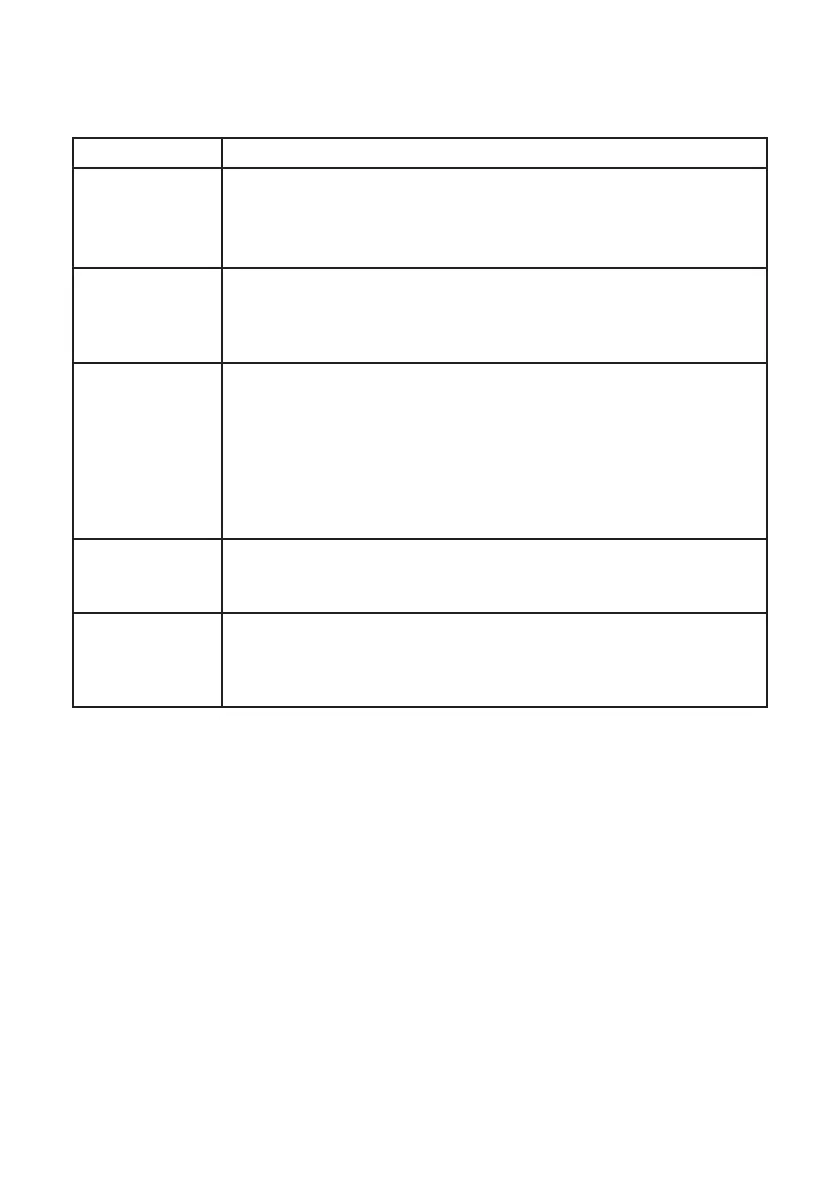
Symptoms Possible solutions
Intermittent
flickering when in
HD mode
Picture noise is noticeable if the connected digital equipment such •
as DVD player or Set-Top box fail. Check the user manual of the
digital equipment you are connecting.
Use a standard-compliant (high-quality) HDMI cable.•
No sound or
picture but front
panel red light
is lit
Press the • . on the remote control.
VGA mode does
not work
Check VGA cable is connected securely. Verify that the correct AV •
source is selected.
Press the button to display the source list and select the correct •
one.
Check whether you have configured the computer to a compatible •
display resolution.
Check the graphics card setting of the computer.•
In S-Video mode,
the colour be-
comes faint
Check whether S-Video cable is connected securely.•
Black bar on top
and bottom of
screen in VGA
mode
Change PC refresh rate to 60 Hz. •







 To Next Page