10
DICTATION
MICROPHONE CONNECTION
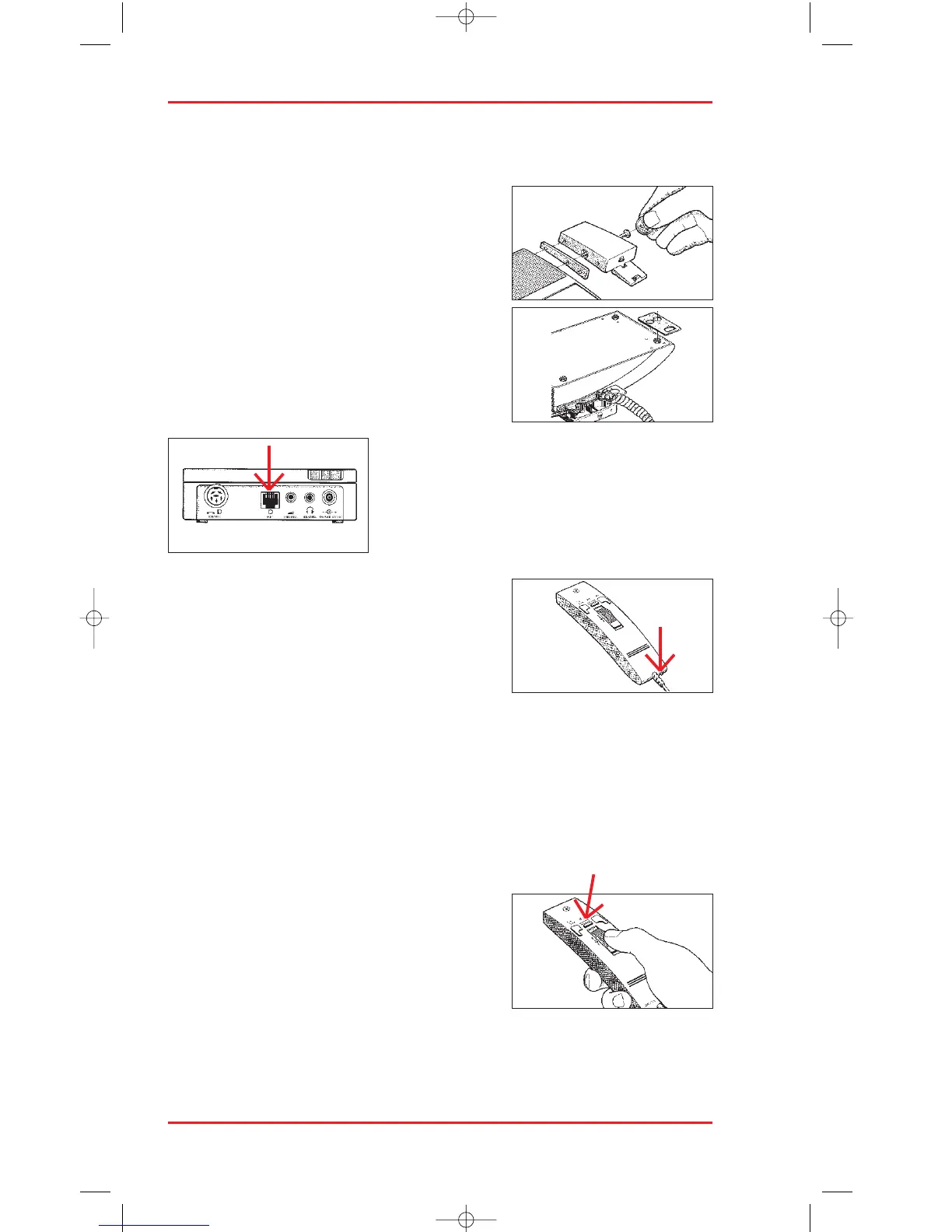
The hand-held microphone (18) can be
installed on the left or right side of the 725 to
suit your personal convenience. Simply align
the holder with the mounting plate and attach it
into the 725 using the long screw provided.
Plug the connector into the microphone socket
at the back of the machine and route the cable
as shown in the recesses underneath the
microphone holder.
SENSITIVITY SWITCH
Set the sensitivity switch (26) on the
microphone as follows to suit your dictation
application:
–
DICT for normal dictation applications, or
–
CONF for recording conferences and meetings.
VOICE LEVEL
Hold the microphone about 5-10 cm from your mouth for normal dictation
with the sensitivity switch set to DICT.
With the CONF setting the microphone will record normal speech up to a
distance of about 5 m.
RECORDING
Press the record key (22) on the microphone.
The LED (23) blinks to indicatae record
standby mode an the LCD display shows REC.
Start recording by sliding the four-position
switch (19) to the play position. The play arrow
appears in the LCD display and the record LED lights up continuously.












 To Next Page