7
GENERAL INSTRUCTIONS
CONNECTING TO THE MAINS
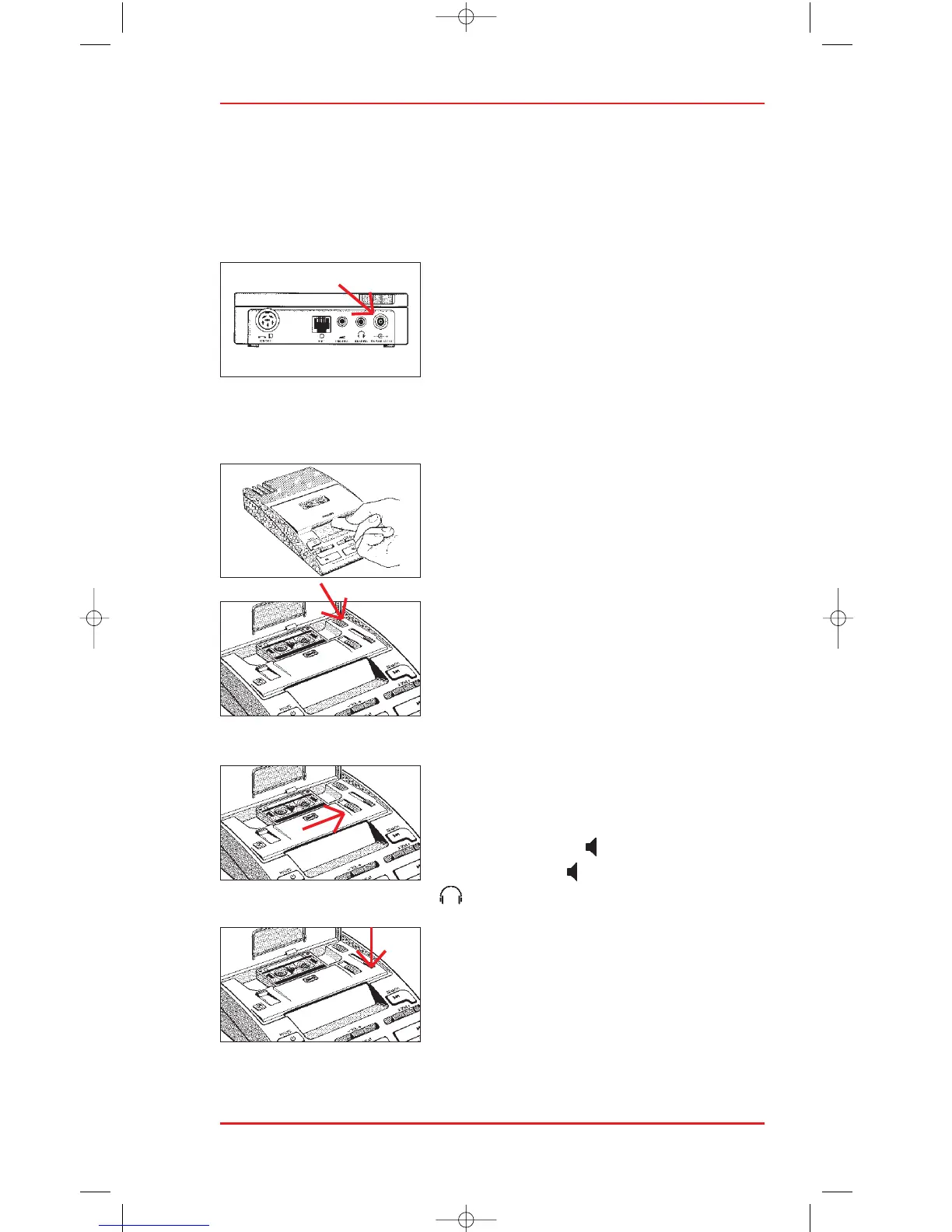
Connect the Dictation System to a power socket using the power supply 155.
The power supply socket (31) is at the rear of the machine. Ensure that the
voltage shown on the power supply unit
corresponds to your local mains voltage.
SWITCHING ON AND OFF
Press the POWER key (3) on the left-hand side
of the machine. This key has an on-off
function: after use, pressing it turns the 725 off again. The machine switches
off automatically if it remains unused for 15 minutes.
CASSETTE COMPARTMENT
Flip open the cassette compartment (12) with
your finger. This reveals a number of switches
which can be set to suit your personal
preferences.
• AUTOREWIND (14)
Set this switch to AR if you wish to take
advantage of the 725’s automatic rewind
function. When set to AR, the 725 auto-
matically rewinds a cassette to the beginning
when it is inserted.
• LOUDSPEAKER (16)
The setting of this switch determines whether
you wish to listen to recordings via the 725’s
built-in loudspeaker ( ), the microphone
loudspeaker (MIC ), or via headphones
( ).
• AUTOMATIC BACKSPACE (ABS)
The ABS slider (15) gives you complete
control over the automatic backspace function
when transcribing a cassette. Turn it off by
setting this slider to 0, or set a backspace value
of anything up to a maximum of approximately
8 seconds.












 To Next Page