5
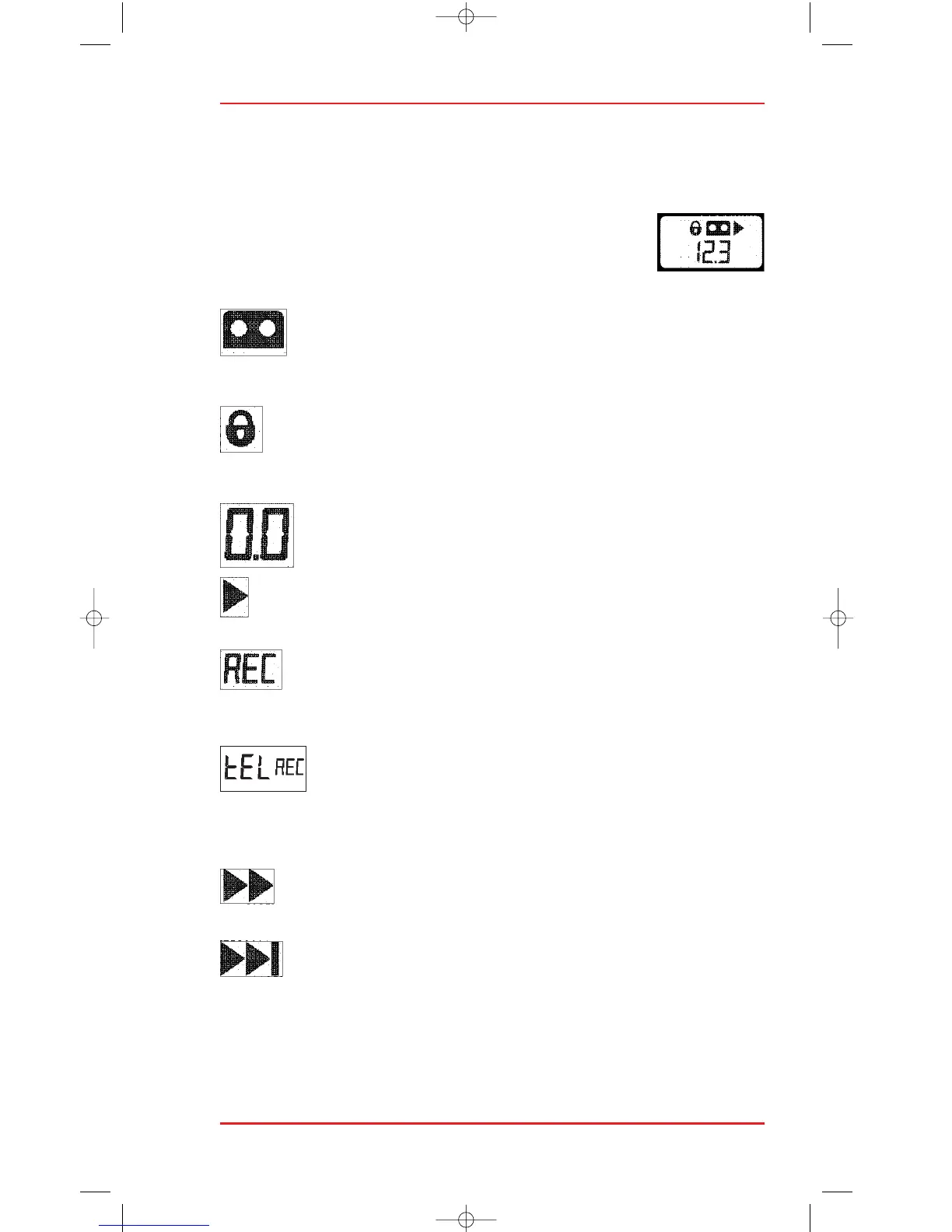
LCD DISPLAY
The LCD display gives you all the information you need for dictation and
transcription, offering both author and transcriptionist optimal convenience
and ease of use.
The LCD display gives you the following information,
depending on the mode of operation at any particular time.
CASSETTE:
The cassette symbol shows that there is a cassette in the
machine.
RECORD PROTECTION:
The padlock symbol shows you that this side of the cassette
has been record protected.
TAPE COUNTER:
Reset to 0.0 when you insert a cassette.
PLAY:
This symbol is shown in playback and record modes.
RECORD:
Indicates that a recording is being made on the 725 with the
hand-held microphone or via telephone.
TELEPHONE RECORD MODE:
Shows that recording is made using a telephone coupler or
external microphone. The word tEL is shown alternating with
the tape counter.
WIND:
These two arrows light up when the tape is being wound.
SEARCH FORWARDS:
The two arrows and the line show that a forward search,
preview or skip is in progress.












 To Next Page