17
EXTERNAL MICROPHONE
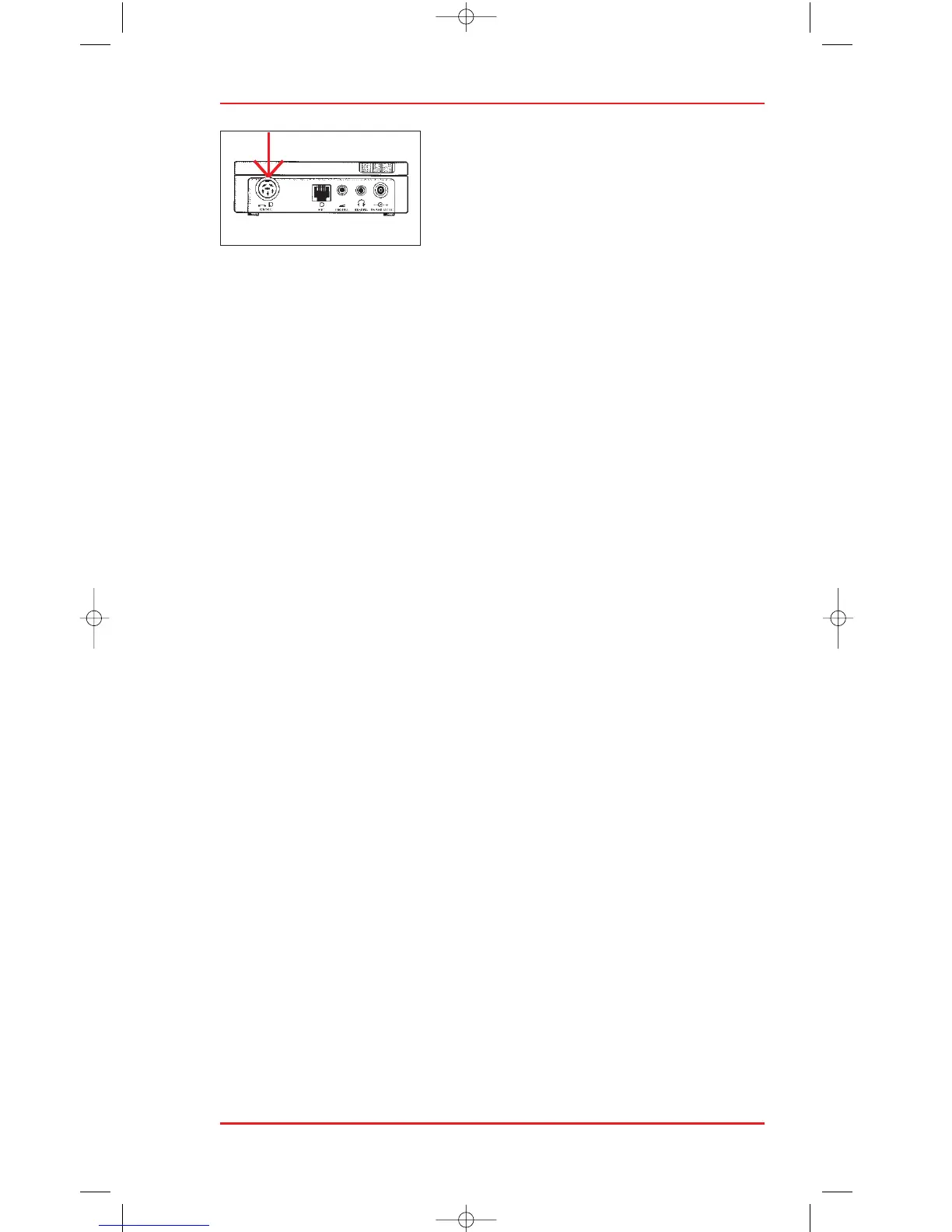
The Philips microphone 172 can be used to
make recordings on the 725. Connect the
microphone to the TEL/MIC socket (27) at the
rear of the 725 Start recording by pressing the
telephone REC key (13) in the cassette com-
partment. The LCD display shows tEL REC and the play arrow to indicate
that a recording is taking place. The word tEL is shown alternating
with the tape counter.
Press the STOP key (8) to end recording.
WARNING TONES
The 725 gives warning tones in the following circumstances:
- A recording is attempted with a record protected cassette.
- The telephone recording mode selected without a telephone adapter.
- Fast ease is attempted with a record protected cassette.
- The end of tape is reached.
- The beginning of tape is reached.
- A recording is attempted after the end of tape is reached.
ACCESSORIES
Philips Dictation Systems produces a complete range of dictation and
transcription accessories for use with the 725. Use only genuine Philips
accessories to ensure maximum reliability and best results. Please consult
your local Philips Dictation Systems dealer for further details.
MINI-CASSETTES
The following Mini-cassettes are avaiblie for use with the 725 System.
005 – 30 minutes, 007 – 60 minutes
MAINS ADAPTER 155
EARPHONES
Four types of earphones are available for playback of recordings.
232 – Stethoscopic earphones
233 – Standard earphones
234 – Deluxe earphones
236 – Headphone












 To Next Page