65BDL3052E/75BDL3052E/86BDL3052E
12
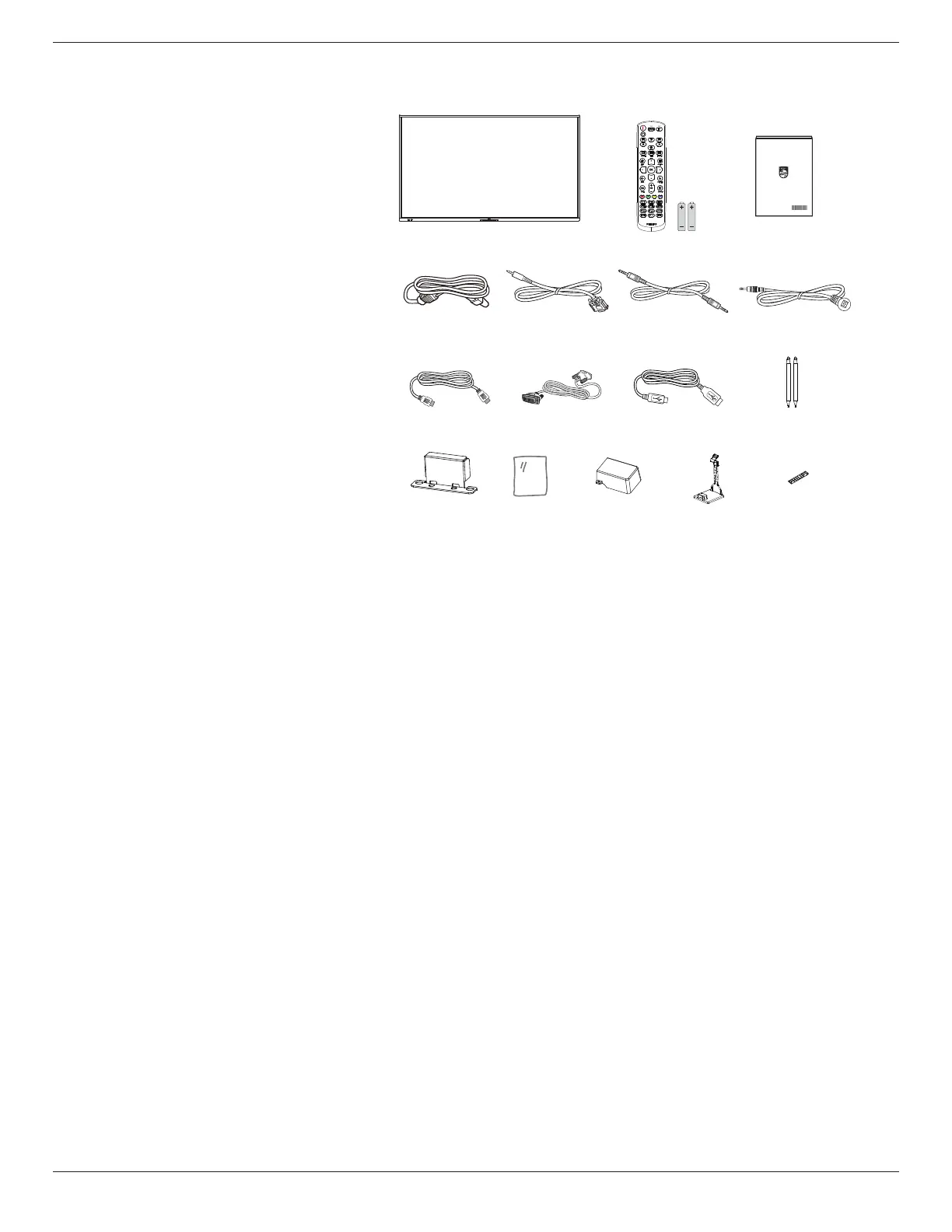
2.2. Package Contents
Please verify that you received the following items with your package content:
• LCD Display
• Quick start guide
• Remote Control and AAA batteries
• Power cable
• RS232 cable
• RS232 daisy chain cable
• IR sensor cable
• HDMI cable
• DVI cable
• Touch USB
• Touch pen
• AC Switch Cover
• Cleaning cloth
• USB Cover
• Cable Clip
• Philips logo plate
* The supplied power cord varies depending
on destination.
LCD display
Remote Control
and AAA Batteries
Quick start guide
RS232 Daisy
Chain Cable
RS232 Cable
Philips logo
plate
IR Sensor Cable
Power Cord
HDMI Cable DVI Cable Touch pen
Touch USB
Cleaning
cloth
USB Cover Cable Clip
x 3PCS
AC Switch
Cover x 1
* Items may dier in dierent locations
* Display design and accessories may dier from the images shown.
NOTES:
• For all other regions, apply a power cord that conforms to the AC voltage of the power socket and has been approved by and
complies with the safety regulations of the particular country (Type H05W-F, 2G or 3G, 0.75 or 1 mm
2
should be used).
• Keep the packaging materials appropriately after unpacking the product.
2.3. Installation Notes
• Only use the power cable provided with this product. If an extension cord is required, please consult your service agent.
• The product should be installed on a at surface, or the product may tip over. Leave a space between the rear of the product
and the wall for proper ventilation. Do not install the product in a kitchen, bathroom or a place exposed to moisture, failure to
do so may shorten the life of the internal parts.
• Do not install the product where it is 3000m and higher in altitude. Failure to do so may result in malfunctions.







 To Next Page