Philips Electronics
- 25 -
3.4.5 Photo Effects5
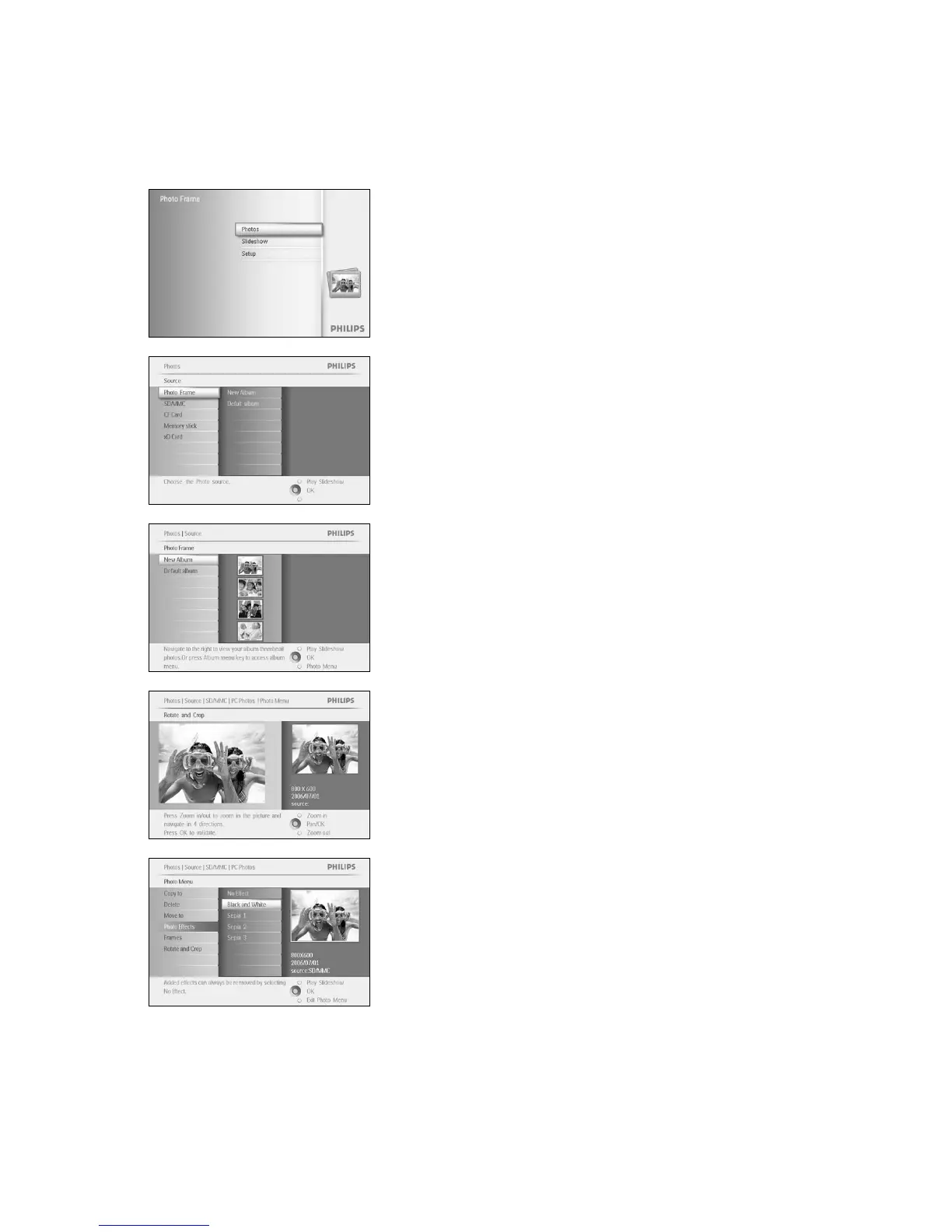
Press the menu button to access the Main Menu.
Navigate right or press the OK button to access the Photo menu.
Navigate down to select the media to browse.
Navigate right to enter the required album.
Navigate right to view the photos in the chosen album.
Select the photo to change.
Press the menu button to access the
Photo Menu
.
Navigate down to go to
Photo Effects. (select between No Effect,
Black and White or Sepia .)



 To Next Page