Philips Electronics
- 34 -
4.1.3 Add Album to Slideshow
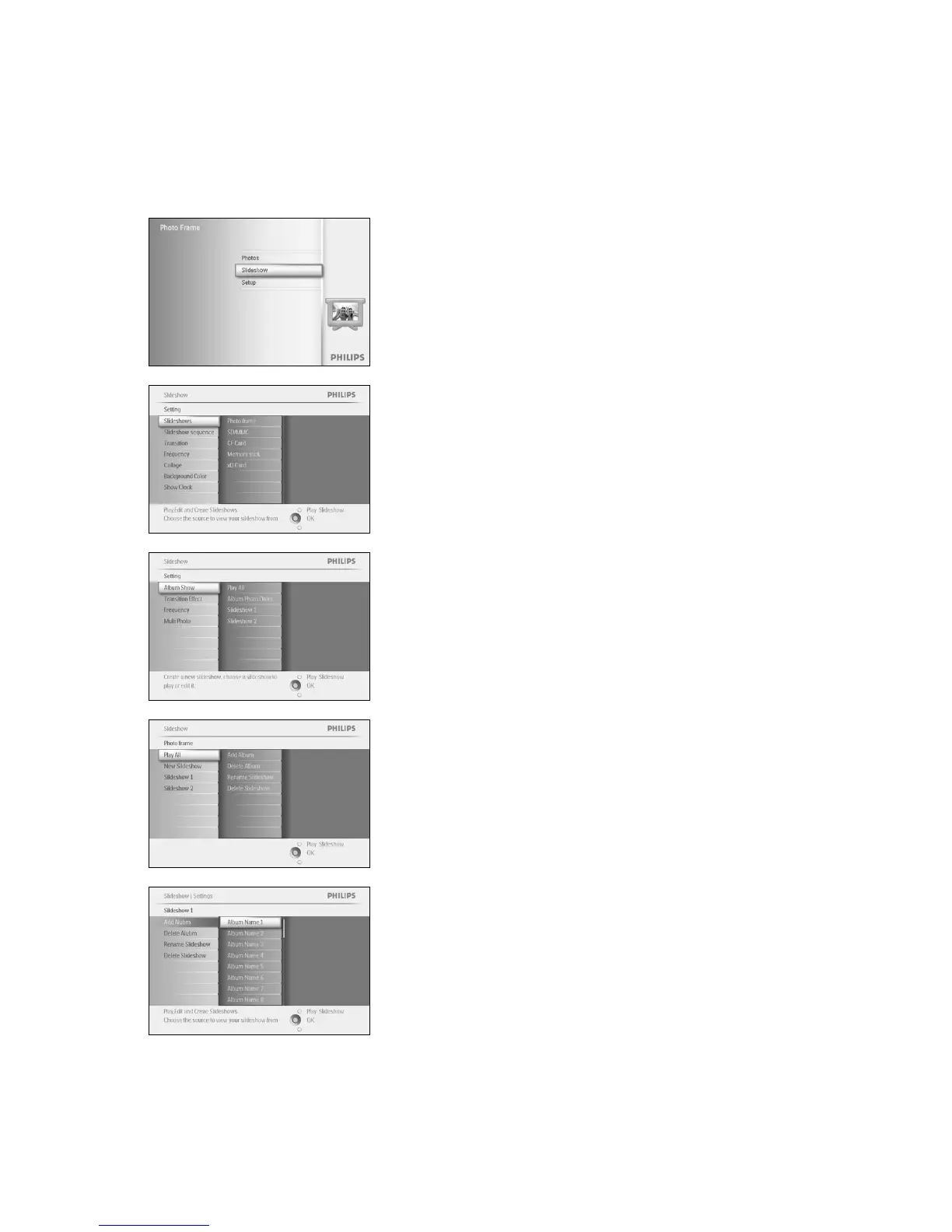
Use this function to add previously created albums into slideshows.
Press the menu button to access the Main Menu.
Navigate down to highlight the Slideshow icon.
Navigate right or press the OK button to access the slideshow menu.
Navigate right to access the slide show source.
Navigate right to go to the slideshow list.
Navigate down to go to the slideshow where the album is to be added
to.
Press the menu button.
Navigate right to pick the album to be added and press OK to add.



 To Next Page