Philips Electronics
- 50 -
5.3 Memory Card
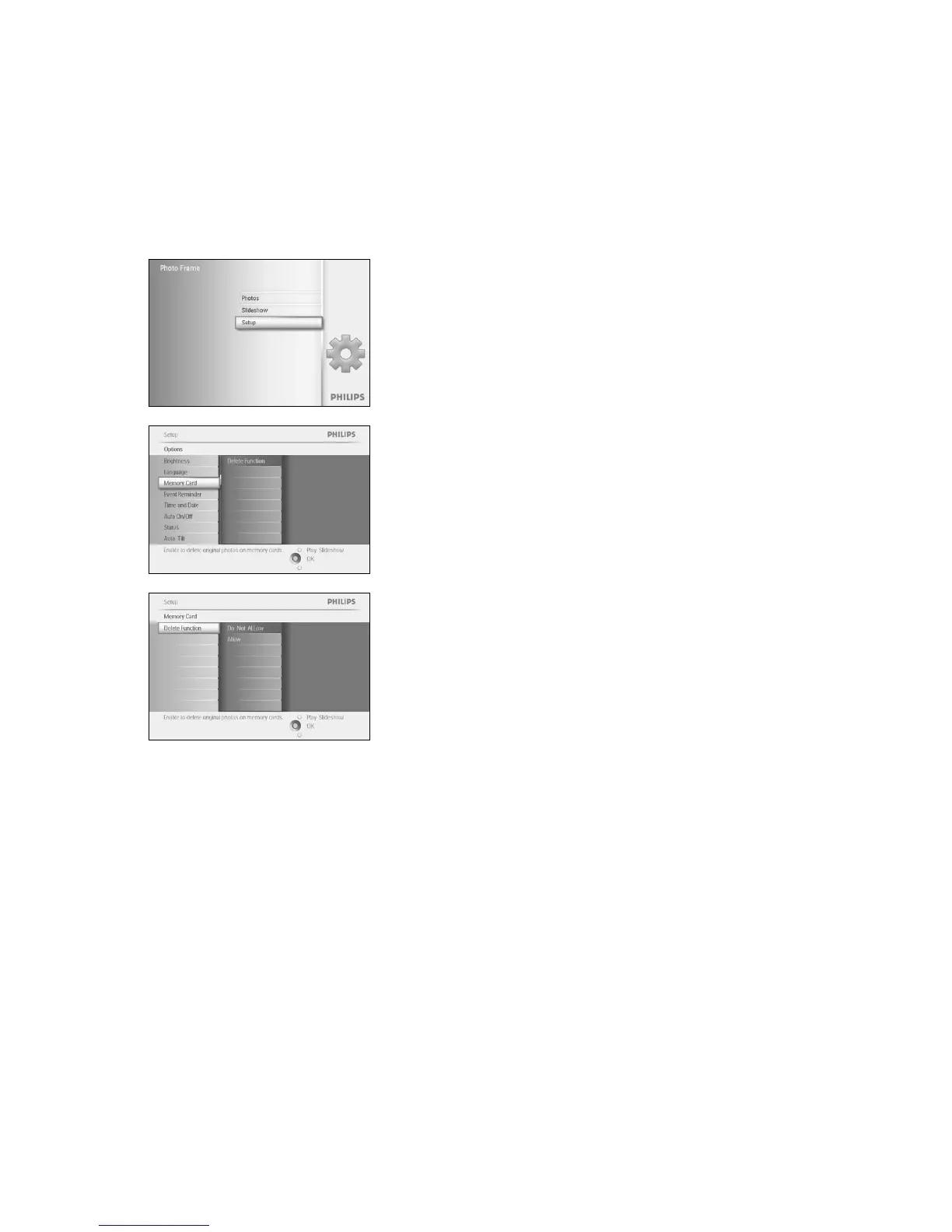
Use this feature to allow the delete function on the inserted memory card
Delete Permission
Press the menu button to access the Main Menu.
Navigate down to highlight the setup icon.
Navigate right or press the OK button to access the setup menu.
Navigate down to Memory Card,
Navigate right to Delete function,
Navigate right select Do Not Allow or Allow.
Press OK to confirm choice.
Press Play Slideshow to leave this menu and play the slideshow



 To Next Page