Philips Electronics
- 39 -
4.1.6 Delete Slideshow
Deleting a slideshow will NOT remove the images from the PhotoFrame™, simply remove the
slideshow name and list.
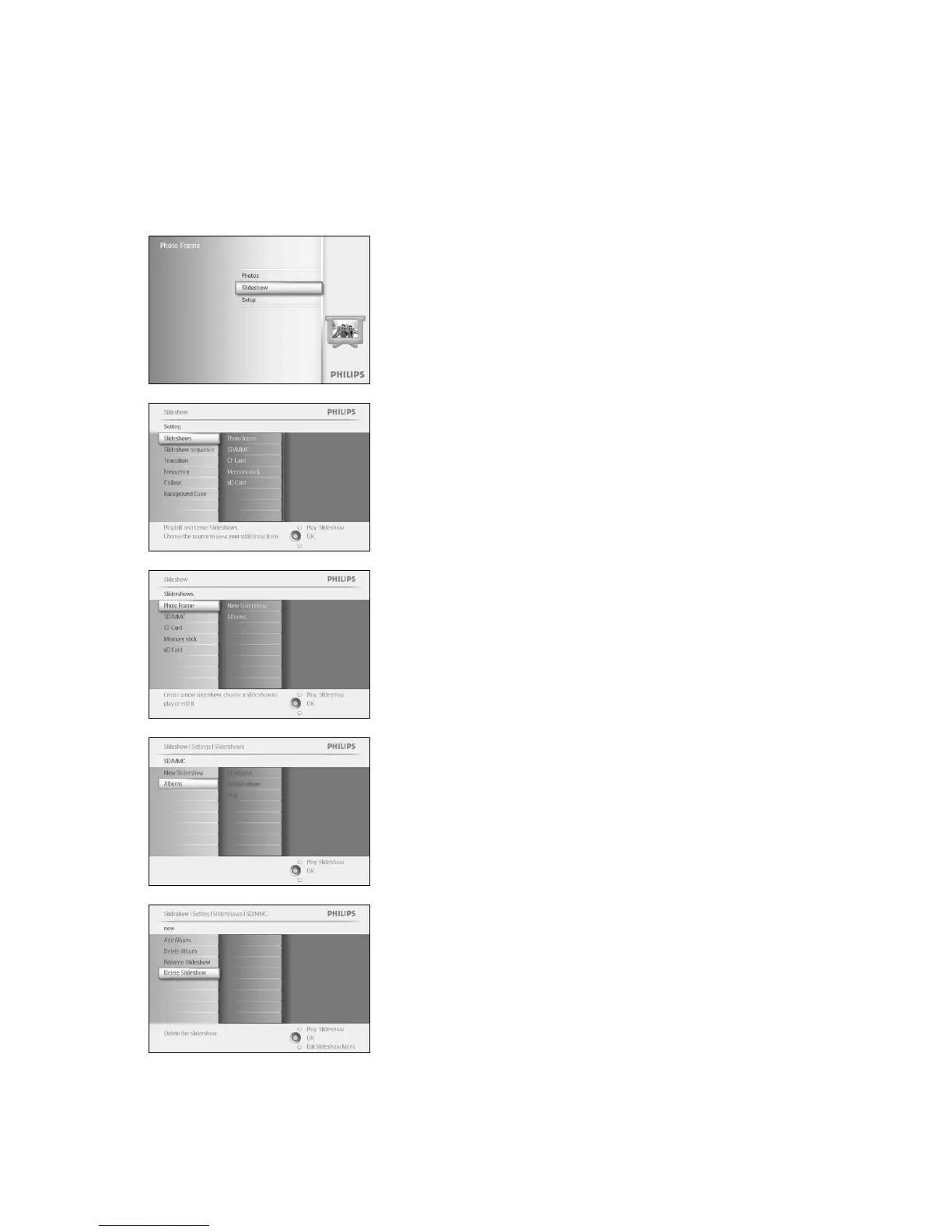
Press the menu button to access the Main Menu.
Navigate down to highlight the Slideshow icon.
Navigate right or press the OK button to access the slideshow menu.
Navigate right to access the storage menu.
Navigate right to access the slideshow list.
Navigate down to go to the slideshow you want to delete and press the
menu button.
Navigate down to go to Delete slideshow,
Navigate right to go to Yes or No.
Navigate down to go to Yes and press OK to validate.



 To Next Page