Philips Electronics
- 37 -
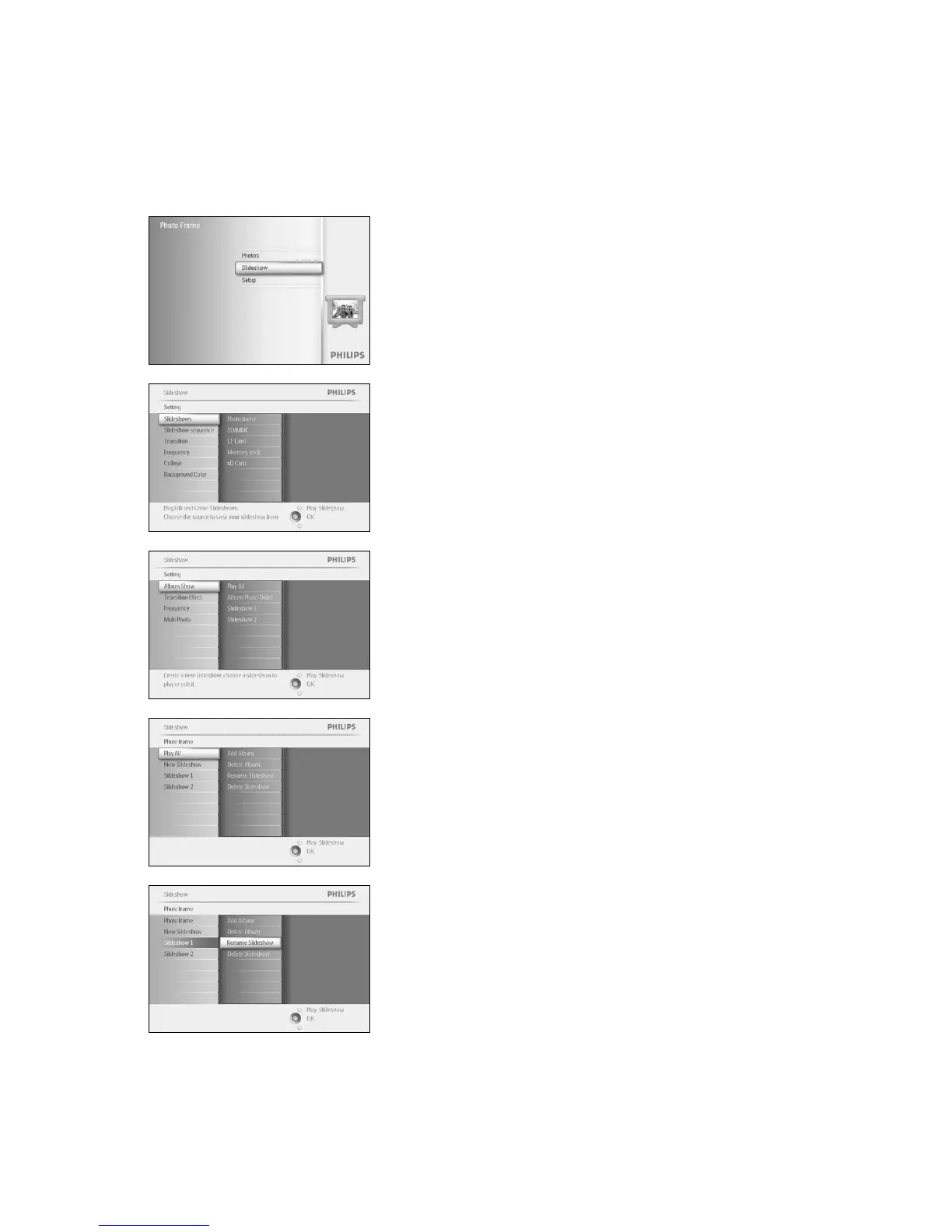
4.1.5 Rename Slideshow
A slideshow can be renamed at any time by following the instructions below.
Press the menu button to access the Main Menu.
Navigate down to highlight the Slideshow icon.
Navigate right or press the OK button to access the slideshow menu.
Navigate right to access the source list
Navigate right to access the slideshow list.
Navigate down to go to the slideshow you want to select and press the
menu button.
Navigate down to access rename slideshow and press OK to enter the
on screen keyboard.



 To Next Page