Philips Electronics
- 49 -
5.2 Language
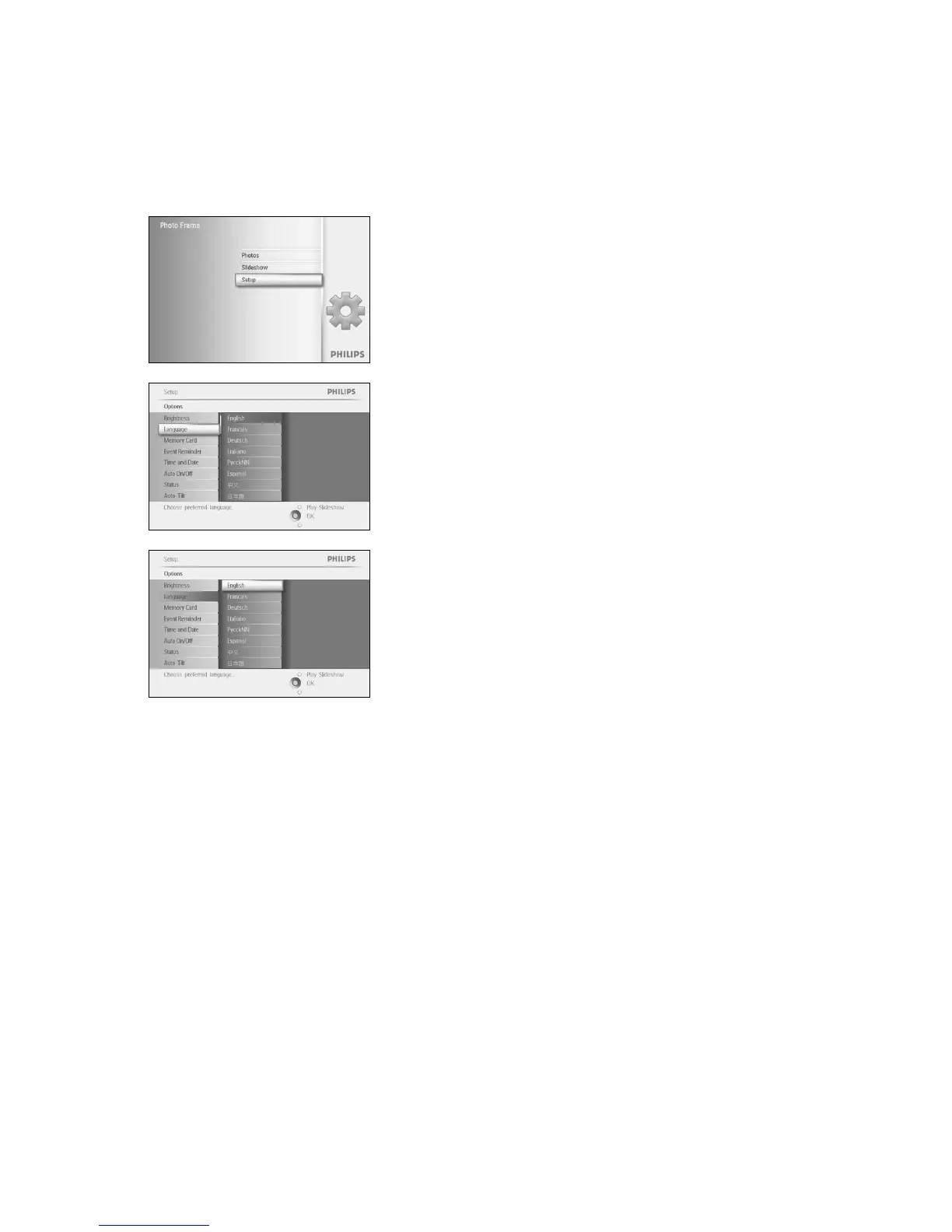
Use this section to choose the menu language of the PhotoFrame™.
Press the menu button to access the Main Menu.
Navigate down to highlight the setup icon.
Navigate right or press the OK button to access the setup menu.
Navigate down to go to language.
Navigate right to enter the language menu.
Navigate up and down to select your preferred language (select
between English, French, Spanish, Italian, Polish, Chinese and Japanese).
Press the OK button to confirm your selection. The new setting will be
effective immediately.
Press Play Slideshow to leave this menu and play the slideshow



 To Next Page