User Manual BDL4251V
13
How to Mount or Attach Feet to the LCD Monitor
You can install the LCD monitor in one of the following two ways:
Method 1: Attach and remove the optional stands
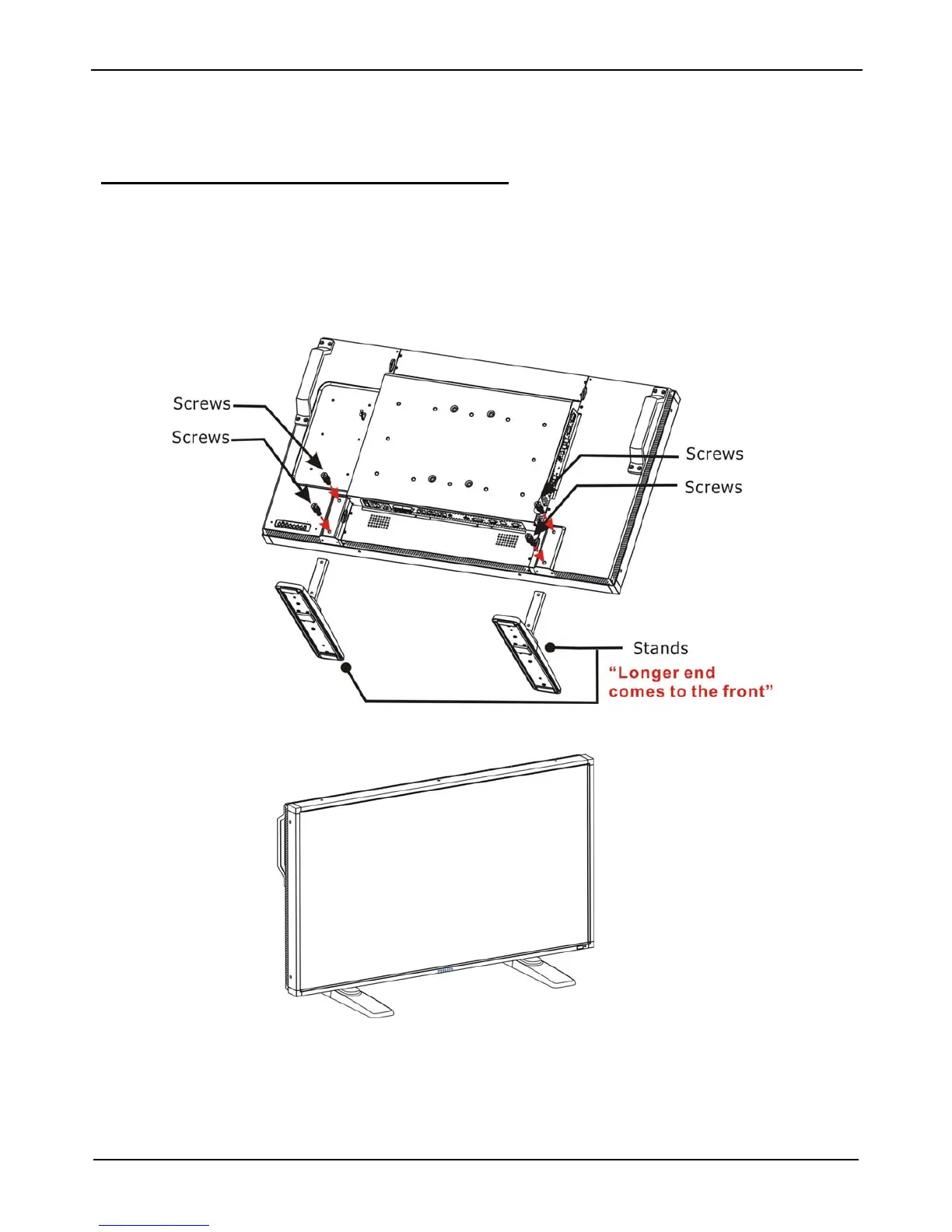
How to install stands
1. Please turn the monitor off.
2. After inserting stand in guide block, fasten the thumbscrews on both sides of the monitor.
NOTE:
Install the table stand with the longer end of the feet directing to the front.
In the upright position
How to remove the stands
1. Spread the protective sheet on the flat surface.
2. Make the monitor lying on the protective sheet.
3. Remove screws using a screwdriver and place them in a safe place for reuse.












 To Next Page