User Manual BDL4251V
27
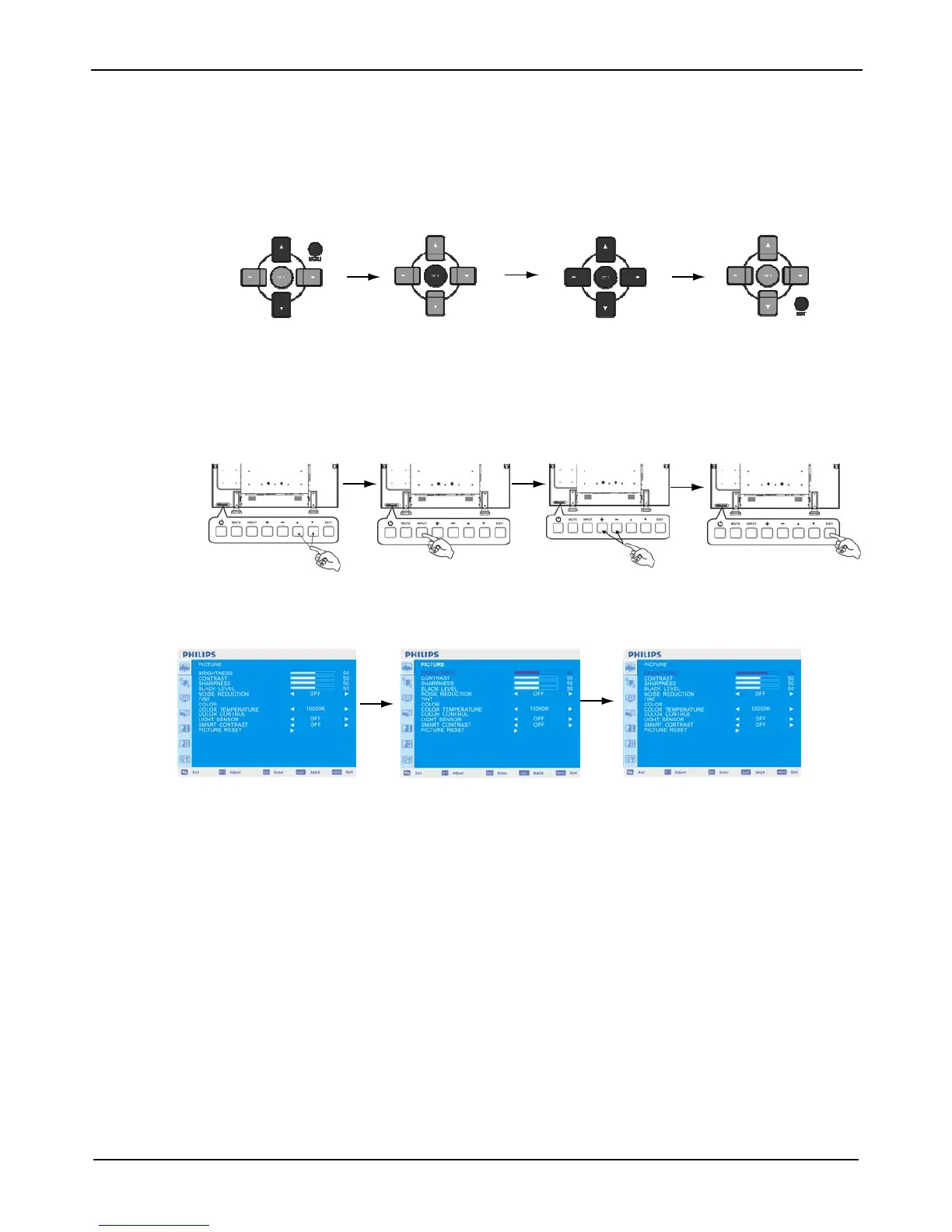
OSD (On-Screen-Display) Controls
Remote Control
Control Panel
Press MENU button to
open Main menu. Press
UP or DOWN button to
select sub-menu.
Press EXIT button to open
Main menu. Press UP or
DOWN button to select.
Press SET button
to enable setting.
Press INPUT button to
enable the setting.
Press UP or DOWN, and PLUS or
MINUS button to select function,
or adjust the setting. Press SET
button to enable the setting.
Press UP or DOWN, and PLUS or
MINUS button to select function,
or adjust the setting. Press INPUT
button to enable the setting.
Press MENU or
EXIT button to exit.
Press EXIT button to exit.
UP or DOWN button INPUT button
“+” “-” button EXIT button
OSD screen












 To Next Page