User Manual BDL4251V
17
9. Adjust the image
Make adjustments to brightness or contrast if required.
10. Recommended Adjustment
To reduce the risk of “image persistence”, please adjust the
following items based on the application being used.
“POWER SAVE”, “PANEL SAVING”, “DATE AND TIME”.
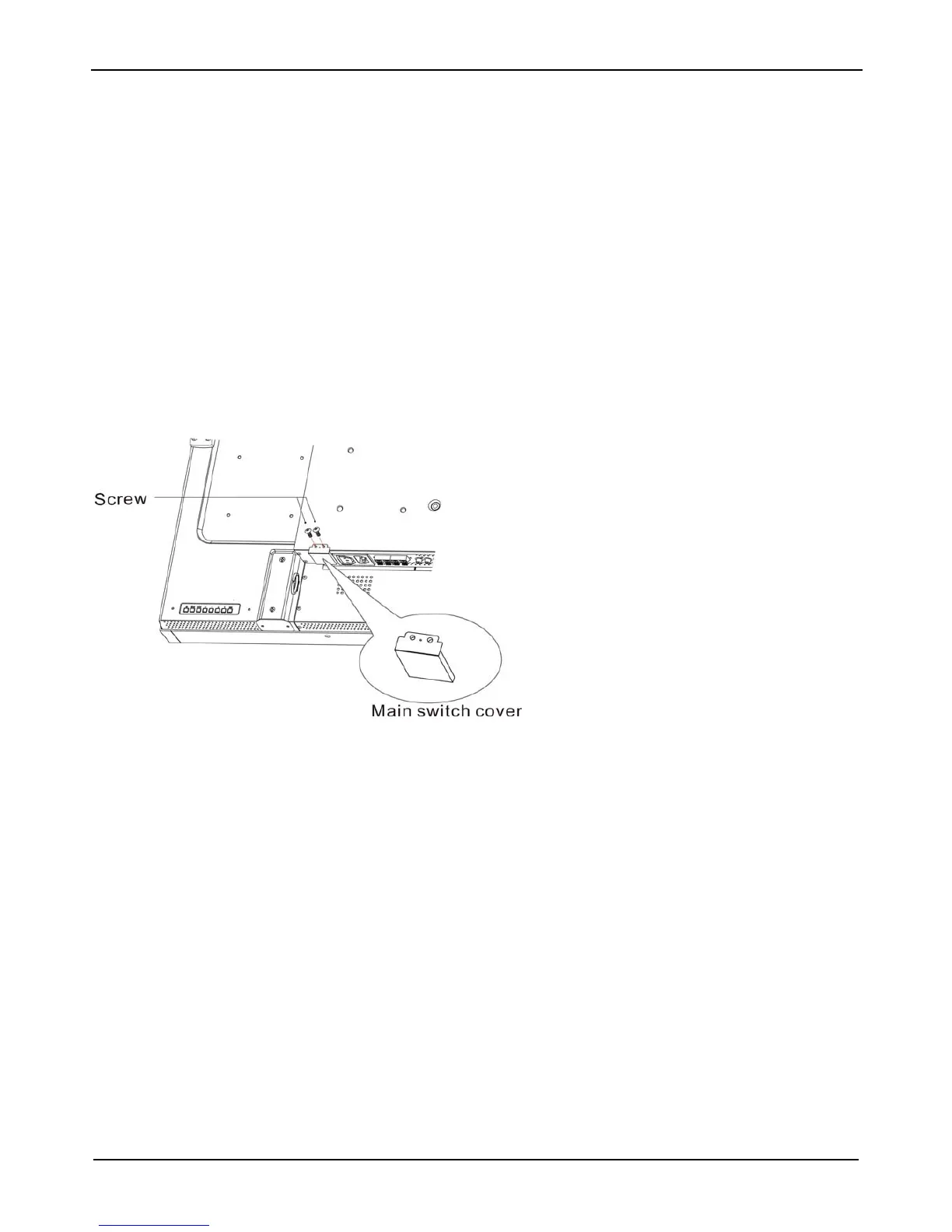
11. To prevent the main power switch from
being changed
To prevent the possibility of main power switch being carelessly
pushed, please attach the main switch cover (accessory) onto it.
NOTE:
With the main
power switch cover in place, the main power switch
can not be turned off. Remove main power switch cover in order to
turn off the display.












 To Next Page