EN 13
4. CONNECTIONS
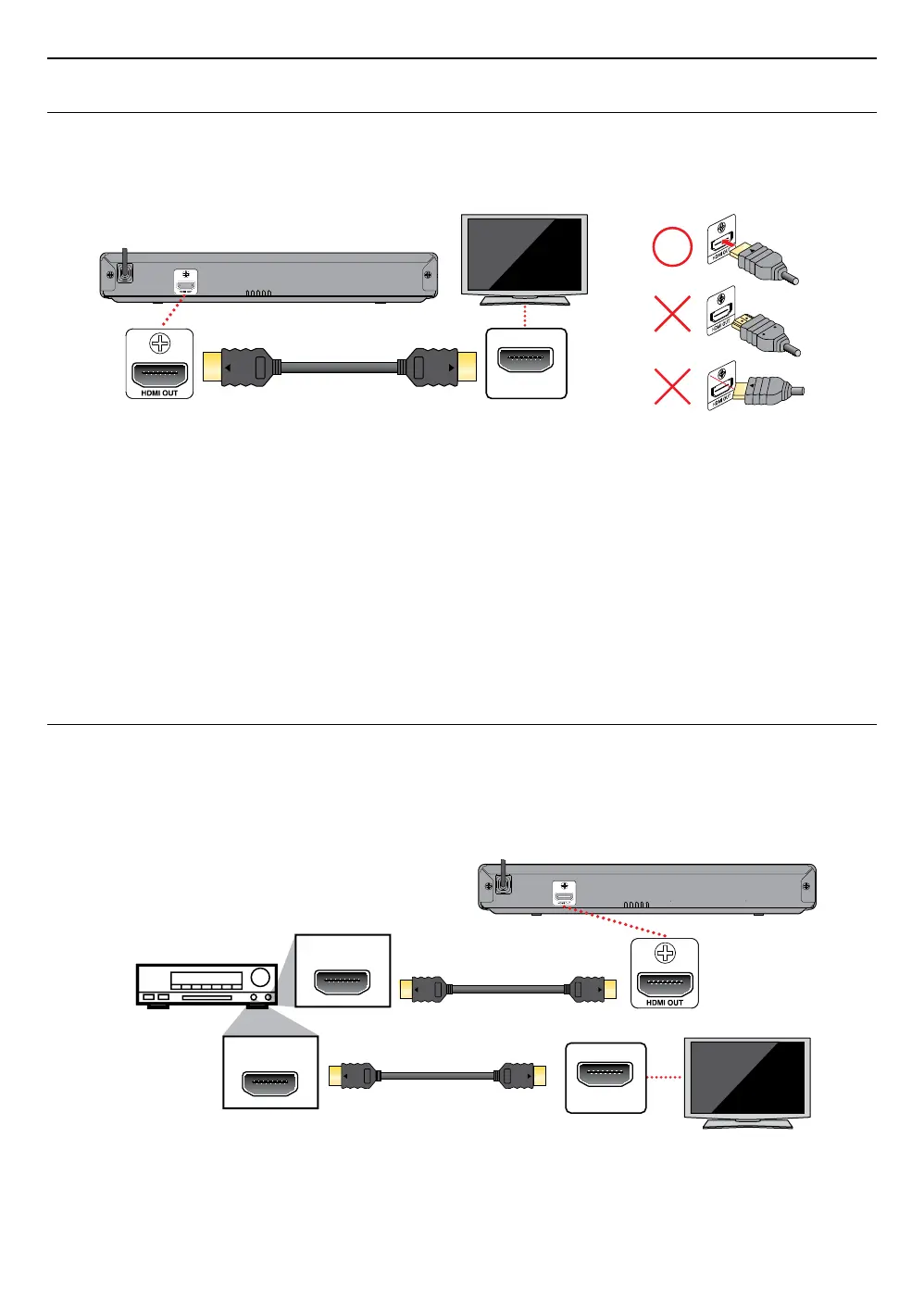
4.1. Connection to a TV
C HDMI connection (Supports up to 1080i(
*
1), 1080p(
*
2), 1080p/24(
*
3) resolution.)
HDMI IN
HDMI cable
(not included)
(*1) 1080i: Outputs video data with a frame rate of 30 frames per second.
(*2) 1080p: Outputs video data with a frame rate of 60 frames per second.
(*3) 1080p/24: Outputs video data with a frame rate of 24 frames per second.
• Do not tilt the connector when inserting it into the HDMI jack, and make sure the shapes of the jack and the
connector are matched.
• When connected to an HDCP incompatible display device, the picture will not be displayed properly.
• Use an HDMI cable with the HDMI logo (a certified HDMI cable) for this connection. High Speed HDMI cable (also
known as HDMI category 2 cable) is recommended for better compatibility.
NoteD
• If the TV receives no audio / video signal after properly connecting the unit and the TV with an HDMI cable, it
may be the TV. Please refer to the TV’s user’s manual.
• If the TV receives no audio signal after properly connecting the unit and the TV with an HDMI cable, make sure
the TV input is not an HDMI-DVI input terminal.
4.2. Connection to an audio system
• When you change the connections, all devices should be turned off.
• When connecting the unit to an external audio system, refer to the user manual for setup / configuration help.
C HDMI audio connection
HDMI IN
HDMI OUT
HDMI IN
AV receiver / amplier with
an HDMI input jack
HDMI cable
(not included)
HDMI cable
(not included)
Your TV



 To Next Page