11
English
EN
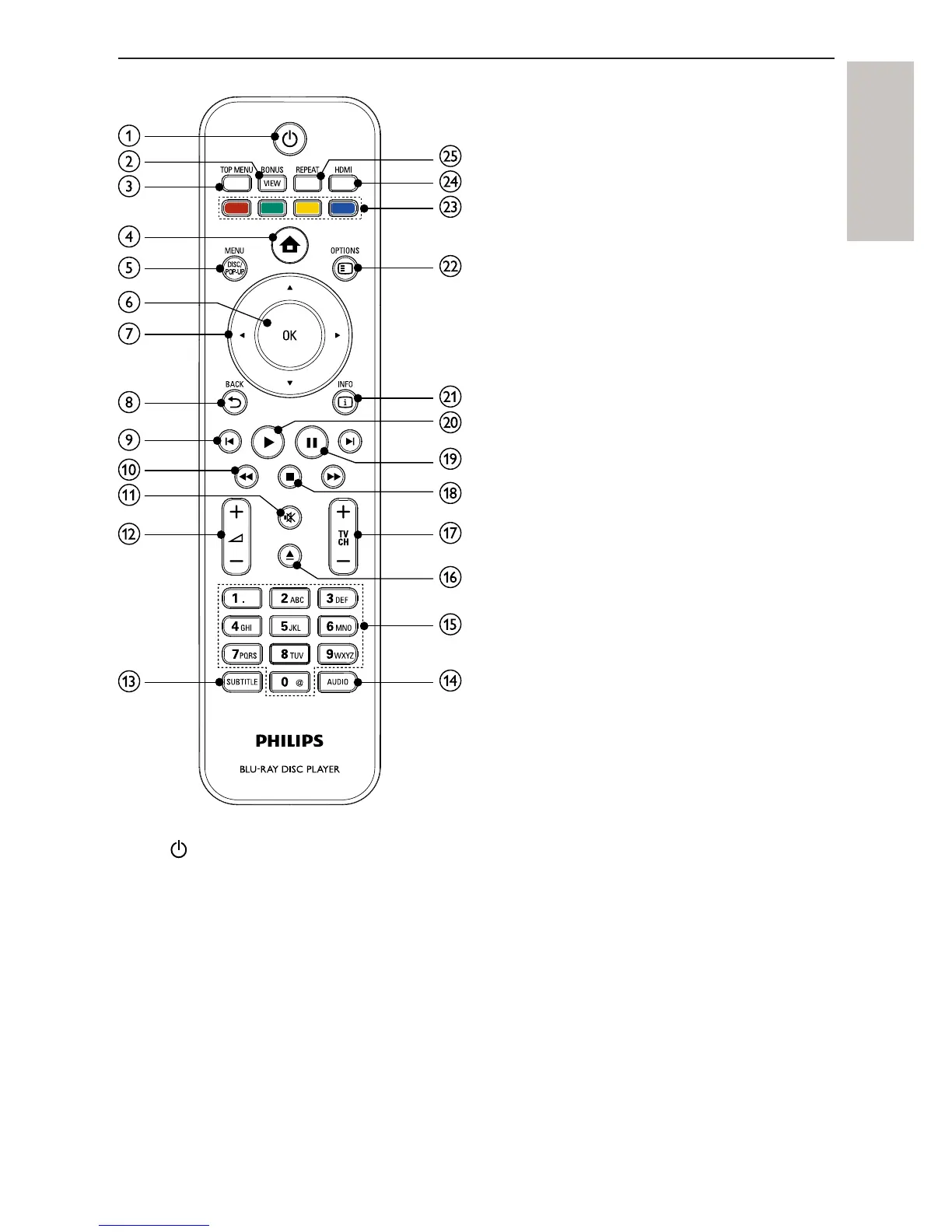
Remote control
a
Turn on this product or switch to standby mode.•
When EasyLink is enabled, press and hold for at least three •
seconds to turn all connected HDMI CEC compliant devices to
standby.
b BONUSVIEW
Turn on or off the secondary video in a small screen window •
during play (applicable only to BD-video that supports the
BONUSVIEW or Picture-In-Picture feature).
c TOP MENU



 To Next Page