14
EN
Note
Refer to the type plate at the back or bottom of the product for identification and •
supply ratings.
Before you make or change any connections, ensure that all devices are disconnected
•
from the power outlet.
Different types of connectors can be used to connect this product, depending on
•
availability and your needs. A comprehensive interactive guide to help you connect
your product is available at www.connectivityguide.philips.com.
Connect video/audio cables
Connect this product to TV to view disc play.
Select the best video connection that the TV can support.
• Option 1: Connect to the HDMI jack (for a HDMI, DVI or HDCP-
compliant TV).
• Option 2: Connect to the composite video jack (for a standard TV).
Note
You must connect this product directly to a TV. •
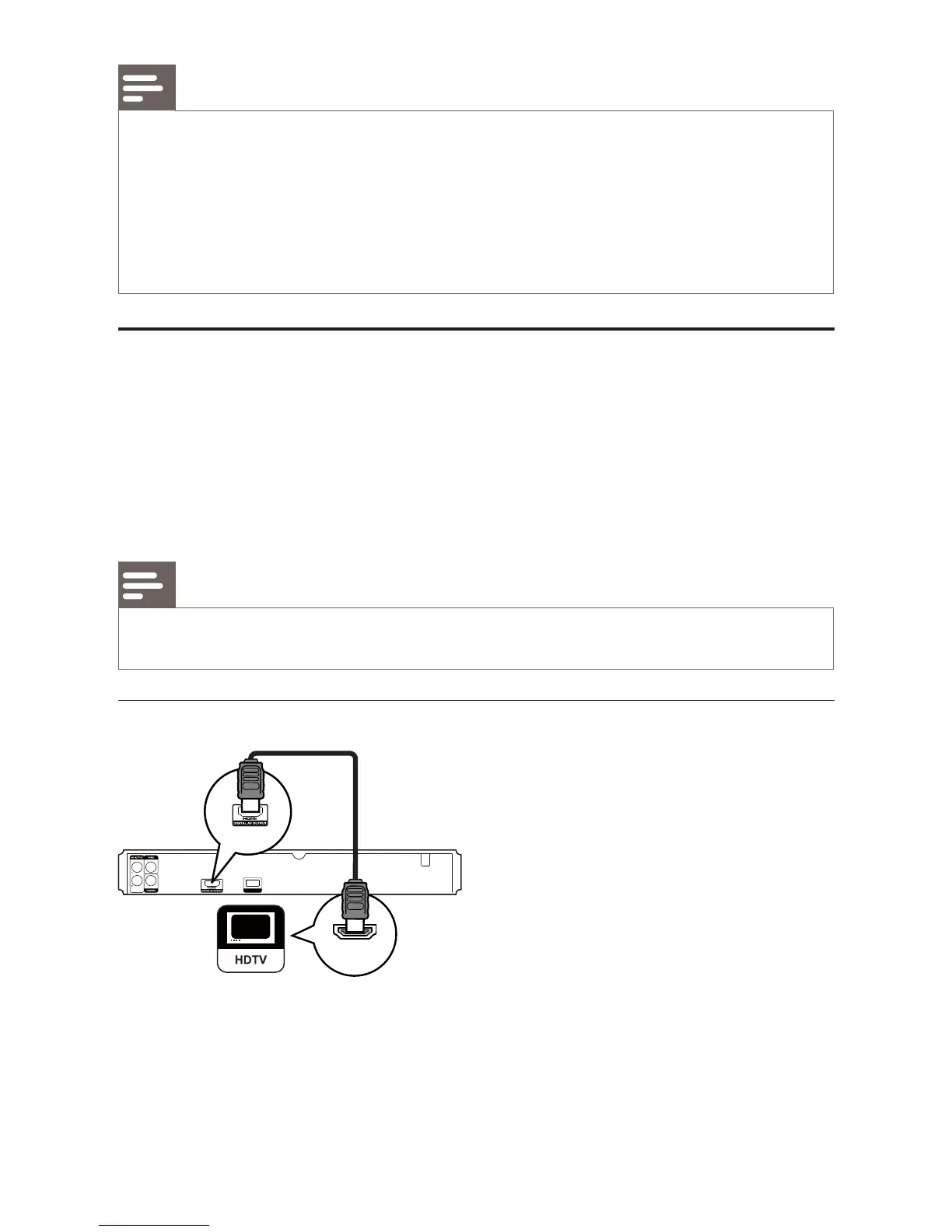
Option 1: Connect to the HDMI jack
1 Connect an HDMI cable (not supplied) to
the • HDMI jack on this product.
the HDMI input jack on the TV. •
USB
HDMI IN



 To Next Page