35
English
EN
[PCM Downsampling]
Set the sampling rate for PCM audio output from the DIGITAL OUT jack
(coaxial/optical).
• [On] - PCM audio is down-sampled at 48kHz.
• [Off] - For BD or DVD recorded in LPCM without copyright
protection, two-channel audio signals up to 96 kHz are output as
LPCM signals with no conversion.
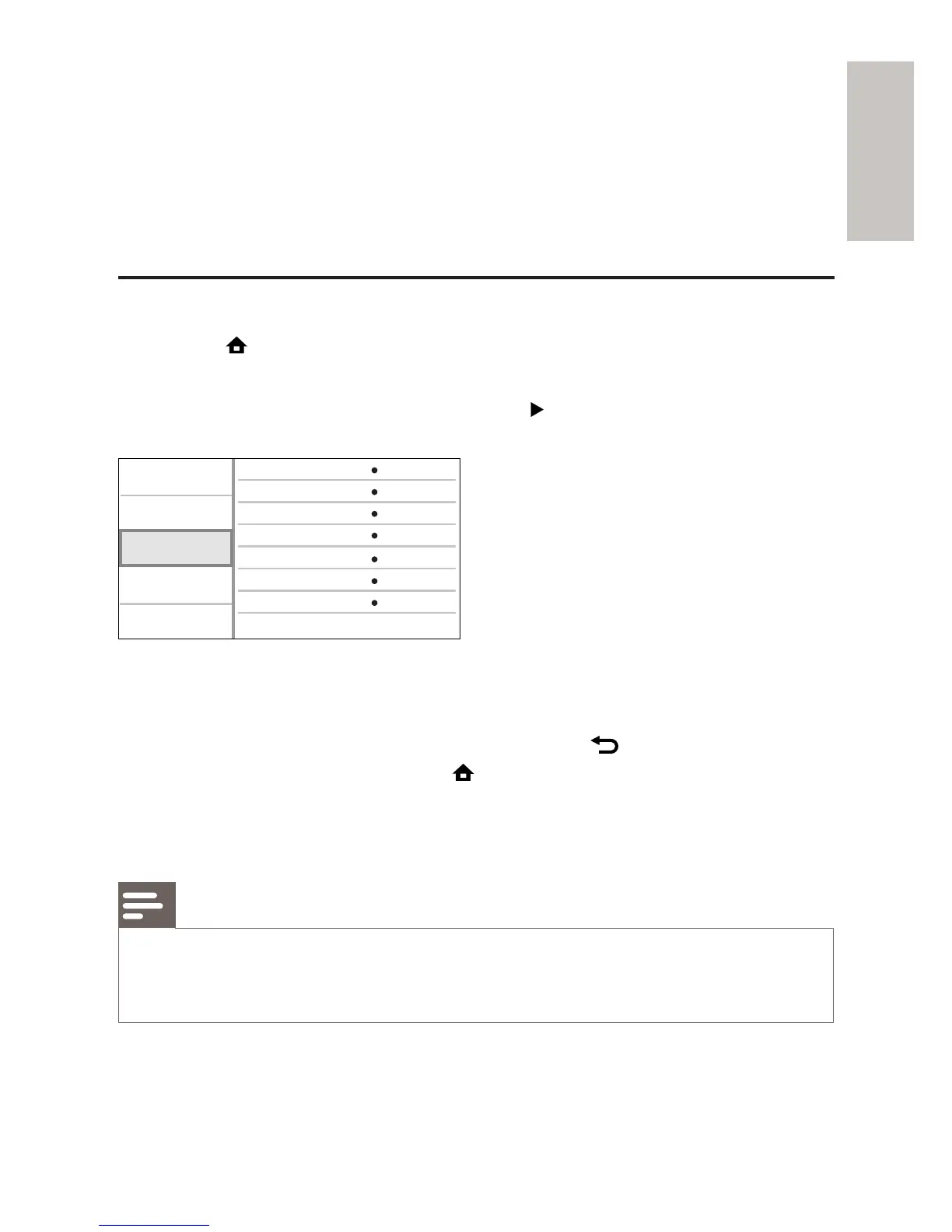
Preference Setup
1 Press .
2 Select [Settings], then press OK.
3 Select [Preference Setup], then press .
4 Select an option, then press OK.
5 Select a setting, then press OK.
To return to the previous menu, press •
BACK.
To exit the menu, press •
.
[Menu Language]
Select an on-screen menu language.
Note
If this product is connected to an HDMI CEC compliant TV using a HDMI cable, it •
switches automatically to the same menu display language as per your TV setting (if
the language set on TV is supported by this product).
[Parental Control]
Video Setup
Advanced Setup
Audio Setup
Preference Setup
EasyLink Setup
Menu Language
Parental Control
Screen Saver
Display Panel
Auto Standby
VCD PBC
Change Password
English
Off
Off
Normal
On
On



 To Next Page