32
EN
Note
If the language you have set is not available on the disc, the disc uses its own default •
language.
For some discs, the subtitle/audio language can only be changed from the disc menu.
•
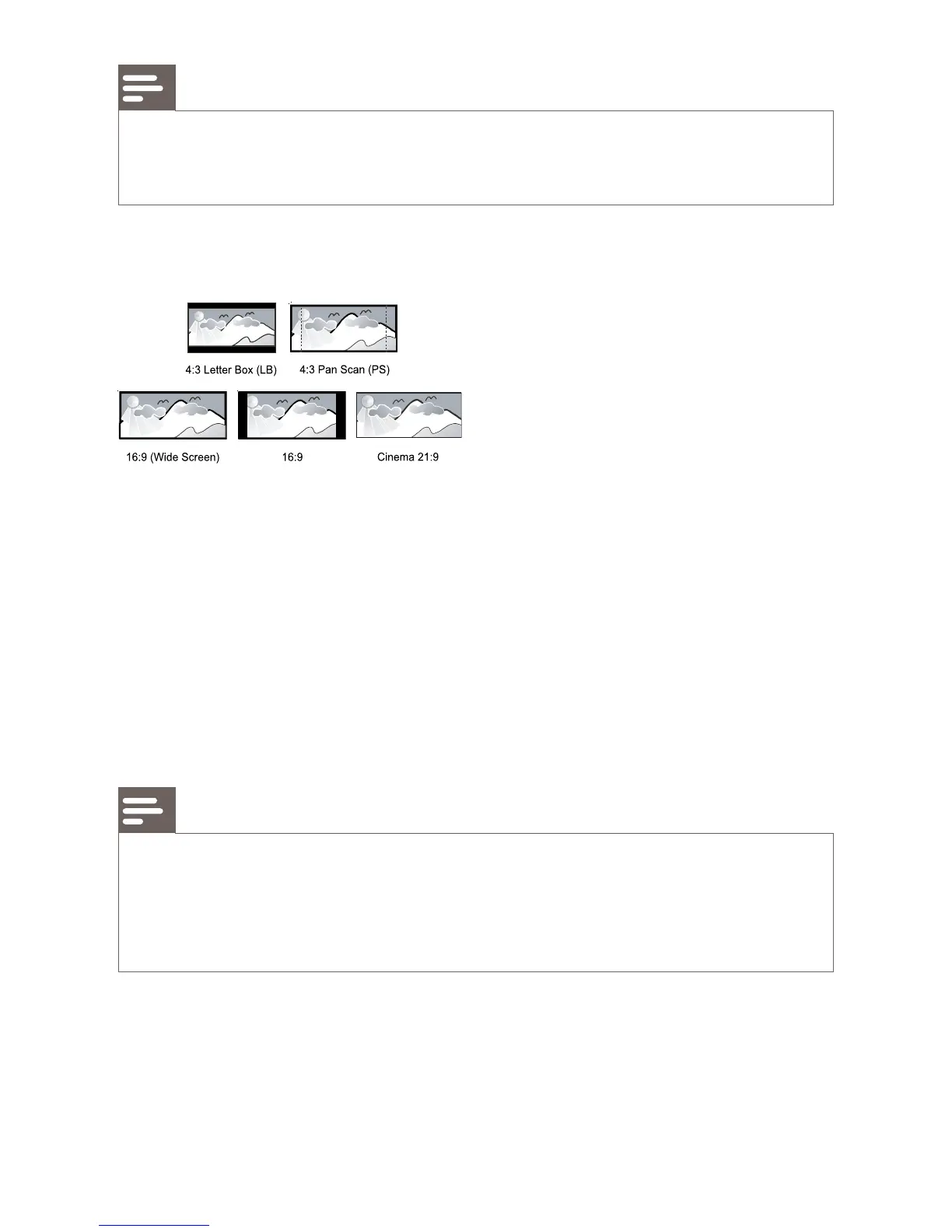
[TV Display]
Select a display format:
• [4:3 Letterbox] – For 4:3 screen TV: wide-screen display with black
bars on the top and bottom of the screen.
• [4:3 Panscan] – For 4:3 screen TV: full-height display with the
trimmed sides.
• [16:9 Widescreen] – For wide-screen TV: display picture at ratio
16:9.
• [16:9] – For 16:9 screen TV: display picture at ratio 4:3 for a disc with
4:3 ratio, with black bars on the left and right side of the screen.
• [Cinema 21:9] – For wide-screen TV of display ratio 21:9, remove
black bars at the bottom and top of the screen.
Note
If • [4:3 Panscan] you have selected is not supported by the disc, the screen displays in
the [4:3 Letterbox] format.
Help text display is available in all modes, except
• [Cinema 21:9].
Subtitle Shift function is enabled only in
• [Cinema 21:9] mode.
For optimum viewing with Philips Cinema 21:9 TV, refer to the TV’s user manual.
•
[HDMI Video]
Select an HDMI video output resolution that is compatible with your TV
display capability.
• [Auto] - Detect and select the best supported video resolution
automatically.



 To Next Page