11EN
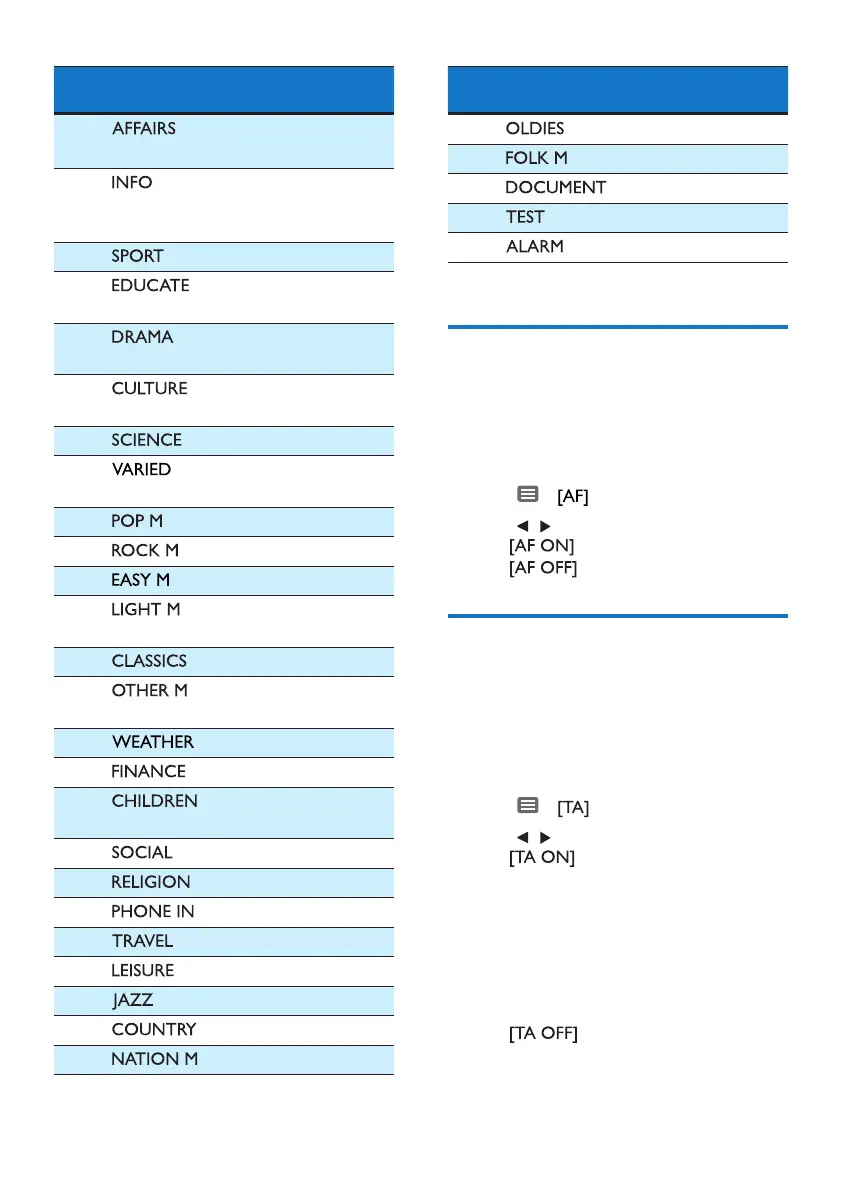
Item
Program
type
Description
2
Politics and
current aairs
3
Special
information
programs
4
Sports
5
Education and
advanced training
6
Radio plays and
literature
7
Culture, religion
and society
8
Science
9
Entertainment
programs
10
Pop music
11
Rock music
12
Light music
13
Light classical
music
14
Classical music
15
Special music
programs
16
Weather
17
Finance
18
Children’s
programs
19
Social Aairs
20
Religion
21
Phone In
22
Travel
23
Leisure
24
Jazz Music
25
Country Music
26
National Music
Item
Program
type
Description
27
Oldies Music
28
Folk Music
29
Documentary
30
Alarm Test
31
Alarm
Select alternate
frequencies
If the radio signal is poor, turn on AF
(Alternate Frequency) to search for
another station with stronger signal.
1 Tap > .
2 Tap , to select a setting:
•
: Turn on the AF mode.
•
: Turn o the AF mode.
Receive trac
announcement
If you do not want to miss trac
announcement when enjoying music,
turn on the TA (Trac Announcement)
function.
1 Tap > .
2 Tap , to select a setting:
•
: When there is trac
announcement, the unit
switches to the tuner mode
(regardless of the current mode)
and begins to broadcast the
trac conditions. When the
trac announcement is over, it
returns to the previous mode.
•
: Trac announcement
does not cut in.



 To Next Page