3EN
g Trim Plate
h Printed materials
Overview
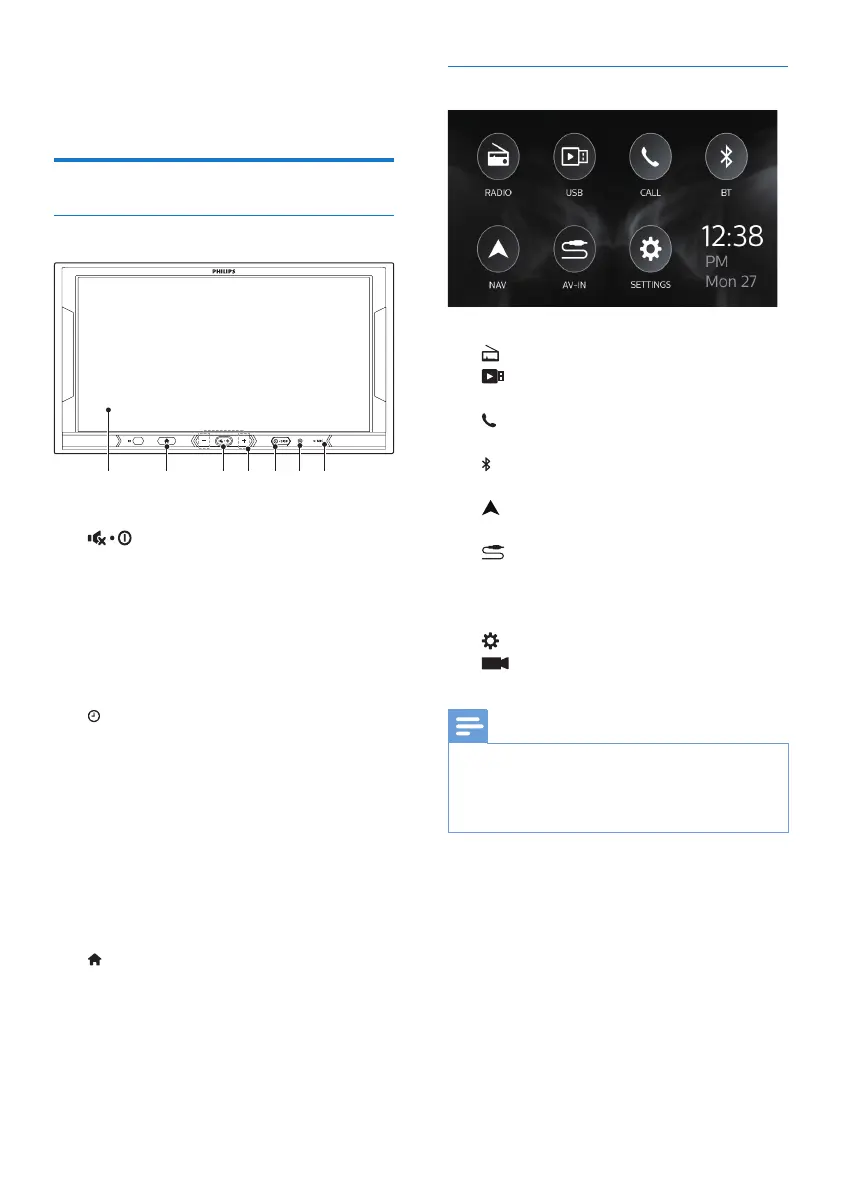
Main unit
gf a b cde
a
• Press to switch on.
• Press and hold to switch o.
• Press to mute or unmute.
b +/-
• Press to increase or decrease
the volume.
c
/ DISP
• Press to display the set clock.
• Press and hold to turn o
display.
d RES
• Press to reset the system.
e MIC
• Microphone
f Touch screen
g
• Press to enter the Home screen.
Home screen
Tap the icons to select functions:
•
: Tune to FM/AM radio stations.
•
: Play music/videos from the
connected USB storage device.
•
: Make/ answer phone calls from
the connected mobile phone.
•
: Stream music from the connected
Bluetooth device.
•
: Enter GPS navigation system or
exit.
•
: Play music/videos from the
external media player that is
connected through audio/video
cables.
•
: Enter the settings menu.
•
: Enter the DVR operation
function.
Note
•
The DVR icon appears only when a DVR
device connects to the DVR interface.
Please check with your distributor to get a
proper DVR for this unit.



 To Next Page