20
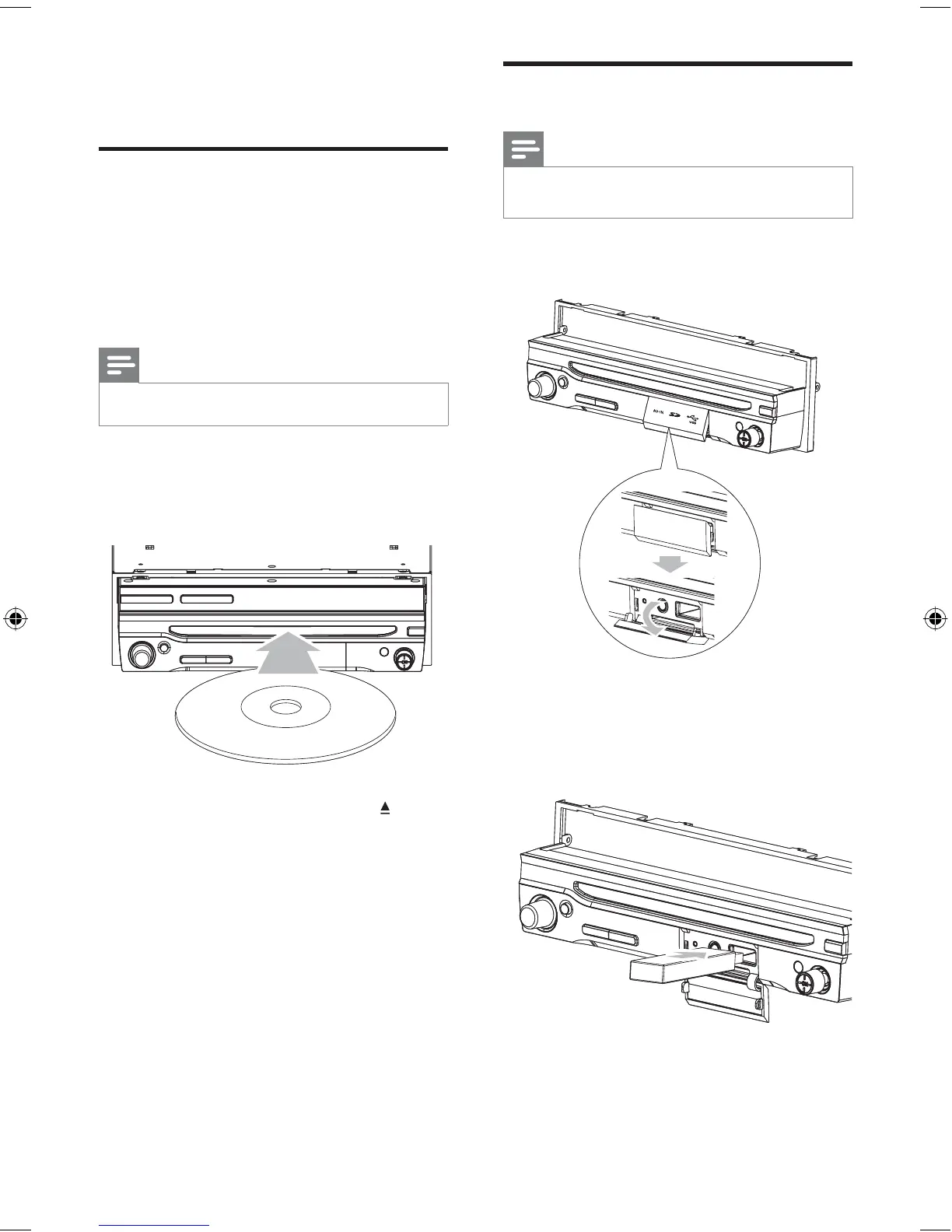
Insert USB or SD/MMC card
Note
Ensure that the device contains playable content.
The unit supports SDHC card.
•
•
1 Open the USB/SD/MMC card cover.
2 Insert the USB device or SD/MMC card
into the USB socket or SD/MMC card slot.
Play starts automatically.
»
5 Play
Load discs
You can play video, audio or images stored on
the following discs:
DVD video, DVD-R, DVD-RW
VCD
Audio CD, CD-R, CD-RW
Note
Ensure that the disc contains playable content. •
1 Insert the disc into the disc slot with label
side facing up.
Play starts automatically.
To remove the disc, press the button.
When the disc is ejected, the unit
switches to the previous source,
if connected. Otherwise, the
unit switches to [Radio] mode
automatically.
•
•
•
»
»
»
P
r
i
n
t
i
n
g
i
n
C
h
i
n
a
P
r
i
n
t
i
n
g
i
n
C
h
i
n
a
P
r
i
n
t
i
n
g
i
n
C
h
i
n
a
P
r
i
n
t
i
n
g
i
n
C
h
i
n
a
EN
EN.indd Sec1:20EN.indd Sec1:20 2008-11-14 13:23:192008-11-14 13:23:19



 To Next Page